Overall Style and Aesthetic
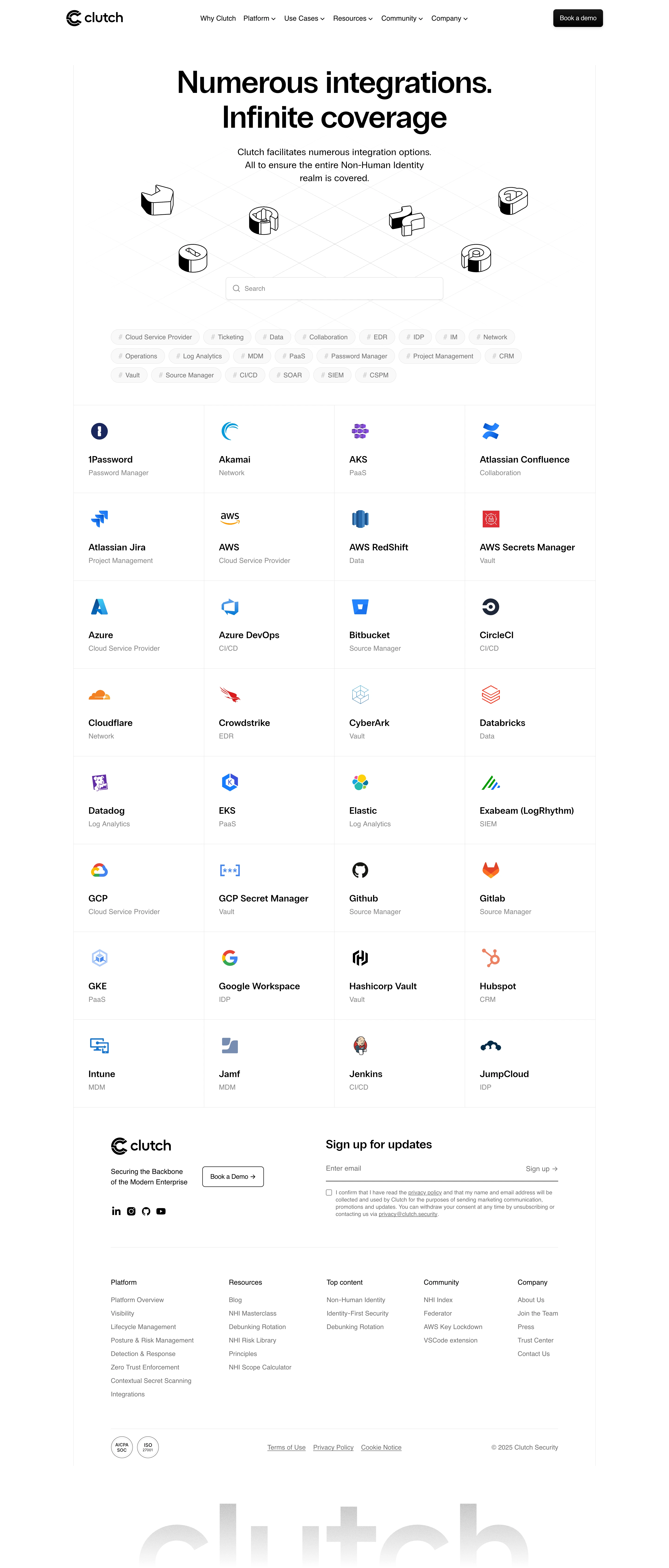
Clutch Security’s Integrations page radiates a crisp, modern professionalism through its carefully curated minimalist design. The visual approach is clean, relying on generous white space, subtle gradients, and restrained use of color to spotlight content without distraction. It embodies a sense of trust and cutting-edge efficiency, perfect for a cybersecurity SaaS solution. Layout and Structure
The page opens with a focused hero section: concise headline, supporting text, and a primary call-to-action creating instant clarity. Directly below, a grid of integration cards delivers at-a-glance comprehension, each neatly organized for easy scanning. The layout is intuitive, using clear sectioning with consistent spacing and logical flow from top to bottom. Supporting elements, like a persistent sticky navigation bar and clean footer, enhance accessibility and navigation. Visual Elements
Custom integration icons anchor each card, leveraging consistent line weight and brand colors for harmony. Soft hover effects add tactile feedback, inviting interaction without being distracting. Subtle animated transitions between states lend a sense of dynamism and polish, reinforcing the product’s innovative ethos. Color Palette and Typography
The palette centers on white and deep blue, accented by vibrant tech-influenced hues like teal and purple to signal action and brand sophistication. The typography uses a geometric sans-serif family, establishing strong visual hierarchy with bold headlines, clear section dividers, and approachable, legible body text. User Experience Patterns and Unique Design Choices
Navigation is frictionless: sticky headers, prominent “Get Started” CTAs, and logical grouping of integrations prioritize ease of use. There’s an emphasis on immediate understanding—no dense copy or visual clutter, and microinteractions aid discoverability. Noteworthy are the integration cards, which surface key features on hover, balancing information density with visual restraint—perfect inspiration for SaaS platforms seeking to combine usability with visual impact..webp)



.avif)