Design with AI
Generate a new design based on this screen using your own content.
# Design from Reference: Blobr Add API Source
Create an original, high-fidelity visual design inspired by the reference. Prioritize composition, typography, colors, spacing, and component styling over technical implementation.
## Reference
- **Product:** Blobr
- **Category:** Add & Edit
- **Screenshot:** https://cdn.prod.website-files.com/5e9dc792e1210c5325f7ebbc/6acb6c1d5391d62536b672fa_6acb6ab1ddc9482c92788b2d_cms-c93b9db25757cad1642e8e33.webp
Analyze the screenshot first. If inaccessible, request it rather than guessing.
## Content
{{content.instructions}}
{{content.data}}
Preserve essential messaging and factual accuracy. Adapt structure and copy length for visual balance; never invent product claims.
## Visual Design
### Overall aesthetic
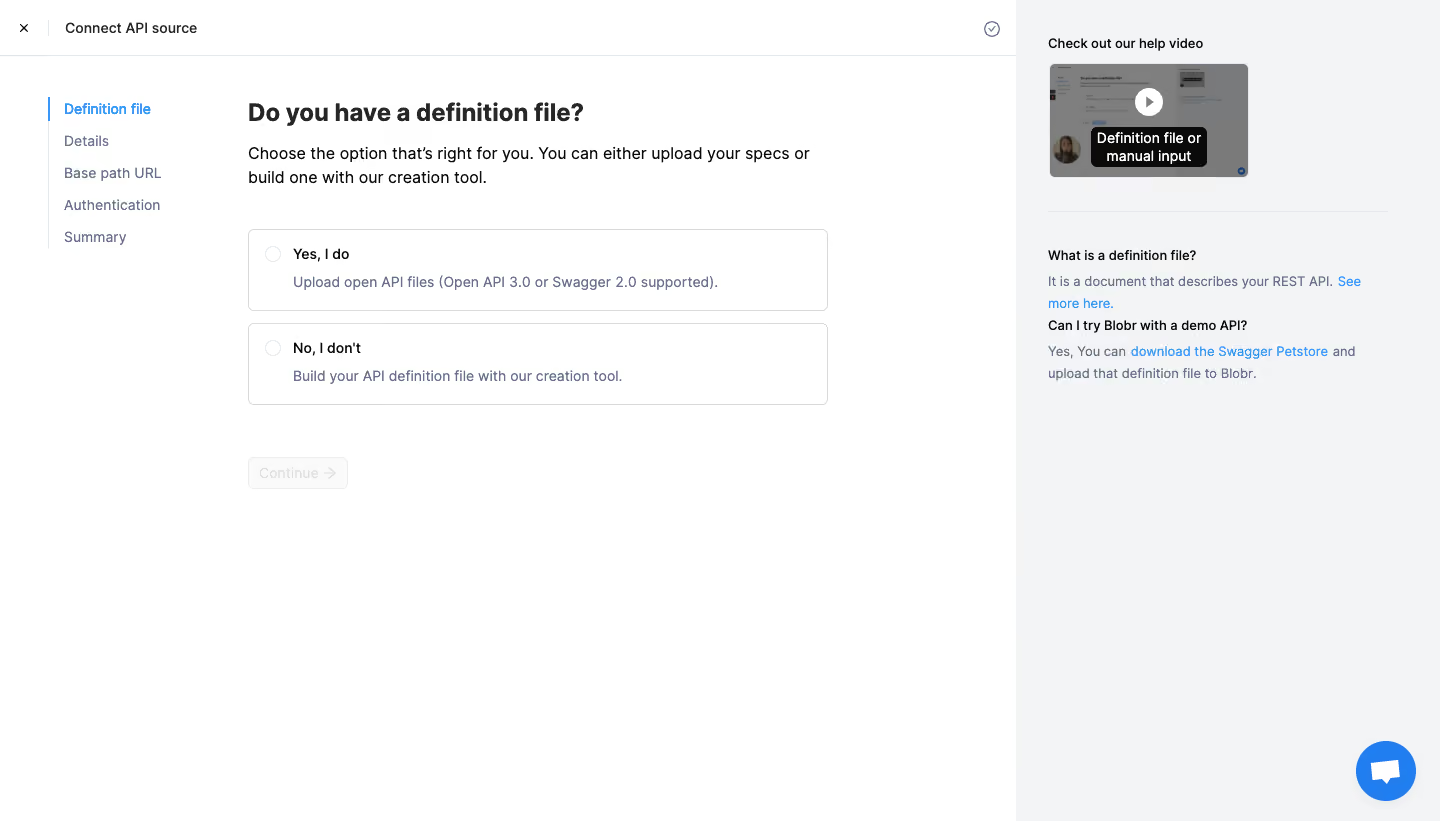
- **Character:** A practical API-connection wizard with white working area, blue selected step and a pale help sidebar.
- **Focus:** Two large radio-style choices determine whether the user uploads a definition or creates one manually.
### Page composition
- **Capture:** The source measures 1440 × 821 image pixels. A 1× CSS scale is plausible but unverified.
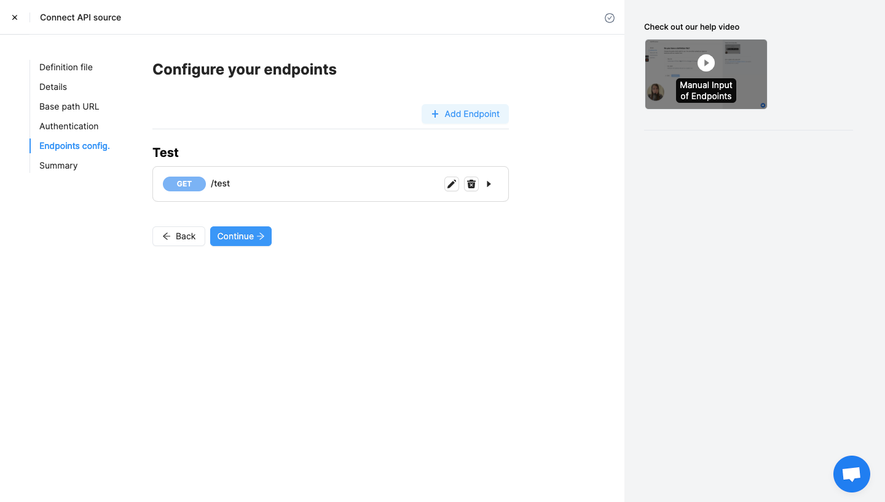
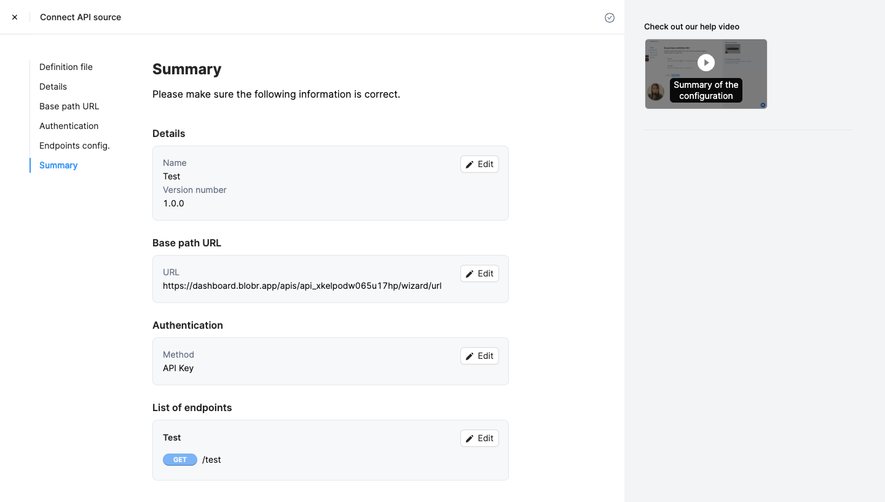
- **Header:** A thin top row contains close, Connect API source and a small outlined status/check icon.
- **Wizard navigation:** A narrow left column lists five stages, with Definition file highlighted blue beside a vertical marker.
- **Main form:** A roughly 580-pixel-wide area contains heading, explanation, two option cards and a disabled-looking Continue control.
- **Help rail:** The right roughly 424-pixel-wide pale region contains a video preview, divider and two short FAQ explanations with blue links.
### Information hierarchy
- **Question:** “Do you have a definition file?” is the dominant heading.
- **Choices:** Yes and No options each combine an empty radio circle, bold lead label and muted explanatory line.
- **Progress:** Later wizard stages are listed quietly beneath the active stage.
- **Support:** A help-video title and definition/demo questions provide contextual guidance without interrupting the form.
### Typography
- **Family:** A neutral sans serif is visible; exact identity is unverified.
- **Heading:** Approximately 24 image pixels, bold.
- **Explanation:** Around 16 pixels with 24-pixel line height.
- **Options/navigation:** Around 14 pixels, with bold option labels and muted secondary descriptions.
- **Help:** Smaller headings around 13–14 pixels and body around 14 pixels with 21-pixel line height.
### Colors & surfaces
- **Measured palette:** ICC-aware sRGB sampling yields white #FFFFFF, help background #F3F4F5, dark #0A0A0A and gray #7F7F7F/#797A7B.
- **Structure:** Border #D9D9D9 and pale #FAFAFA support option/control outlines.
- **Accent:** Blue marks the current step, help links and chat launcher.
- **Treatment:** Cards have thin gray borders and small corners around 5 pixels, with little shadow.
### Components
- **Option cards:** Two approximately 580 × 82-pixel outlined rectangles use a left radio and indented title/description.
- **Continue:** A compact pale outlined button with right arrow sits below the choices; its actual disabled behavior is unverified.
- **Help video:** A small landscape thumbnail includes a white circular play mark and dark caption overlay.
- **FAQ text:** Short bold questions precede muted explanations and inline blue links.
- **Chat:** A blue circular launcher anchors the lower-right corner.
### Visual rhythm
- **Spacing:** Roughly 12 pixels separates choices; a larger 50-pixel gap precedes Continue.
- **Alignment:** Heading, copy, option cards and action share a left edge.
- **Whitespace:** The lower main area remains empty, keeping attention on the decision.
### Responsive
- **Recommendation:** Move help content below the form and collapse step navigation into a compact progress element on phones.
- **Recommendation:** Let option descriptions wrap while retaining full-card selection targets. No mobile rendering is shown.
### Adaptation guidance
- **Preserve:** Retain the upload/manual decision, explicit stage list and nearby help.
- **Implement:** Use accessible radio-group semantics and clear selected/validation states.
- **Content:** Treat supported-format/version text as captured UI content rather than a current verified specification.
Use this context to reproduce the reference's visual language: layout, typography, colors, spacing, borders, radii, and distinctive elements. The screenshot takes priority if descriptions conflict.
## Direction
{{preferences.fidelityInstructions}}
## Output
{{output.instructions}}
Deliver a polished, cohesive design with precise alignment, hierarchy, and spacing. Produce the requested visual artifact, not just a description. If unsupported, explain the limitation.
.webp)


.avif)