.webp)
Thank you! Your submission has been received!
Oops! Something went wrong while submitting the form.
Get SaaSFrame Pro
Monthly
$18
Quarterly
$48
Yearly
$180
Upgrade to access this feature
Browse all screens & flows
Filter and search screens & flows
Access Figma files
Access mobile versions
Bookmark screens & flows
Join now
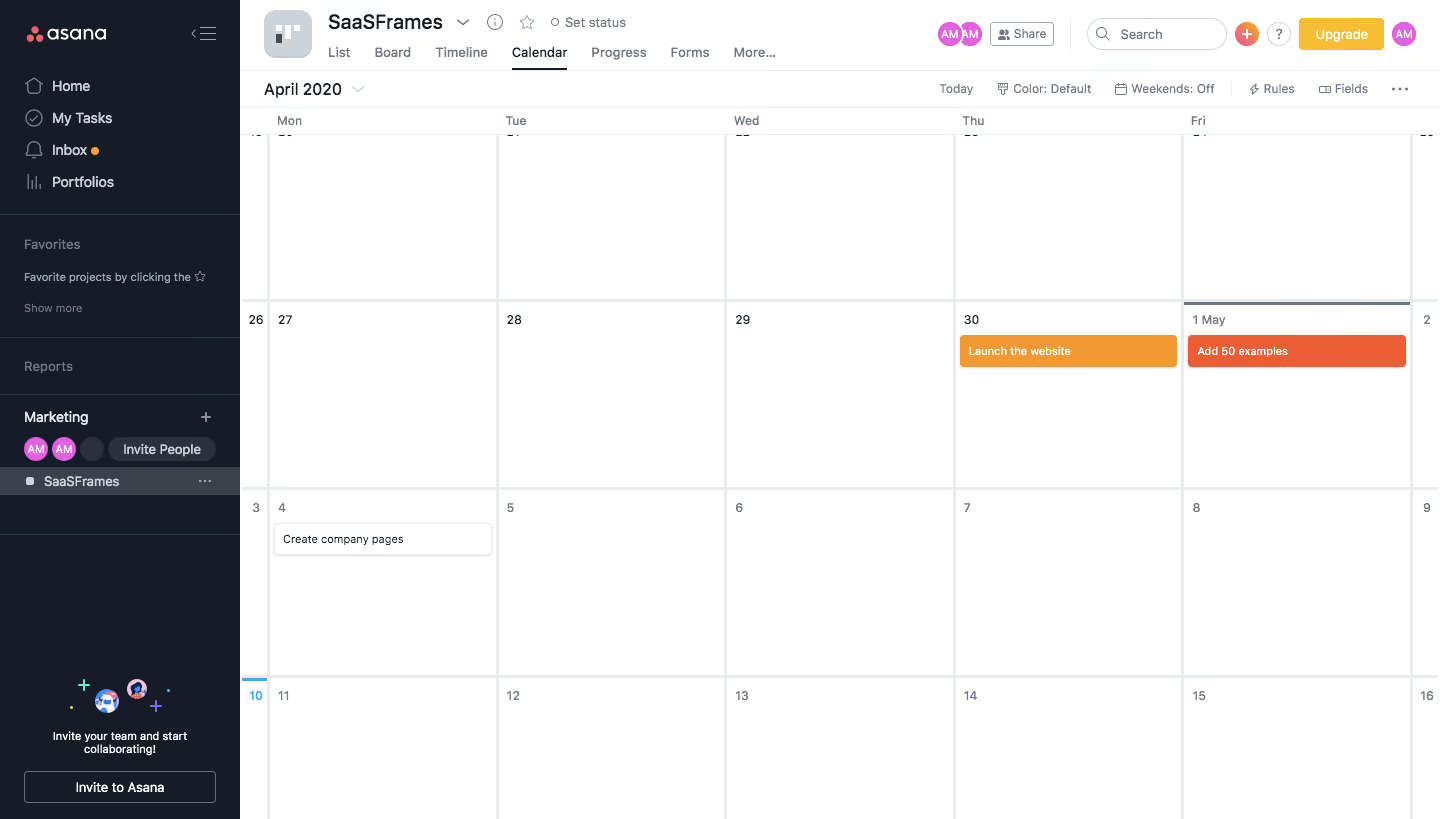
Asana Dashboard

Asana
Organize team projects
Designed by
No items found.

Bookmark
Bookmark

Design with AI
Thank you! Your submission has been received!
Oops! Something went wrong while submitting the form.
# Design from Reference: Asana Dashboard
Create an original, high-fidelity visual design inspired by the reference. Prioritize composition, typography, colors, spacing, and component styling over technical implementation.
## Reference
- **Product:** Asana
- **Category:** Calendar
- **Screenshot:** https://cdn.prod.website-files.com/5e9dc792e1210c5325f7ebbc/6acbc93b1790037d3e059045_6acbc64f8fac5a614072442c_cms-9a76b6855735a38d068c1b02.webp
Analyze the screenshot first. If inaccessible, request it rather than guessing.
## Content
{{content.instructions}}
{{content.data}}
Preserve essential messaging and factual accuracy. Adapt structure and copy length for visual balance; never invent product claims.
## Visual Design
### Overall aesthetic
- **Style:** A compact project-calendar workspace with a dark navigation rail and a large white monthly grid.
- **Character:** Utilitarian and information-first, using restrained dividers and a few colored task bars rather than decorative dashboard cards.
### Page composition
- **Capture and scale:** The screenshot measures 1440 × 819 pixels. Approximate dimensions below refer to screenshot pixels; CSS scale is unverified.
- **Sidebar:** A roughly 240 px dark rail contains the brand, primary navigation, favorites/reports sections, team/project area, and a lower invitation panel.
- **Header:** A white project header includes project icon/name/status, view tabs, members, Share, search, create/help/upgrade controls, and account avatar.
- **Calendar:** A narrow controls row precedes a large calendar with weekday labels, light cell borders, date numbers, and three visible task bars. The calendar extends beyond the captured edges.
- **Active view:** Calendar is underlined in the tab row; the visible content is a project calendar despite the record's broader Dashboard title.
### Information hierarchy
- **Project context:** The project name and selected view lead the top region.
- **Calendar focus:** Most space belongs to date cells. Orange/red task bars stand out strongly against otherwise empty white days.
- **Secondary controls:** Month navigation, Today, color/weekend settings, Rules, Fields, and overflow occupy a compact utility row.
### Typography
- **Family:** A neutral interface sans serif is visible; exact identity is unverified.
- **Heading:** Project name is approximately 20 px semibold; month label around 16 px.
- **Interface:** Navigation and view tabs are approximately 13–14 px. Date numbers and task text are around 11–12 px.
- **Emphasis:** Task labels are compact and high contrast; selected navigation and active tabs use weight/fill or underline rather than large text.
### Colors & surfaces
- **Foundation:** Sampled sRGB #FFFFFF defines the calendar and header; #E8ECEE forms the grid/divider system.
- **Dark rail:** Sampled navy-charcoal #151B27 defines the sidebar, with #2C323D and #3B404A supporting selected rows and controls.
- **Tasks:** Sampled orange #F19933 and red-orange #EB5E33 distinguish two prominent tasks.
- **Neutrals and accents:** Sampled #CBD4DB supports muted interface surfaces. Purple/pink avatars and yellow upgrade accents add small localized color.
### Components
- **Calendar grid:** Large white date cells use fine cool-gray borders, small upper-left dates, and a subtle current-date blue indicator at the left boundary.
- **Task bars:** Colored tasks span most of a day-cell width with small radii and white labels. A third task uses a white bordered/shadowed treatment.
- **Sidebar groups:** Thin rules separate navigation sections. The active project row uses a lighter charcoal fill and small project icon.
- **Header controls:** Compact rounded search, small share control, overlapping member circles, and a bright upgrade button remain on a single horizontal row.
- **Invitation panel:** A small illustration, centered two-line prompt, and outlined invitation action occupy the rail's lower area.
### Visual rhythm
- **Grid rhythm:** Equal day columns and consistent week heights dominate the layout. Keep task inset and vertical placement consistent.
- **Density:** The compact header contrasts with large open calendar cells, supporting schedule scanning.
- **Alignment:** Align tabs under the project title and maintain a clear separation between global/project controls and calendar-specific tools.
### Responsive
- **Observed state:** Only desktop is visible.
- **Recommended reflow:** Collapse the sidebar and consider an agenda/day view on phones rather than compressing the full month into unreadable cells.
- **Task access:** Keep task labels readable and provide a way to inspect overflow when multiple events occupy one day.
### Adaptation guidance
- **Preserve:** Retain the dark navigation/white calendar contrast, compact project header, visible active view, and simple colored task bars.
- **Adapt:** Use actual project names, dates, members, and tasks. Maintain consistent meaning for task colors.
- **Avoid:** Do not infer hidden calendar dates or unseen tasks from the cropped grid, and do not copy the reference's project data.
Use this context to reproduce the reference's visual language: layout, typography, colors, spacing, borders, radii, and distinctive elements. The screenshot takes priority if descriptions conflict.
## Direction
{{preferences.fidelityInstructions}}
## Output
{{output.instructions}}
Deliver a polished, cohesive design with precise alignment, hierarchy, and spacing. Produce the requested visual artifact, not just a description. If unsupported, explain the limitation.

.avif)
Category
Patterns
Tech Stack

Added on
February 4, 2023
Found in 1 flow


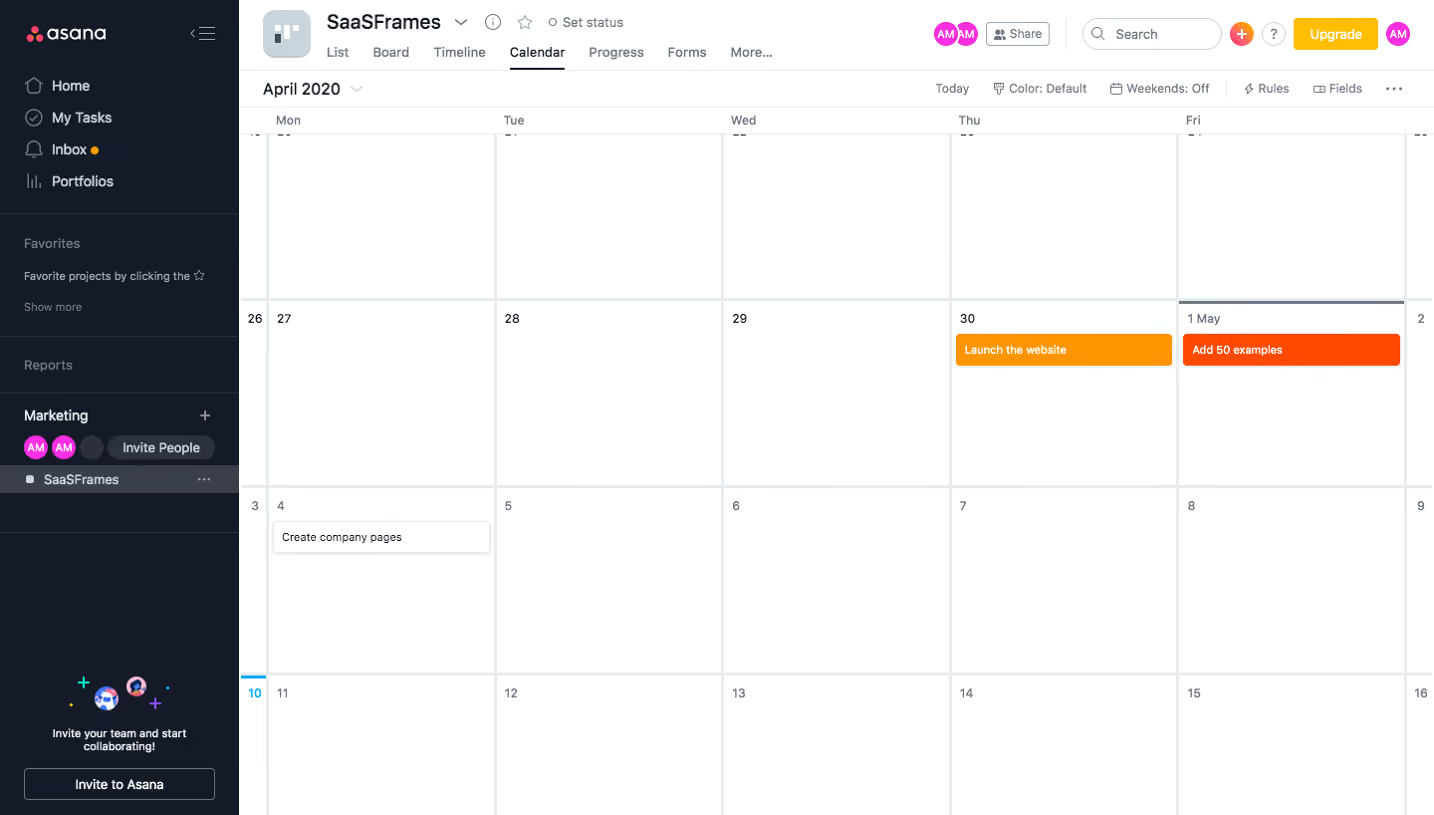
Similar screens





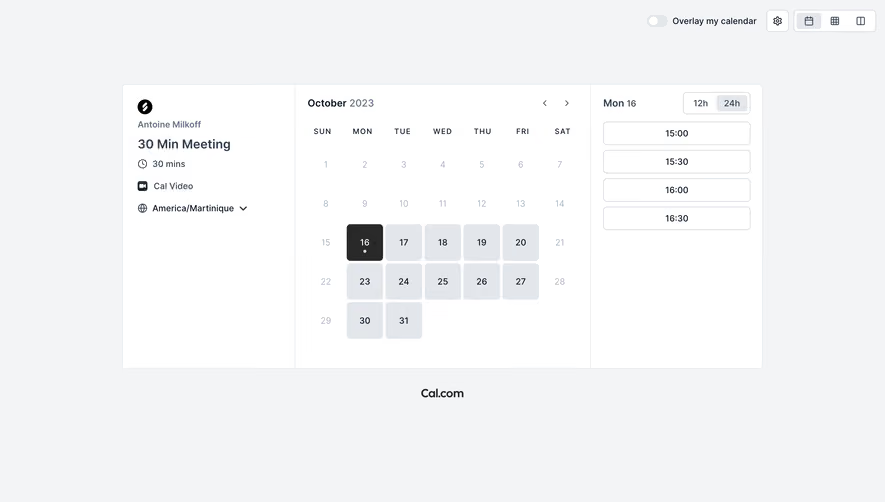

Upgrade to SaaSFrame Pro now to see similar examples.
Monthly
$18 /month
Billed $18 monthly
Browse all screens & flows
Filter and search screens & flows
Search text in screenshots
Access Figma files
Access mobile versions
Join now
Quarterly
$16 /month
Billed $48 quarterly
Browse all screens & flows
Filter and search screens & flows
Search text in screenshots
Access Figma files
Access mobile versions
Join now
Yearly
$15 /month
Billed $180 yearly
Browse all screens & flows
Filter and search screens & flows
Search text in screenshots
Access Figma files
Access mobile versions
Join now