Design with AI
Generate a new design based on this screen using your own content.
# Design from Reference: MonSpark Account Setup
Create an original, high-fidelity visual design inspired by the reference. Prioritize composition, typography, colors, spacing, and component styling over technical implementation.
## Reference
- **Product:** MonSpark
- **Category:** Account Setup
- **Screenshot:** https://cdn.prod.website-files.com/5e9dc792e1210c5325f7ebbc/6acb65c7b206c0d3f8f0f6f9_6acb650badcf005a3c5d34a5_cms-f595325a7bd0895f12e650de.webp
Analyze the screenshot first. If inaccessible, request it rather than guessing.
## Content
{{content.instructions}}
{{content.data}}
Preserve essential messaging and factual accuracy. Adapt structure and copy length for visual balance; never invent product claims.
## Visual Design
### Overall aesthetic
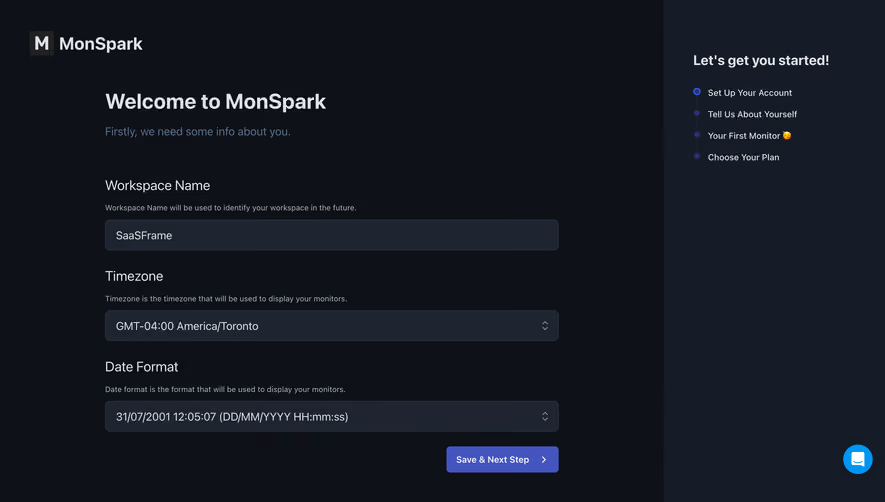
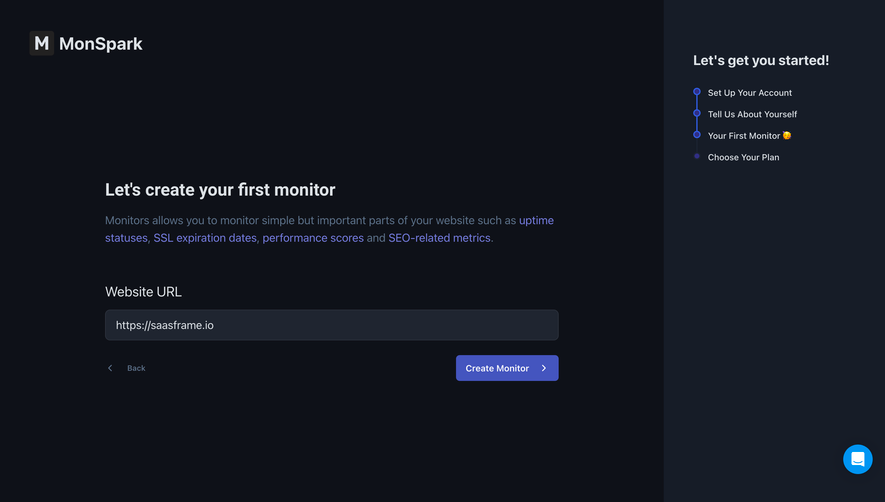
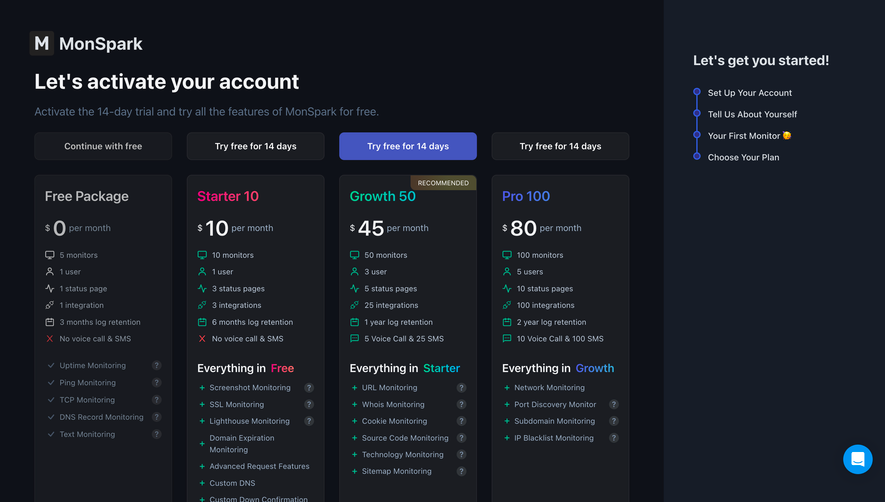
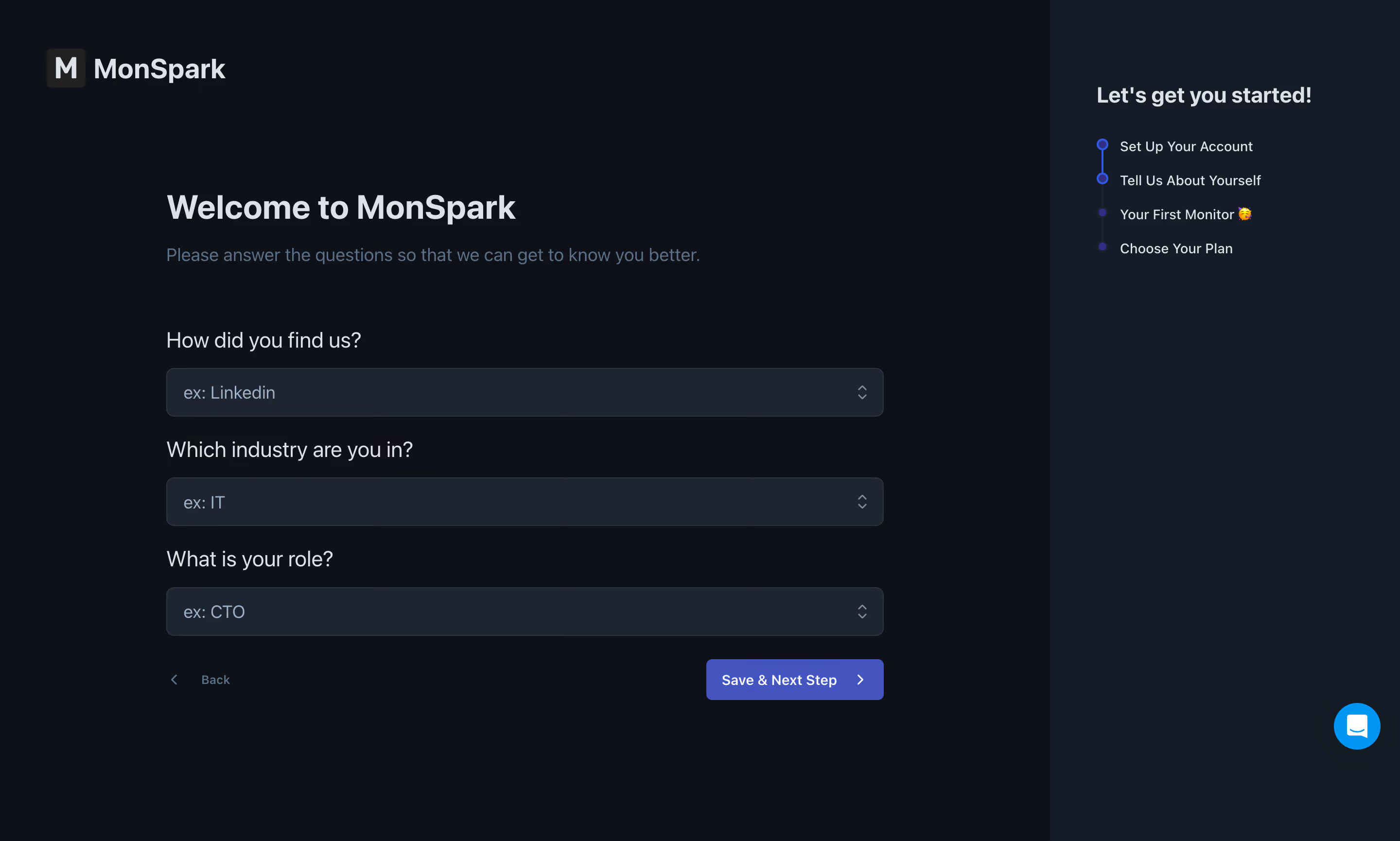
- **Style:** A dark onboarding questionnaire with a broad form region and a contrasting right progress rail.
- **Character:** Technical and restrained, with soft gray text, slate fields, and a modest indigo continuation action.
### Page composition
- **Capture and scale:** The screenshot measures 2880 × 1730 pixels, consistent with an estimated 2× capture. Following dimensions are estimated CSS pixels under that assumption.
- **Layout:** The left three quarters contain the brand at top and a roughly 740 px-wide form inset below. A roughly 360 px right rail spans the height.
- **Form sequence:** Welcome heading and subtitle precede three labeled selection fields for discovery source, industry, and role. Back sits below left, Save & Next Step below right.
- **Progress rail:** A short heading introduces four vertically connected setup stages. A blue chat control sits near the bottom right.
### Information hierarchy
- **Task:** The welcome and subtitle explain the questionnaire before the fields.
- **Field priority:** All three questions have equal visual weight and use example placeholders.
- **Progress:** The first two nodes are outlined/connected blue, while later stages are darker filled dots. Preserve the visible distinction without inferring unseen completion logic.
### Typography
- **Family:** A neutral sans serif is visible; exact identity is unverified.
- **Heading:** Approximately 32–34 px CSS bold. The rail heading is around 23 px bold.
- **Fields and body:** Question labels are approximately 21–22 px; field text and subtitle around 18 px. Progress labels and actions are smaller, about 14–15 px.
### Colors & surfaces
- **Foundation:** Sampled sRGB #0E1118 defines the main background, #161C27 the progress rail, and #1F2530 the fields.
- **Ink:** Sampled #DDE2E6 supports primary text, with muted blue-gray secondary copy.
- **Actions:** Sampled indigo #4455BF fills the continuation action, #0095F3 the chat control, and #2E343F supports fine boundaries.
### Components
- **Selection fields:** Three full-width slate fields are approximately 50 px high with 8 px radii, subtle borders, and small right chevrons.
- **Actions:** The indigo button is roughly 180 × 42 px with a small radius and trailing chevron. Back is a low-emphasis text/icon control.
- **Progress:** Small circular nodes and a thin vertical connector align beside four short labels.
- **Brand:** A dark square initial mark precedes the light MonSpark wordmark.
### Visual rhythm
- **Spacing:** Use around 24 px between label and field groups, roughly 55–65 px between introduction and questionnaire, and 24 px before actions.
- **Alignment:** Keep all labels/fields on one left edge and the continuation aligned with the field right edge.
### Responsive
- **Observed state:** Only desktop is visible.
- **Recommended reflow:** Move progress above the form as a compact step indicator and use fluid fields with 20–24 px side gutters.
- **Controls:** Keep selection labels readable and preserve access to Back and continuation without chat overlap.
### Adaptation guidance
- **Preserve:** Retain the dark layered surfaces, simple three-question form, quiet progress rail, and indigo primary action.
- **Adapt:** Use genuine onboarding questions and actual progress state.
- **Avoid:** Do not invent dropdown options or later setup screens from the examples.
Use this context to reproduce the reference's visual language: layout, typography, colors, spacing, borders, radii, and distinctive elements. The screenshot takes priority if descriptions conflict.
## Direction
{{preferences.fidelityInstructions}}
## Output
{{output.instructions}}
Deliver a polished, cohesive design with precise alignment, hierarchy, and spacing. Produce the requested visual artifact, not just a description. If unsupported, explain the limitation.
.webp)


.avif)