.avif)

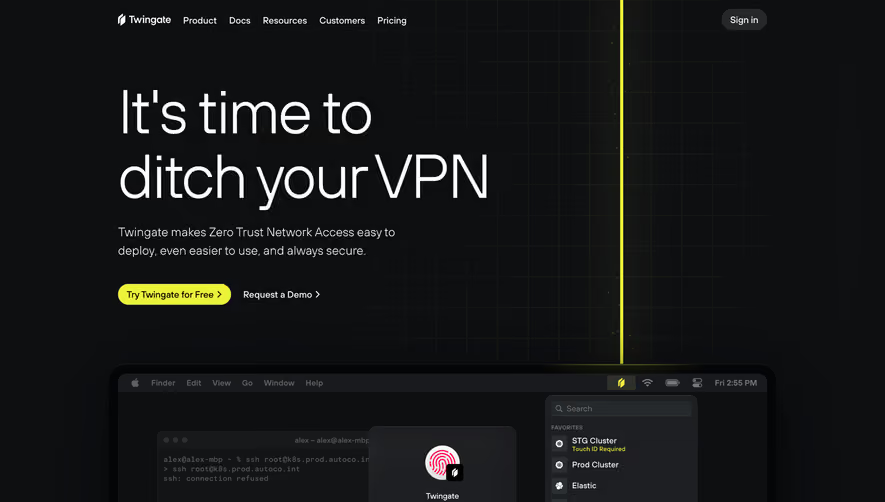
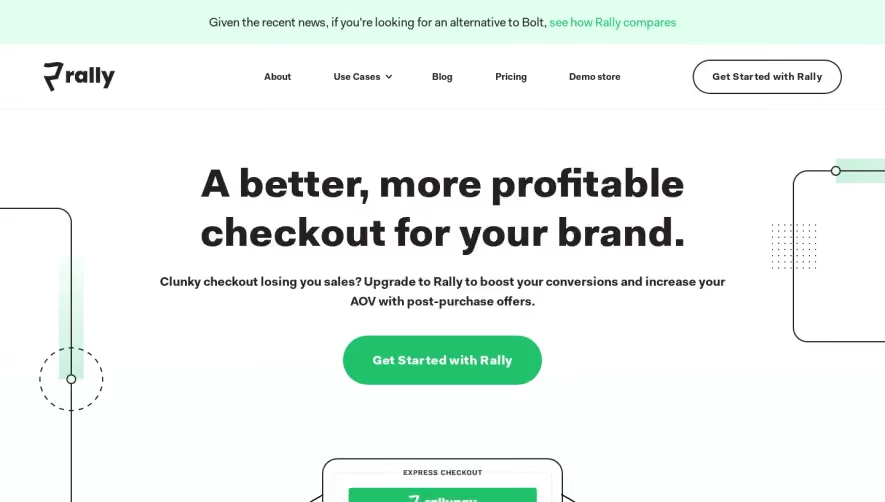
1. Header: The top part of the webpage contains the June logo on the left and a menu icon on the right side. Once clicked, the menu icon opens navigation links to Home, Pricing, Features, Team, Contact, Login, and Sign-up pages. 2. Hero Section: Below the header is the hero section that showcases the platform's main value proposition through a header, subheader, and a CTA (call-to-action) button that encourages users to sign up for a free trial. 3. Features Section: After the hero section, the page jumps to a series of four modules that each display one of the most significant features of the June platform: Hiring, Time Tracking, Project Management, and Invoicing. 4. How It Works Section: This section displays a vertical split-screen image of a desktop screen on the left-hand side and a list of main steps to get started with June on the right-hand side. 5. About Us Section: The About Us section contains a subheader, a subtext, an image of the four June team members, and their short biographies. 6. Testimonials Section: This section displays quotes from current June users with their pictures and the company they work for. 7. Frequently Asked Questions Section: This section provides answers to main questions users likely ask before they sign up for June. These questions touch upon the platform's features, pricing, security, and other relevant concerns. 8. Pricing Comparison Table Section: This section displays a comparison table of the available plans for June users that outlines different pricing tiers, key features, and a "Sign-up" CTA button. 9. Call-to-Action Section: The final section brings the homepage to a close by returning to a compelling call-to-action button that encourages users to start their free trial now.
.webp)


June Landing Page

June
Actionable product insights, out of the box.
Designed by
No items found.
Category
Patterns
No items found.
Tech Stack
Added on
August 5, 2022