Design with AI
Generate a new design based on this screen using your own content.
# Design from Reference: Hume AI Signup
Create an original, high-fidelity visual design inspired by the reference. Prioritize composition, typography, colors, spacing, and component styling over technical implementation.
## Reference
- **Product:** Hume AI
- **Category:** Signup
- **Screenshot:** https://cdn.prod.website-files.com/5e9dc792e1210c5325f7ebbc/6acad409c910b3adf9e48c29_6acad198fbf1299940aa69ce_cms-056635d46d5ea9355c03c2ad.webp
Analyze the screenshot first. If inaccessible, request it rather than guessing.
## Content
{{content.instructions}}
{{content.data}}
Preserve essential messaging and factual accuracy. Adapt structure and copy length for visual balance; never invent product claims.
## Visual Design
### Overall aesthetic
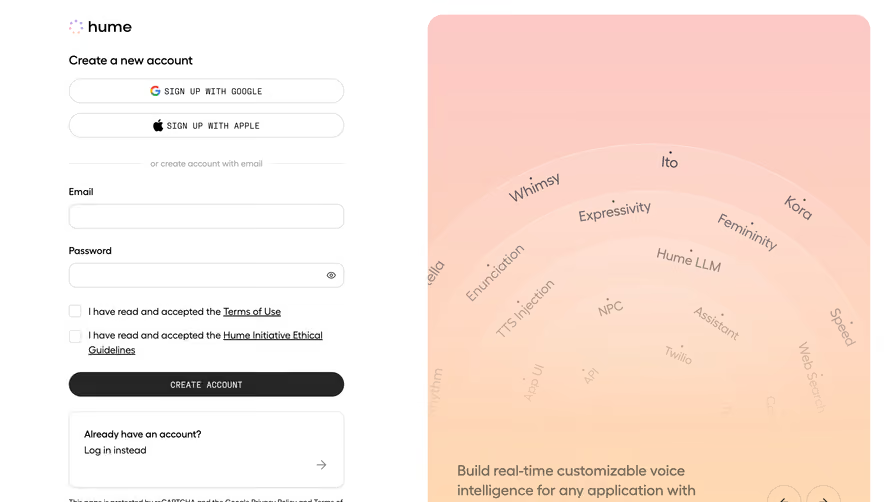
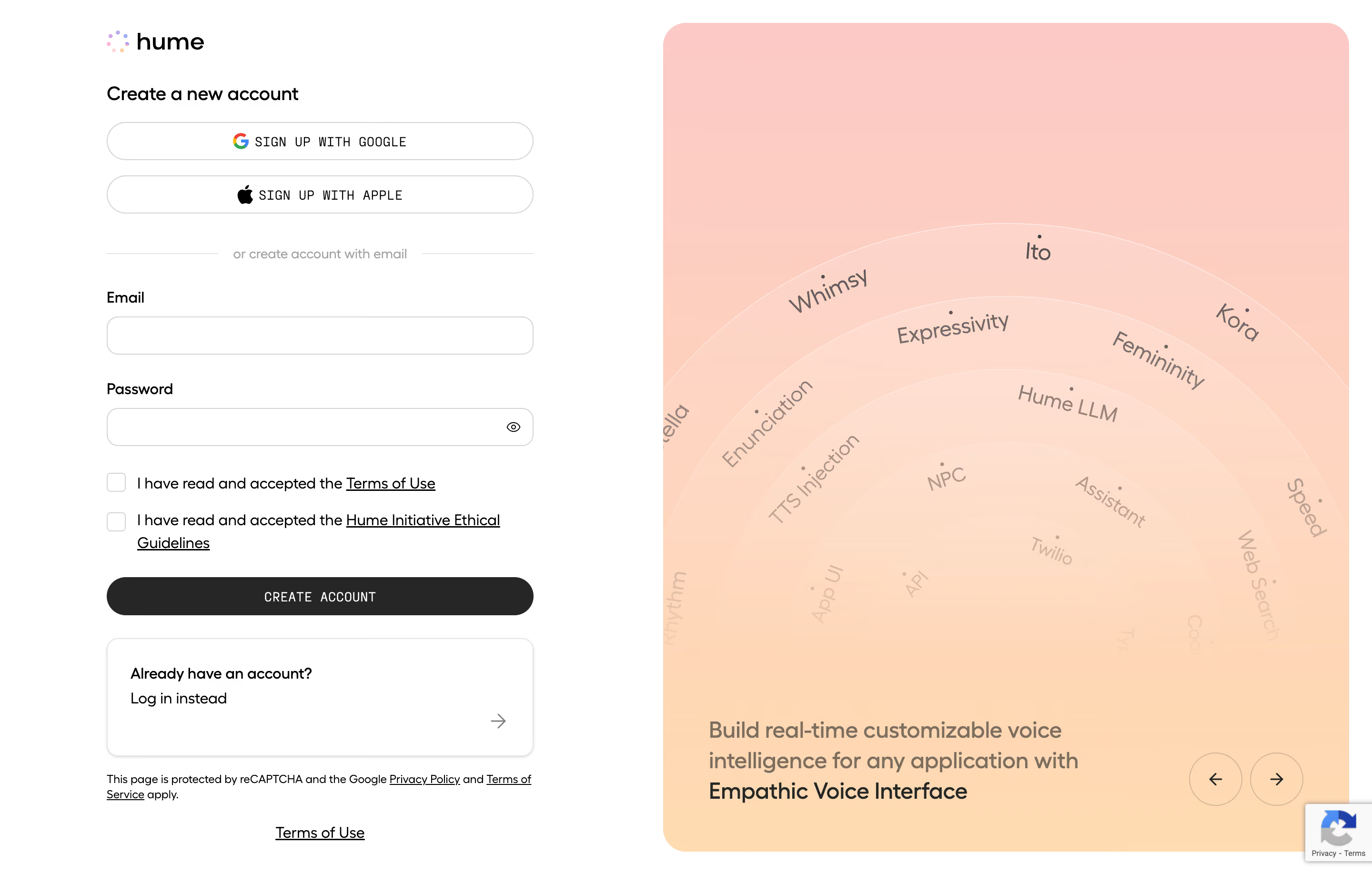
- **Style:** A clean split signup page pairing a restrained white form with a large peach/pink gradient product-story panel.
- **Character:** Soft and contemporary, mixing rounded sans serif copy with compact monospaced uppercase action labels.
### Page composition
- **Capture and scale:** The screenshot measures 2880 × 1836 pixels, consistent with an estimated 2× capture. Following sizes are estimated CSS pixels under that assumption.
- **Left form:** A roughly 450 px-wide column contains the Hume logo, account heading, Google/Apple signup pills, divider, email/password fields, two consent checkboxes, dark create action, login card, and legal text.
- **Right panel:** A broad rounded gradient panel occupies roughly half the viewport, with concentric labeled arcs, lower product statement, and two circular carousel arrows. A reCAPTCHA badge overlaps the lower-right edge.
### Information hierarchy
- **Signup options:** Social providers appear before email signup, separated by a labeled rule.
- **Requirements:** Email/password and two explicit consent rows precede Create Account.
- **Alternative path:** An outlined login card sits below the primary action. The right promotional panel remains supportive rather than interrupting form order.
### Typography
- **Family:** Rounded geometric sans serif is visible in body/headings; action labels use a narrow monospace style. Exact families are unverified.
- **Sizes:** Account heading is approximately 20 px CSS medium; field labels/body around 16 px. Provider/create labels are approximately 13–14 px uppercase.
- **Promotion:** The right lower statement is about 23–24 px with 31 px line-height. Arc labels vary in size/rotation and fade toward the center.
### Colors & surfaces
- **Foundation:** Sampled sRGB #FFFFFF defines the form area; #262626 anchors the dark creation action and primary ink.
- **Gradient:** Sampled warm tones include #FDCBC5, #FDCCC3, #FDCCC4, #FFDBB1, #FFD9B2, and #FCCDC2. These form the pink-to-peach promotional surface.
- **Details:** Fine pale-gray borders define fields/provider buttons. White thin arcs and muted brown-gray labels overlay the gradient.
### Components
- **Provider buttons:** Full-width outlined pills include centered Google/Apple marks and uppercase labels.
- **Fields:** Two rounded white fields are approximately 40 px high, with thin gray borders. Password includes an eye icon at right.
- **Consent and action:** Two square unchecked boxes align with wrapping legal text and underlined links. The full-width dark create button uses pill rounding.
- **Login card:** A white outlined/shadowed rectangle contains a short prompt and login text, plus a right arrow near its lower-right edge.
- **Promotional art:** Large concentric arcs with rotated labels fill the upper/right region; the entire panel uses approximately 24 px outer radii. Two outlined circular arrows sit near the bottom.
### Visual rhythm
- **Spacing:** Use roughly 16–20 px between provider buttons, 30–36 px around the divider, and 24–28 px between field groups.
- **Form alignment:** Labels, fields, checkboxes, action, login card, and legal copy share a stable column.
- **Balance:** The rich gradient fills the right half while the form remains plain and focused.
### Responsive
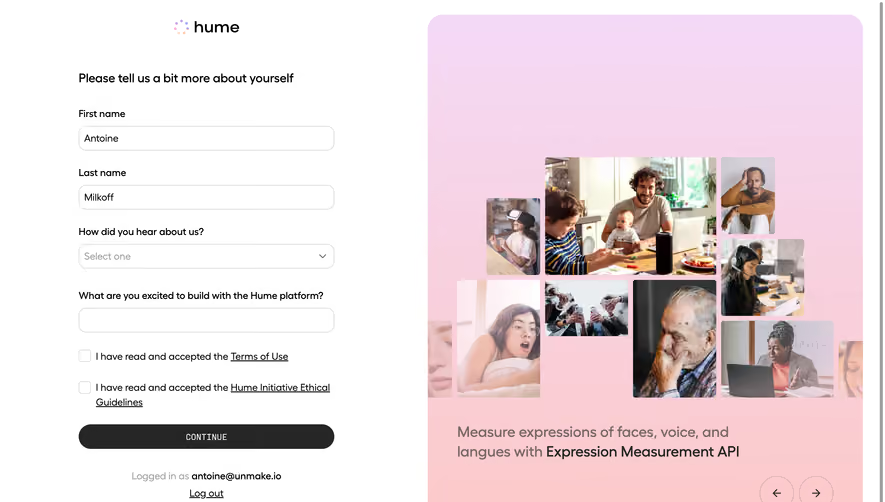
- **Observed state:** Only desktop is visible; alternate promotional slides are not shown.
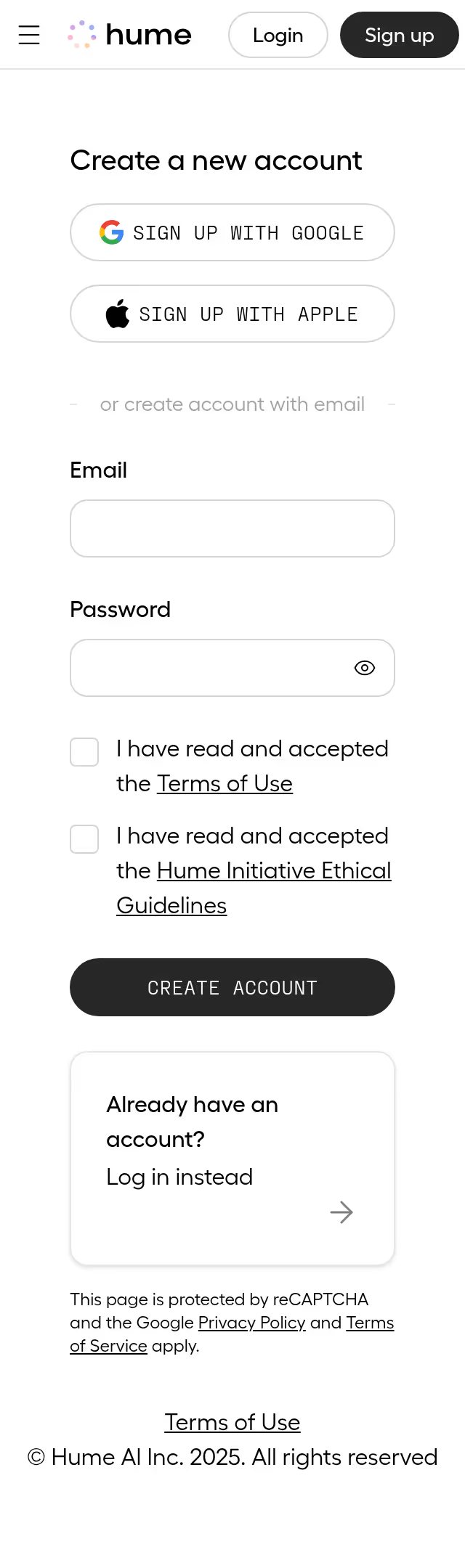
- **Recommended reflow:** Use a single-column form on phones and move or simplify the promotional panel below it.
- **Consent:** Preserve readable legal labels and adequate checkbox hit areas. Keep password visibility and provider actions accessible.
### Adaptation guidance
- **Preserve:** Retain social/email choice hierarchy, explicit consent rows, dark pill action, and soft arc-based promotional artwork.
- **Adapt:** Use real authentication options, legal requirements, and product messaging.
- **Avoid:** Do not copy the reference's ethical terms or infer hidden carousel/signup states.
Use this context to reproduce the reference's visual language: layout, typography, colors, spacing, borders, radii, and distinctive elements. The screenshot takes priority if descriptions conflict.
## Direction
{{preferences.fidelityInstructions}}
## Output
{{output.instructions}}
Deliver a polished, cohesive design with precise alignment, hierarchy, and spacing. Produce the requested visual artifact, not just a description. If unsupported, explain the limitation.
.webp)



.avif)