.webp)
Thank you! Your submission has been received!
Oops! Something went wrong while submitting the form.
Get SaaSFrame Pro
Monthly
$18
Quarterly
$48
Yearly
$180
Upgrade to access this feature
Browse all screens & flows
Filter and search screens & flows
Access Figma files
Access mobile versions
Bookmark screens & flows
Join now
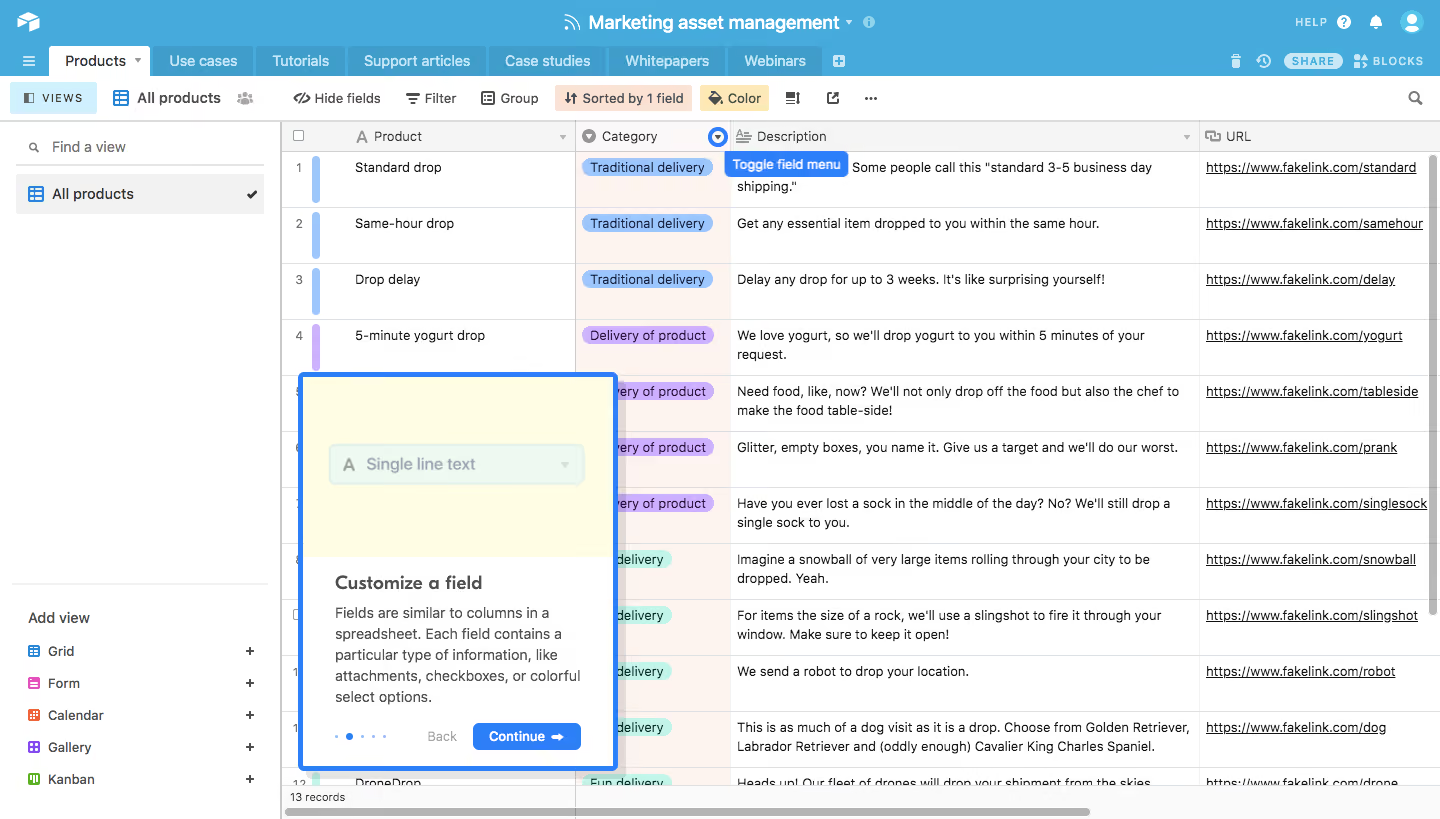
Airtable Product Tour
Airtable
Organize Anything, With Anyone
Designed by
No items found.

Bookmark
Bookmark

Design with AI
Thank you! Your submission has been received!
Oops! Something went wrong while submitting the form.
# Design from Reference: Airtable Product Tour
Create an original, high-fidelity visual design inspired by the reference. Prioritize composition, typography, colors, spacing, and component styling over technical implementation.
## Reference
- **Product:** Airtable
- **Category:** Product Tour
- **Screenshot:** https://cdn.prod.website-files.com/5e9dc792e1210c5325f7ebbc/6acbc780a4008ddb7479356a_6acbc5e2a4008ddb74788297_cms-1f74d7ccf571608c59f10314.webp
Analyze the screenshot first. If inaccessible, request it rather than guessing.
## Content
{{content.instructions}}
{{content.data}}
Preserve essential messaging and factual accuracy. Adapt structure and copy length for visual balance; never invent product claims.
## Visual Design
### Overall aesthetic
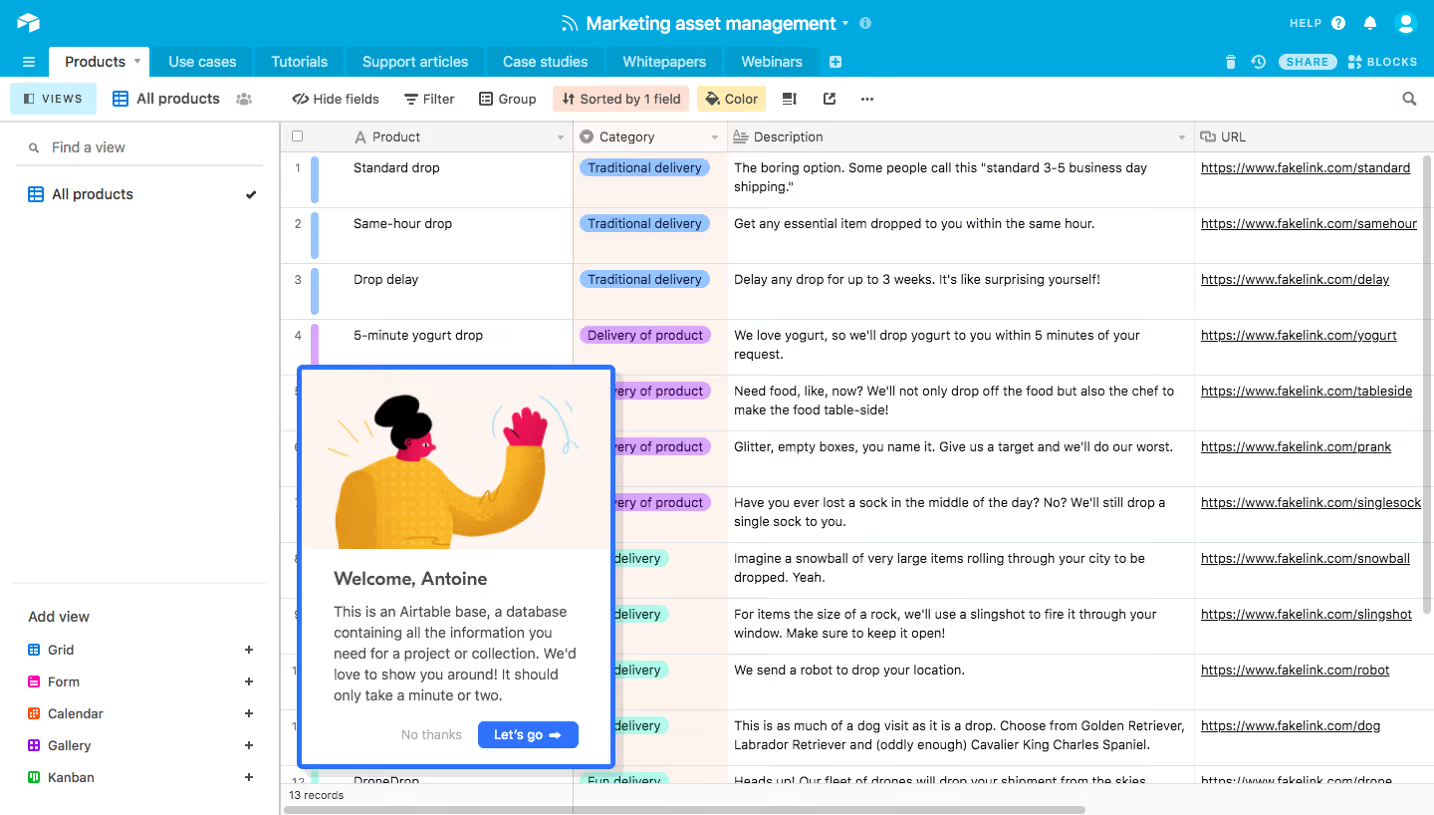
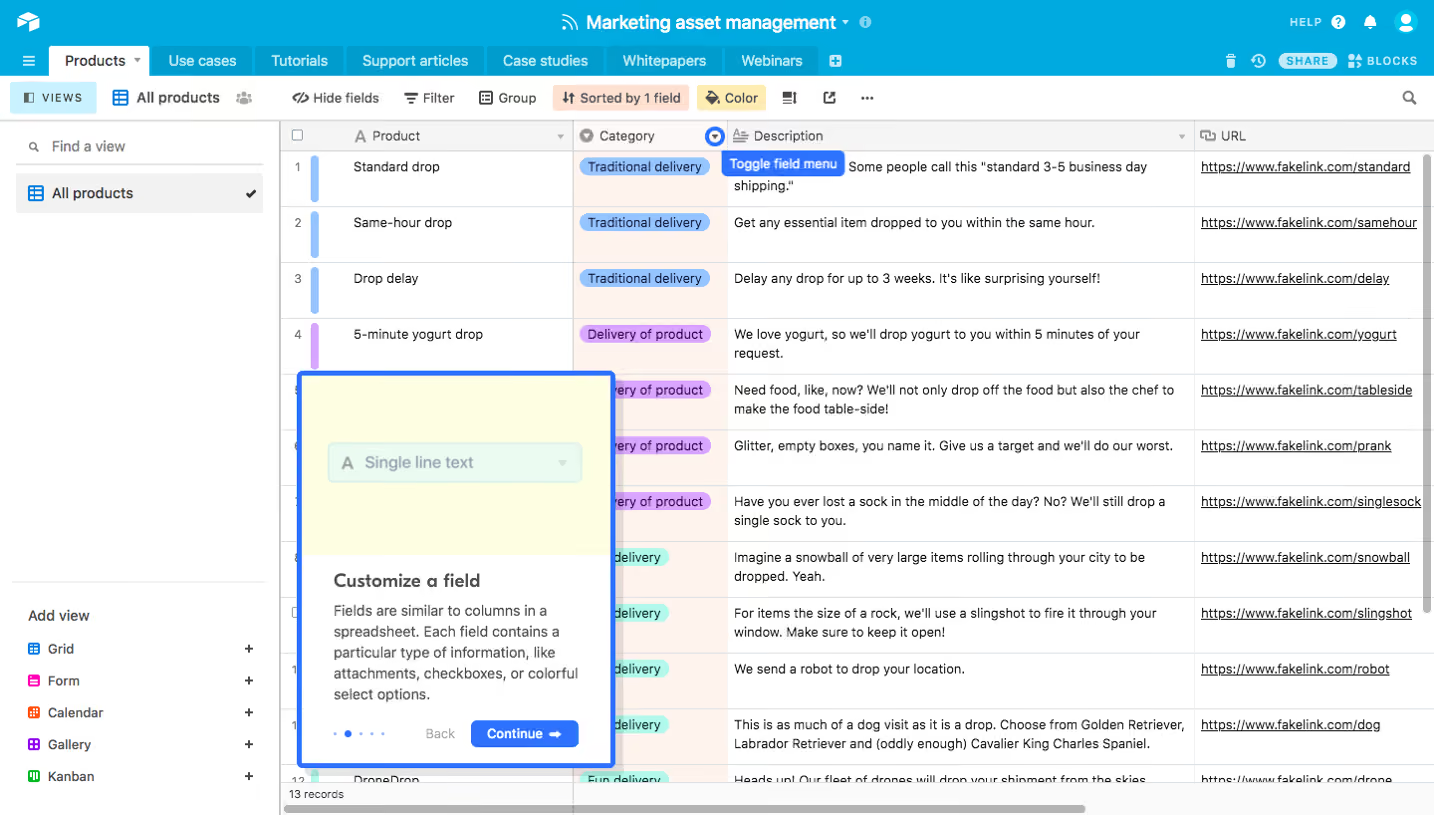
- **Style:** Dense spreadsheet-like workspace with a bright blue application header and an onboarding coachmark overlay.
- **Character:** Fine gray grid lines, compact sans-serif copy, pastel category pills, and a vivid-blue outlined tutorial card.
- **Focus:** The tutorial explains field customization over a populated sample grid.
### Page composition
- **Capture and scale:** 1440 × 819 image px. CSS estimates assume approximately 1× capture; scale is unverified.
- **Header:** Two blue rows hold base identity, account/help utilities, and multiple table tabs.
- **Toolbar:** White control row with views, current grid, hidden fields, filter, group, sort, color, and utility icons.
- **Left panel:** Approximately 280px-wide view navigation with search, selected view, and add-view types near the bottom.
- **Grid:** Product, Category, Description, and URL columns extend right, with row numbers, colored record strips, and scrollbars.
- **Tour overlay:** Approximately 320 × 398px card near the lower-left grid area, with pale-yellow illustration top and white explanatory/action body.
- **Field cue:** Small blue Toggle field menu label points attention toward a column-header control.
### Information hierarchy
- **Application context:** Base name and table tabs precede view/toolbar controls.
- **Grid content:** Product names and descriptions remain compact; pastel category pills aid scanning.
- **Tutorial heading:** Customize a field is the primary coachmark label.
- **Explanation:** Short paragraph explains fields as columns and mentions possible information types.
- **Progression:** Dots, muted Back, and blue Continue action form the tutorial footer.
- **State:** One step of a product tour is shown; no field configuration menu is open.
### Typography
- **Family:** Compact neutral sans serif; exact identity is unverified.
- **Base title:** Approximately 18px semibold.
- **Tabs / toolbar:** Approximately 14px medium.
- **Grid:** Approximately 12–14px with 18–20px line-height.
- **Coachmark title:** Approximately 20px semibold.
- **Coachmark body:** Approximately 16px with 21px line-height.
- **Precision:** CSS sizes and weights are visual estimates.
### Colors & surfaces
- **Canvas / grid:** Sampled #FFFFFF.
- **Header blue:** Sampled #46AADC with darker #409CCB details.
- **Tour blue:** Sampled #2D7FF9.
- **Category-column tint:** Sampled #FDF3EF.
- **Coachmark illustration:** Sampled #FFFDE3.
- **Neutral fills:** Sampled #FAFAFA and #F5F5F5.
- **Grid boundaries:** Sampled #DDE1E3.
- **Category accents:** Blue, lavender, and mint pills; small record strips repeat their hues.
- **Surface treatment:** Fine rules and flat fills dominate; tutorial border/shadow supply depth.
### Components
- **Table tabs:** Compact blue-toned rectangles; selected Products tab is white.
- **Selected view:** Pale-gray row with grid icon and checkmark.
- **Add-view list:** Colored icons for Grid, Form, Calendar, Gallery, and Kanban with plus controls.
- **Grid cells:** Thin outlines, wrapped descriptions, category pills, and underlined URL text.
- **Coachmark shell:** Thick bright-blue outline, small radius, white body, and subtle shadow.
- **Illustration:** Pale-yellow upper area containing a simplified single-line-text field control.
- **Tour footer:** Small progress dots, low-contrast Back, and compact blue Continue with right arrow.
- **State limits:** No tour navigation or field editing was performed; sample data is reference content only.
### Visual rhythm
- **Grid rhythm:** Repeated rows and stable column widths create dense tabular structure.
- **Toolbar rhythm:** Compact horizontally grouped controls contrast with the broad data grid.
- **Coachmark contrast:** Larger text and vertical spacing interrupt the dense spreadsheet.
- **Color rhythm:** Category pills and row strips create repeated low-area accents.
### Responsive
- **Observed state:** Desktop only; mobile behavior is unverified.
- **Grid recommendation:** Preserve horizontal scrolling and readable cell text rather than compressing all columns.
- **Navigation recommendation:** Collapse the view panel when width is limited.
- **Tour recommendation:** Anchor the coachmark to a relevant control without covering essential actions; reposition on narrow screens.
- **Accessibility recommendation:** Provide semantic grid navigation and labeled tutorial progression.
### Adaptation guidance
- **Preserve:** Clear table/view hierarchy, compact grid controls, pastel category encoding, and prominent explanatory coachmark.
- **Starting geometry:** Approximately 280px view rail, 320px tutorial width, 12–14px grid text, and 16px coachmark body under the unverified 1× assumption.
- **Data fidelity:** Use approved sample records and field types; do not invent data behavior from the tutorial copy.
- **Tour implementation:** Define actual steps, targets, dismissibility, and keyboard focus from product requirements.
- **State fidelity:** Reconstruct the observed field-customization tour step without assuming changes were applied.
Use this context to reproduce the reference's visual language: layout, typography, colors, spacing, borders, radii, and distinctive elements. The screenshot takes priority if descriptions conflict.
## Direction
{{preferences.fidelityInstructions}}
## Output
{{output.instructions}}
Deliver a polished, cohesive design with precise alignment, hierarchy, and spacing. Produce the requested visual artifact, not just a description. If unsupported, explain the limitation.

.avif)
Category
Patterns


Added on
February 4, 2023
Found in 1 flow




Similar screens




Upgrade to SaaSFrame Pro now to see similar examples.
Monthly
$18 /month
Billed $18 monthly
Browse all screens & flows
Filter and search screens & flows
Search text in screenshots
Access Figma files
Access mobile versions
Join now
Quarterly
$16 /month
Billed $48 quarterly
Browse all screens & flows
Filter and search screens & flows
Search text in screenshots
Access Figma files
Access mobile versions
Join now
Yearly
$15 /month
Billed $180 yearly
Browse all screens & flows
Filter and search screens & flows
Search text in screenshots
Access Figma files
Access mobile versions
Join now