Design with AI
Generate a new design based on this screen using your own content.
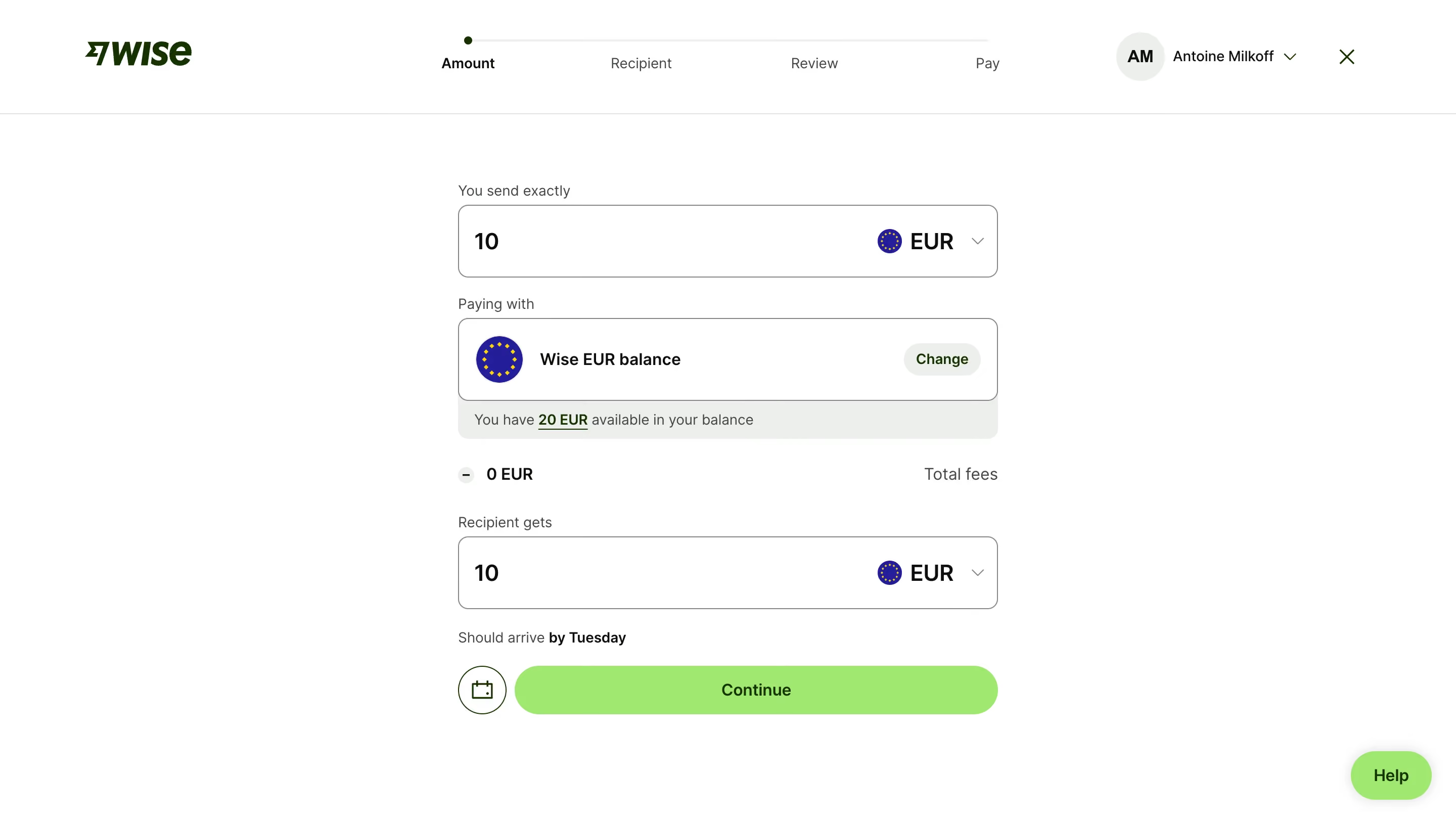
# Design from Reference: Wise Send A Payment
Create an original, high-fidelity visual design inspired by the reference. Prioritize composition, typography, colors, spacing, and component styling over technical implementation.
## Reference
- **Product:** Wise
- **Category:** Add & Edit
- **Screenshot:** https://cdn.prod.website-files.com/5e9dc792e1210c5325f7ebbc/6aca27e6aca7079066e8e78b_6aca2700fc79d3a6f5db268d_cms-0785a183d8984fe1f17e852d.webp
Analyze the screenshot first. If inaccessible, request it rather than guessing.
## Content
{{content.instructions}}
{{content.data}}
Preserve essential messaging and factual accuracy. Adapt structure and copy length for visual balance; never invent product claims.
## Visual Design
### Overall aesthetic
- **Style:** A focused payment-amount step on white with dark-green branding, large bordered amount controls, and a lime continuation action.
- **Character:** Clear and transactional, making sent amount, funding method, fees, and received amount easy to compare.
### Page composition
- **Capture and scale:** 2880 × 1630 screenshot pixels, consistent with estimated 2× capture. Following sizes are estimated CSS pixels.
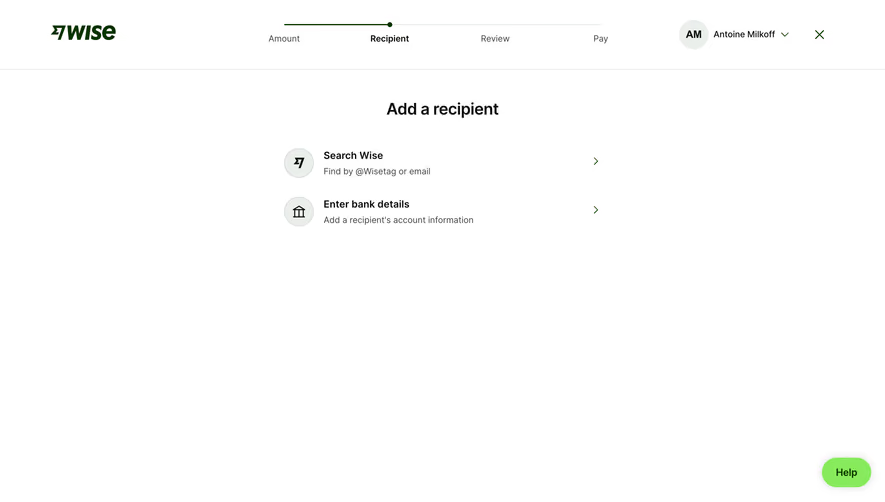
- **Header:** Brand left, four-step transfer progress center, and account/close right sit above a fine divider.
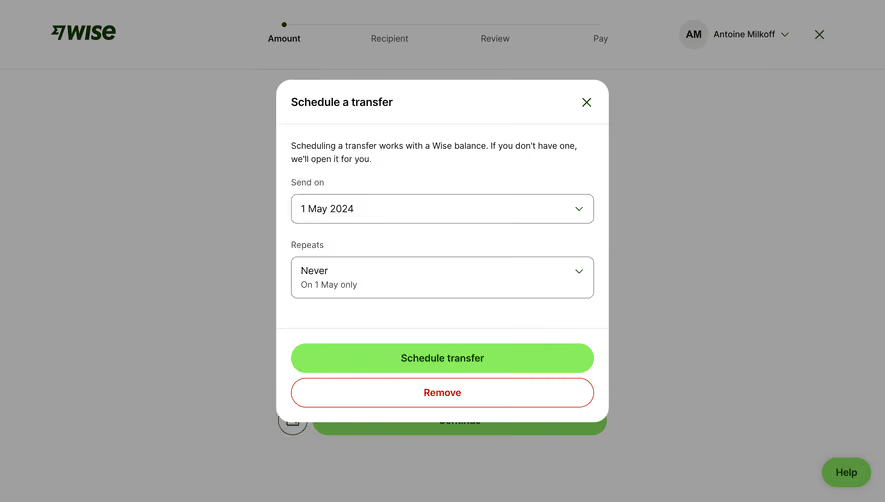
- **Form:** A roughly 535 px-wide centered column contains sent amount/currency, funding card and balance note, fee row, received amount/currency, arrival estimate, scheduling icon, and Continue.
- **Support:** A lime Help pill sits lower right.
### Information hierarchy
- **Flow:** Amount is the active first stage. Recipient, Review, and Pay remain visually quieter.
- **Amounts:** Large values and currency selectors dominate the form; fees and arrival information are subordinate.
- **Funding:** A balance-method card and attached availability note explain the chosen source.
### Typography
- **Family:** Neutral sans serif; exact identity unverified.
- **Roles:** Amounts/currencies approximately 22–24 px CSS semibold; labels/helper 14 px; method and action labels 16 px.
- **Emphasis:** Balance and arrival details use selective bold/underlined text instead of extra panels.
### Colors & surfaces
- **Foundation:** Sampled sRGB #FFFFFF defines the page; pale green-gray #EBEFEC supports balance note and small controls.
- **Brand:** Sampled lime #87EA5C fills Continue/Help, deep green #083400 supports brand/accent ink.
- **Details:** Sampled #241DA0 appears in currency artwork; #0E0F0C main ink, #868685 muted boundaries/text, #E2E2E1 dividers.
### Components
- **Amount fields:** Two approximately 72 px-high white bordered rectangles use 10 px radii, large values left, and flag/currency/chevron right.
- **Funding card:** A taller bordered row pairs currency icon and method label with a pale Change pill. A pale note strip attaches below.
- **Fee row:** Small minus-like icon and fee amount align left, with Total fees right.
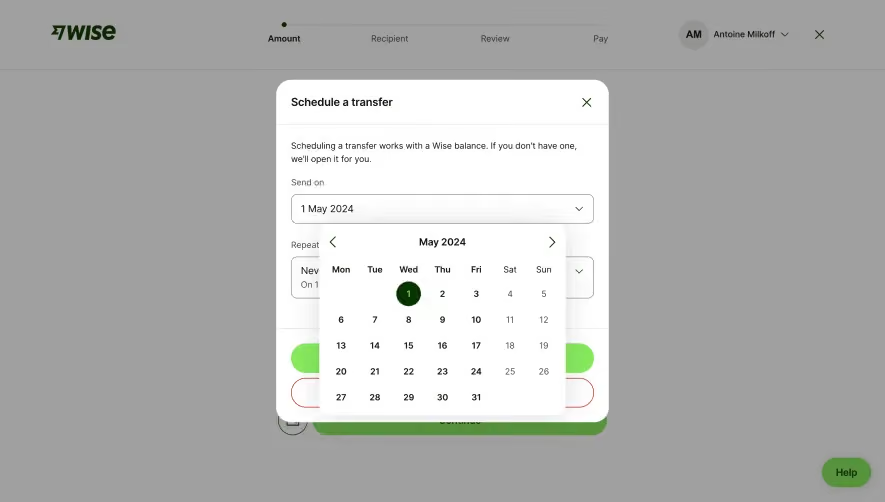
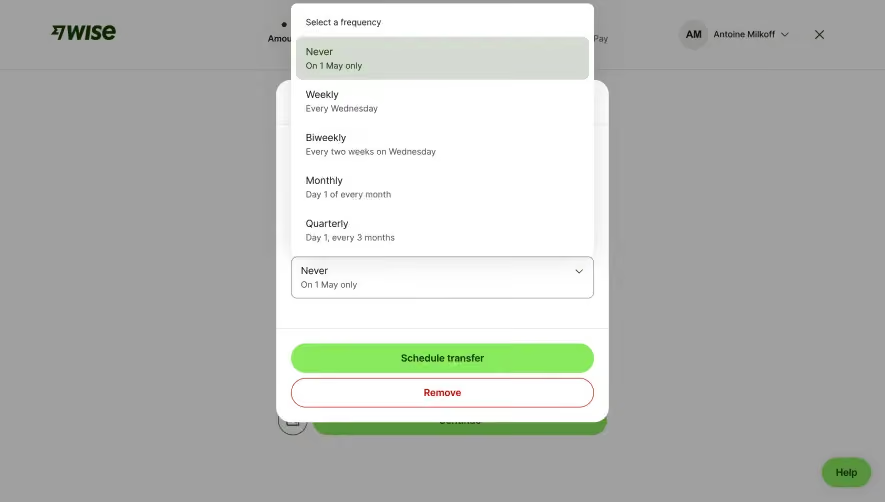
- **Continuation:** A circular outlined calendar action sits beside a long lime pill, both about 48 px high.
### Visual rhythm
- **Spacing:** Use around 20 px between labels/sections and 28–35 px around the fee/recipient transition.
- **Alignment:** Keep amount and funding widths identical; values, labels, and arrival estimate share one left edge.
### Responsive
- **Observed state:** Desktop only.
- **Recommended reflow:** Use fluid form width with 20–24 px gutters and compact progress labels; preserve clear amount/currency separation.
### Adaptation guidance
- **Preserve:** Retain the sent/funding/fees/received sequence, lime action, and explicit arrival estimate.
- **Adapt:** Use actual payment amounts, fees, currencies, and timing.
- **Avoid:** Do not copy account balances or treat screenshot terms as current financial information.
Use this context to reproduce the reference's visual language: layout, typography, colors, spacing, borders, radii, and distinctive elements. The screenshot takes priority if descriptions conflict.
## Direction
{{preferences.fidelityInstructions}}
## Output
{{output.instructions}}
Deliver a polished, cohesive design with precise alignment, hierarchy, and spacing. Produce the requested visual artifact, not just a description. If unsupported, explain the limitation.
.webp)




.avif)