Prompt 1,161 words Copy
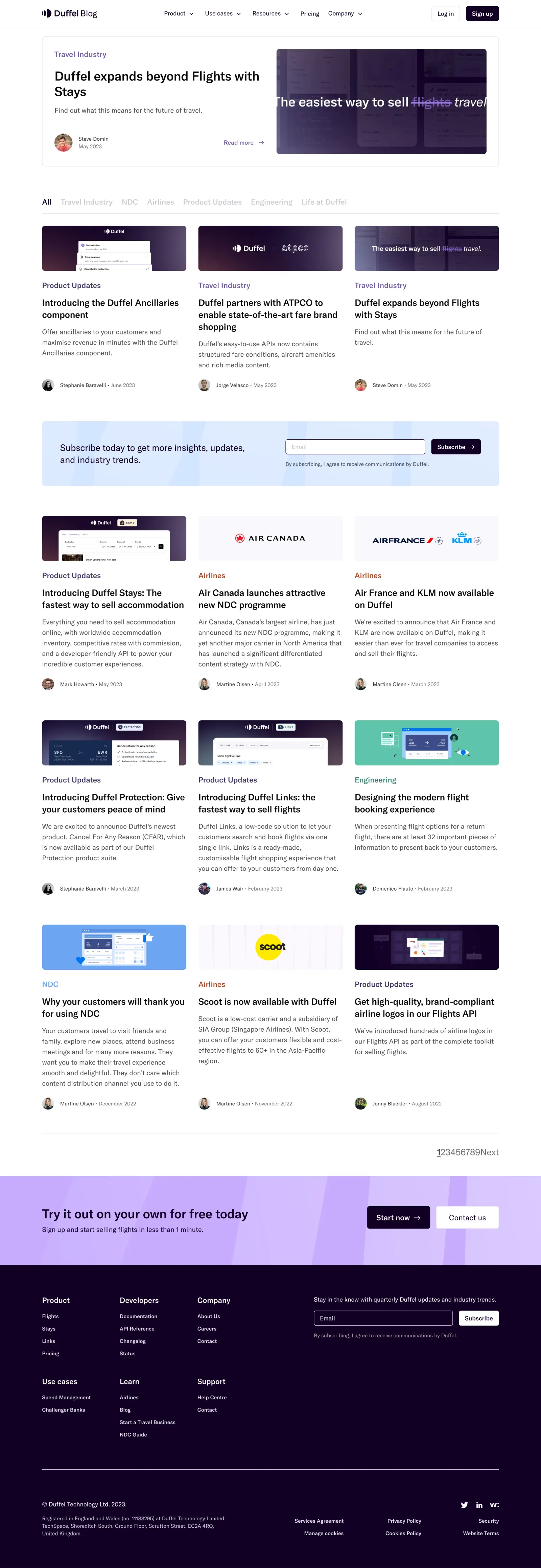
# Design from Reference: Duffel Blog Feed

Create an original, high-fidelity visual design inspired by the reference. Prioritize composition, typography, colors, spacing, and component styling over technical implementation.

## Reference

- **Product:** Duffel
- **Category:** Blog Feed
- **Screenshot:** attached to this message (also available at https://media.saasframe.io/v/7d4622262e3de4673e12-1600.webp)
- **Source:** https://duffel.com/blog

Analyze the attached screenshot first. If no image is attached, open the screenshot link; if neither is accessible, ask for it rather than guessing.

## Visual Design Context

### Overall aesthetic

- **Character:** A travel-product blog directory uses white editorial space, deep purple brand imagery and restrained lavender conversion bands.
- **Capture evidence:** The screenshot measures 2880 × 8346 pixels and was inspected in three readable portions through the footer. Approximate CSS dimensions assume a 1440px viewport at 2× density; this is unverified.
- **Tone:** Image-led article previews and clear typography balance a long content list with commercial signup prompts.

### Page composition

- **Header:** Duffel Blog branding sits left, primary navigation spans the center and login/signup actions sit right.
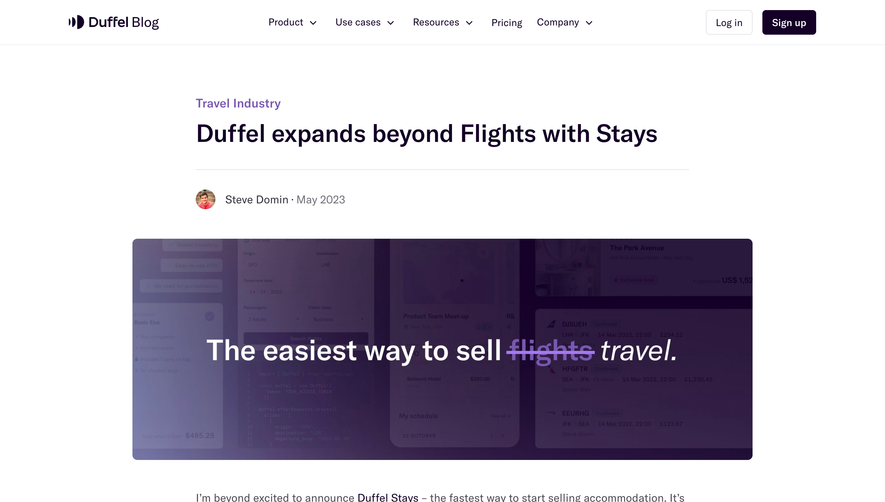
- **Featured story:** A wide bordered two-column panel pairs category, headline, summary and author/action details with a large purple image.
- **Category row:** Seven text filters sit above the story grid, with All selected.
- **Story grid:** Twelve previews form three columns across four rows; each includes image, category, title, summary and author/date.
- **Newsletter insert:** A pale blue full-width signup strip interrupts the grid after its first row.
- **Pagination and conversion:** A compact page-number row precedes a lavender signup band with two actions.
- **Footer:** A deep purple region contains six link groups, a newsletter form, legal details and social links.

### Information hierarchy

- **Featured content:** The large opening panel establishes a primary story, with category and Read more emphasized in purple.
- **Directory navigation:** The selected category is dark; inactive categories are pale gray.
- **Card hierarchy:** Colored categories precede dark semibold titles; muted summaries and compact author metadata follow.
- **Category colors:** Product/travel stories use purple, airlines orange-red, engineering teal and NDC blue.
- **Conversion:** Newsletter and signup bands use distinct colored surfaces so they remain separate from editorial previews.
- **Pagination:** The first page is underlined among a tightly spaced numeric sequence and Next label.

### Typography

- **Family:** A neutral sans-serif is visible; exact identity is unverified.
- **Featured headline:** Approximately 32px CSS semibold with 40px line-height.
- **Card titles:** Approximately 24px semibold with 32px line-height.
- **Descriptions:** Approximately 18px regular with 28px line-height.
- **Category labels:** Approximately 20px medium.
- **Author metadata:** Approximately 14px, with date in muted gray.
- **Conversion/footer:** Conversion heading around 34px; footer group headings around 20px and links around 14px.

### Colors & surfaces

- **Canvas:** Sampled #FFFFFF supplies the main editorial surface.
- **Footer:** Sampled #140026 supplies the deep purple background.
- **Conversion accent:** Sampled #CCACFF supplies lavender among the signup-band tones.
- **Pale image areas:** Sampled #F9F8FC, #F9F8FD and #FDF9FF contribute to light preview backgrounds.
- **Newsletter:** Sampled #DAECFF supplies the pale-blue signup strip.
- **Ink:** Sampled #09090A supplies primary title text, with gray-purple descriptions.
- **Local accents:** Purple, teal, orange-red and blue differentiate article categories without changing card structure.

### Components

- **Featured panel:** A roughly 1215px-wide CSS rectangle uses a thin pale border, 7px radii and around 32px padding.
- **Article previews:** Three approximately 384px-wide columns have wide shallow images with 7px radii; text sits directly on white without an enclosing card border.
- **Author row:** Small circular portraits precede name and date on a single baseline.
- **Newsletter strip:** A wide rounded blue rectangle pairs a two-line prompt with an email input, dark Subscribe button and small consent text.
- **Signup band:** A lavender patterned surface contains a dark primary pill-like rectangle and white secondary action.
- **Footer form:** A dark transparent email field with pale outline sits beside a white Subscribe action.
- **Legal region:** A fine rule separates navigation from company details and policy links.

### Visual rhythm

- **Content width:** Approximately 1215px centered, with around 112px side gutters.
- **Grid gaps:** Roughly 32px separates story columns; larger 70–90px gaps separate rows.
- **Card cadence:** Category, title, summary and author maintain consistent vertical roles despite variable copy length.
- **Section breaks:** Generous space separates featured story, categories and grid.
- **Footer contrast:** The dark final region provides a strong visual endpoint after the long white feed.

### Responsive

- **Evidence limit:** Only a desktop directory state is visible; filtering, pagination and mobile behavior are unverified.
- **Grid recommendation:** Reduce three columns to two and then one while preserving readable summaries.
- **Featured recommendation:** Stack image and text with a deliberate reading order.
- **Filter recommendation:** Allow category navigation to wrap or scroll horizontally with a clear selected state.
- **Form/footer recommendation:** Stack signup controls and footer groups without shrinking input targets.

### Adaptation guidance

- **Editorial system:** Reuse featured-story, article-preview and author-metadata components.
- **Category consistency:** Keep category names/colors synchronized and do not rely only on color for identification.
- **Subscription:** Use labeled email fields and accessible confirmation/error feedback.
- **Content fidelity:** Preserve authentic article imagery and representative metadata rather than inferring additional stories.
- **Accessibility:** Provide descriptive links, image alternatives, semantic pagination and visible keyboard focus.

## Content

**Instructions:**

Generate realistic example content that fits the selected design reference.

Create appropriate headlines, descriptions, labels, buttons, and supporting copy based on the type of interface being designed.

If a product or business description is provided, use it to guide the content.

Otherwise, invent a plausible fictional SaaS product appropriate for the reference.

Keep the content concise, coherent, and visually balanced.

Do not present fictional statistics, customer names, or testimonials as verified facts.

## Design Direction

**Instructions:**

Use the reference screenshot as the main source of visual inspiration rather than a strict layout template.

Preserve its most distinctive design characteristics, such as typography, visual rhythm, color relationships, component treatments, and overall aesthetic.

Feel free to modify section arrangements, proportions, spacing, and individual components to better suit my content.

Introduce original design decisions where they improve usability, composition, or brand consistency.

The result should clearly reflect the reference's visual language without looking like a direct reproduction.

Follow the visual identity of the reference design.

Use its typography, color palette, component styling, and overall aesthetic as the primary design direction.

Do not introduce an unrelated visual identity.

## Output

**Instructions:**

Generate a high-fidelity visual mockup of the requested interface.

Present the design as a polished, realistic website or product UI screenshot.

Prioritize visual composition, typography, spacing, colors, alignment, and component details.

Use the available image-generation or visual-design capabilities.

Do not replace the mockup with source code, a written design specification, or a textual description.

If direct visual generation is unavailable, clearly explain the limitation.

## Constraints

- Use the actual screenshot as the primary visual reference.
- Preserve essential messaging and factual accuracy.
- Prioritize visual quality and consistency.
- Do not invent unsupported product claims.
- Adapt structure and copy length for visual balance.
Reference image Long pages get scaled down: a section works better. Open in ChatGPT ↗ Open in Claude ↗
Build it in Lovable ↗ v0 ↗ Figma Make ↗
Opening a tool copies the screenshot so you can paste it with your prompt.
 SaaSFrame