.webp)
Thank you! Your submission has been received!
Oops! Something went wrong while submitting the form.
Get SaaSFrame Pro
Monthly
$18
Quarterly
$48
Yearly
$180
Upgrade to access this feature
Browse all screens & flows
Filter and search screens & flows
Access Figma files
Access mobile versions
Bookmark screens & flows
Join now
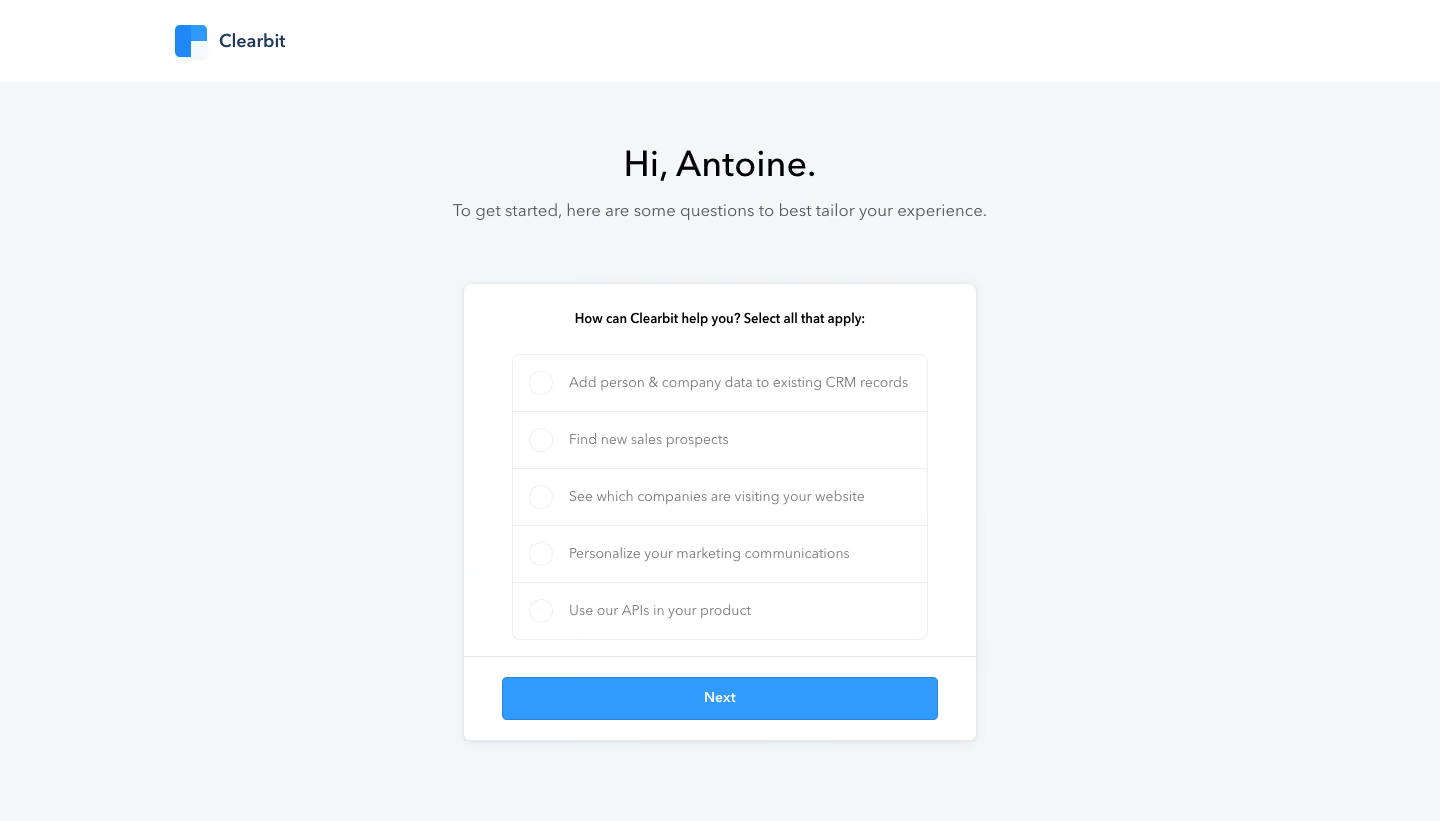
Clearbit Sign Up Flow

Clearbit
Marketing data engine
Designed by
No items found.

Bookmark
Bookmark

Design with AI
Thank you! Your submission has been received!
Oops! Something went wrong while submitting the form.
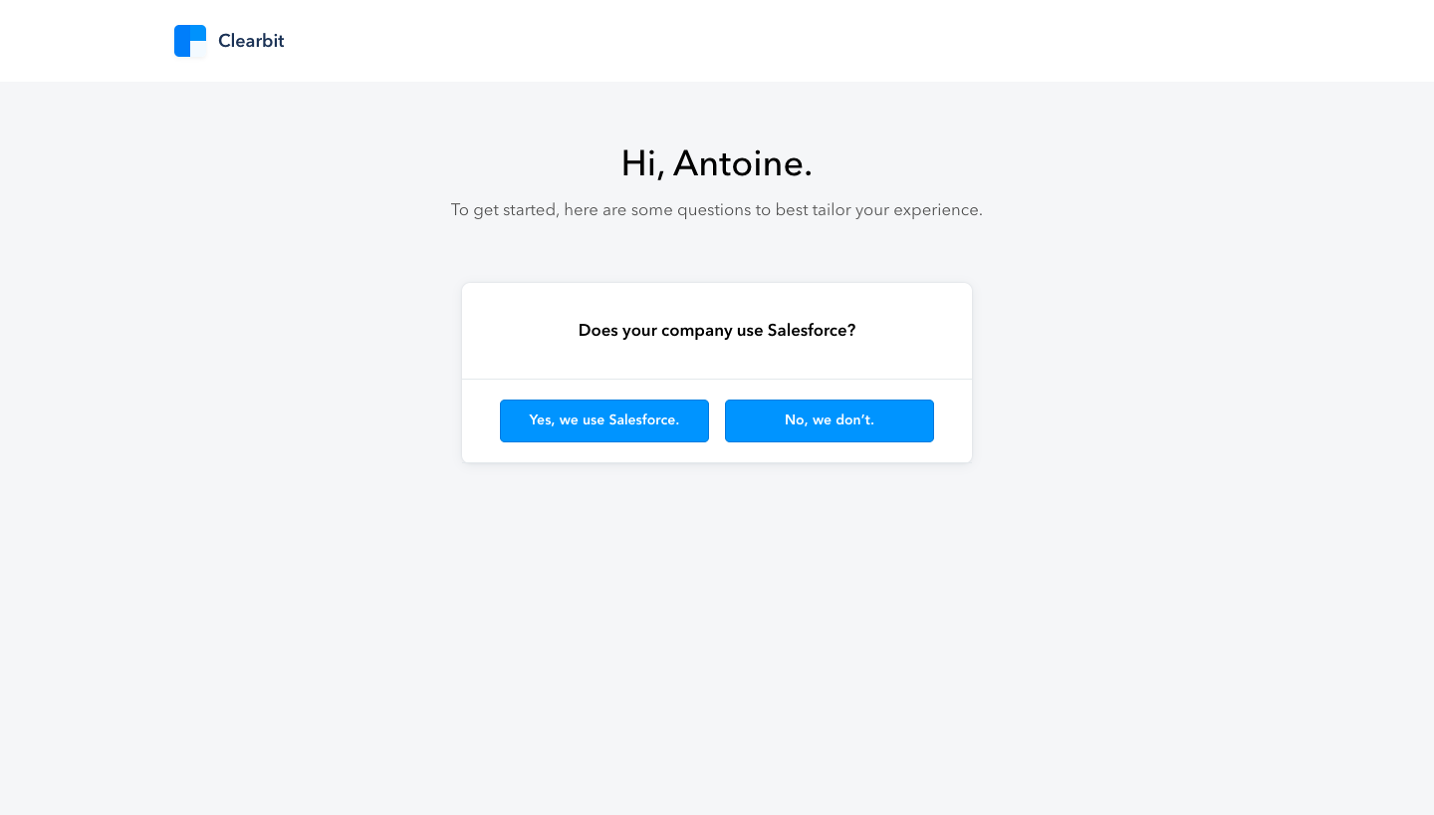
# Design from Reference: Clearbit Sign Up Flow
Create an original, high-fidelity visual design inspired by the reference. Prioritize composition, typography, colors, spacing, and component styling over technical implementation.
## Reference
- **Product:** Clearbit
- **Category:** Account Setup
- **Screenshot:** https://cdn.prod.website-files.com/5e9dc792e1210c5325f7ebbc/6acbc06c7ce271b12870b5b5_6acbbfba39e7f22db402c619_cms-16ff848a03597bc488c8e3d6.webp
Analyze the screenshot first. If inaccessible, request it rather than guessing.
## Content
{{content.instructions}}
{{content.data}}
Preserve essential messaging and factual accuracy. Adapt structure and copy length for visual balance; never invent product claims.
## Visual Design
### Overall aesthetic
- **Character:** A restrained onboarding questionnaire uses a pale gray canvas, white centered card, soft borders/shadow, and a bright blue continuation button.
- **Tone:** A personalized greeting and short explanation make the setup feel conversational, while the list of use cases remains visually simple.
- **Observed scale:** The source measures 1440 × 821 pixels. Sizes below are approximate image pixels; CSS estimates assume an unverified 1× capture.
### Page composition
- **Header:** A white strip about 82 pixels high contains the Clearbit symbol and wordmark within a broad centered container.
- **Introduction:** A centered greeting sits above a muted one-line explanation, separated from the form by generous vertical space.
- **Question card:** A white rounded panel approximately 515 × 458 pixels is centered horizontally, starting near x=463 and y=284.
- **Choice area:** A bold question introduces five stacked use-case rows inside a smaller bordered group.
- **Action footer:** A thin horizontal divider separates the choice area from a full-width blue Next button inset within the card’s lower section.
- **Outer space:** No additional navigation, progress indicator, support control, or footer is visible.
### Information hierarchy
- **Greeting:** The large personalized salutation is the strongest text above the card.
- **Purpose:** The supporting sentence explains that questions will tailor the experience.
- **Question:** A compact bold prompt asks how the product can help and explicitly allows multiple selections.
- **Choices:** Five equally styled rows cover CRM enrichment, prospecting, website-company identification, marketing personalization, and API use.
- **Selection state:** All visible circular selectors are empty. No selected response or later step is shown.
- **Continuation:** The blue Next button is visually primary, but its enabling rules are not established by the image.
### Typography
- **Typeface appearance:** A neutral sans-serif is used throughout. Exact family is unverified.
- **Greeting:** Approximately 36 pixels, regular/medium weight, with line-height near 44 pixels.
- **Subtitle:** Around 17–18 pixels, regular, in medium gray.
- **Question:** Approximately 14 pixels, semibold/bold, centered above the list.
- **Choice labels:** Around 14–15 pixels, regular, in muted gray, vertically centered within rows.
- **CTA:** Approximately 14-pixel semibold white text.
- **Alignment:** Introductory text is centered; option labels are left aligned after equal selector insets.
### Colors & surfaces
- **Measured background:** #F5F6F8 dominates the page; #FFFFFF forms the header and question card.
- **Measured blue:** #319BFB supplies the CTA family.
- **Measured neutrals:** #EEEEEE and nearby #F4F5F7/#F3F4F6 contribute to light borders and subtle surface detail.
- **Text:** Greeting and question are near-black; helper copy and choices use softer gray. Branding is dark blue with a blue geometric mark.
- **Depth:** The card has a fine cool outline, small rounded corners, and a soft low shadow.
- **List treatment:** White rows are separated by thin pale rules rather than individually colored cards.
### Components
- **Brand lockup:** A small blue block-like symbol sits beside Clearbit text.
- **Choice group:** A bordered rounded rectangle about 415 pixels wide contains five rows approximately 57 pixels high.
- **Selectors:** Each row begins with an empty circular outline around 24 pixels across. Because the prompt permits multiple selections, these should not be assumed to be exclusive radio buttons.
- **Choice labels:** Single-line descriptions sit to the right with consistent spacing.
- **Card footer:** A full-width pale rule separates the body from the action area.
- **Next button:** Approximately 435 × 43 pixels, blue, with small 4–5-pixel corners and centered text.
- **Unshown states:** Selected rows, hover/focus, validation, disabled action, submission, and subsequent questions are not visible.
### Visual rhythm
- **Centered stack:** Greeting, explanation, card, and action align on a single vertical axis.
- **Group spacing:** A broad gap separates the introduction from the card; the question and list are more tightly grouped.
- **Equal row cadence:** Repeated selector/label rows make the use cases easy to scan.
- **Contained action:** The footer keeps the Next button visually attached to the questionnaire without crowding the last option.
- **Minimal accent:** Blue is reserved for branding and continuation, leaving the choices neutral.
### Responsive
- **Evidence limit:** Only a desktop questionnaire is captured. Mobile and multi-select behavior are unverified.
- **Recommended card:** Use fluid width with 20–24-pixel viewport gutters and smaller inner padding on narrow screens.
- **Recommended labels:** Allow long choice descriptions to wrap while preserving adequate row height and selector alignment.
- **Recommended semantics:** Implement an accessible multi-select group with programmatic selected states, clear labels, and keyboard support.
- **Recommended action:** Keep the button full width and provide visible focus/disabled/error states as required.
- **Recommended typography:** Maintain readable option text rather than shrinking the entire card.
### Adaptation guidance
- **Preserve the profile question:** Use a short greeting, purpose statement, one multi-select use-case question, and one forward action.
- **Avoid ambiguous controls:** Ensure the visual circular selectors clearly communicate multiple selection through behavior and accessible semantics.
- **Define real onboarding logic:** Specify whether at least one choice is required and how answers affect later steps.
- **Use safe personalization:** Replace the captured name with actual account data or an approved fallback.
- **Build from measured tokens:** Pale gray canvas, white card, subtle borders, blue CTA, and restrained typography provide the core system.
- **Validate current copy:** Product-capability labels are historical screenshot content and should be checked before reuse.
Use this context to reproduce the reference's visual language: layout, typography, colors, spacing, borders, radii, and distinctive elements. The screenshot takes priority if descriptions conflict.
## Direction
{{preferences.fidelityInstructions}}
## Output
{{output.instructions}}
Deliver a polished, cohesive design with precise alignment, hierarchy, and spacing. Produce the requested visual artifact, not just a description. If unsupported, explain the limitation.

.avif)
Category
Patterns
No items found.
Tech Stack
No items found.
Added on
February 4, 2023

Similar screens
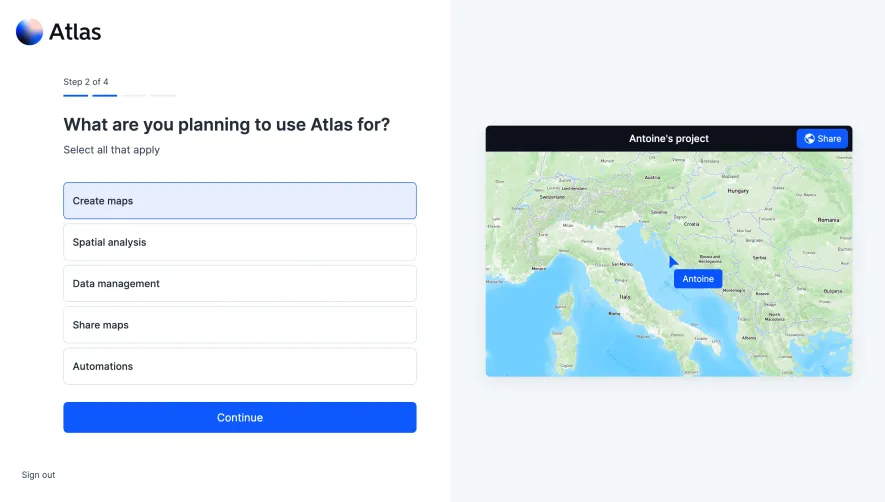



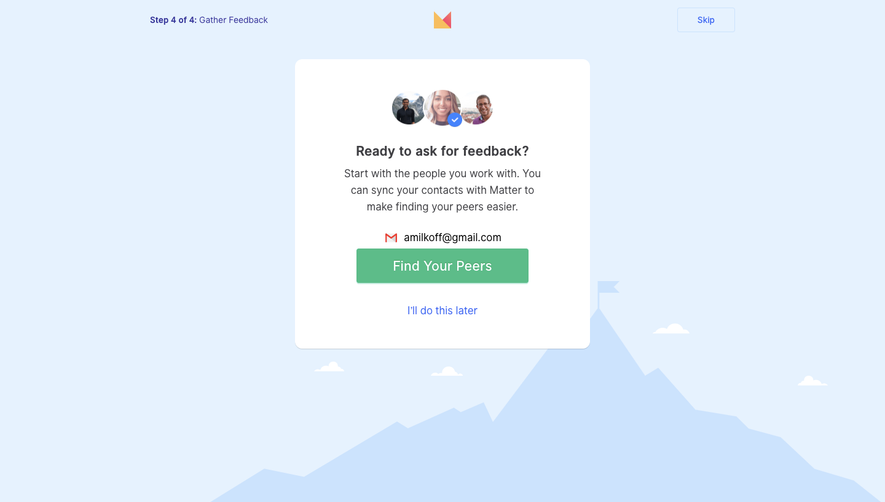

Upgrade to SaaSFrame Pro now to see similar examples.
Monthly
$18 /month
Billed $18 monthly
Browse all screens & flows
Filter and search screens & flows
Search text in screenshots
Access Figma files
Access mobile versions
Join now
Quarterly
$16 /month
Billed $48 quarterly
Browse all screens & flows
Filter and search screens & flows
Search text in screenshots
Access Figma files
Access mobile versions
Join now
Yearly
$15 /month
Billed $180 yearly
Browse all screens & flows
Filter and search screens & flows
Search text in screenshots
Access Figma files
Access mobile versions
Join now