No items found.
Subject
Category
Patterns
Tech Stack
No items found.
Added on
November 7, 2023
Found in 1 flow

Upgrade to SaaSFrame Pro now to see similar examples.

Monthly

$14 /month

Billed $14 monthly
Browse all screens & flows
Filter and search screens & flows
Bookmark items
Access Figma files
Access mobile versions
Join now

Quarterly

$12 /month

Billed $36 quarterly
Browse all screens & flows
Filter and search screens & flows
Bookmark items
Access Figma files
Access mobile versions
Join now

Yearly

$10 /month

Billed $120 yearly
Browse all screens & flows
Filter and search screens & flows
Bookmark items
Access Figma files
Access mobile versions
Join now

Biggest SaaS library.

Browse website pages, product interfaces and emails from a growing library of hundreds of SaaS.

Desktop & mobile versions.

Switch from desktop to mobile versions to see how the best designers make websites responsive.
Access the Figma files.

You like a design? Download the Figma file of any website page you see on SaaSFrame.

Advanced filtering.

Use filters to find the design or copywriting inspiration that you need in seconds.
Thank you! Your submission has been received!
Oops! Something went wrong while submitting the form.

Let it flow.

Discover the user journey of the best SaaS with interfaces organized in flows.
Save design inspirations.

Bookmark screens and flows so you can find them any time you need it.
โŒ˜
B
BOOKMARK DESIGN
Start your design
research
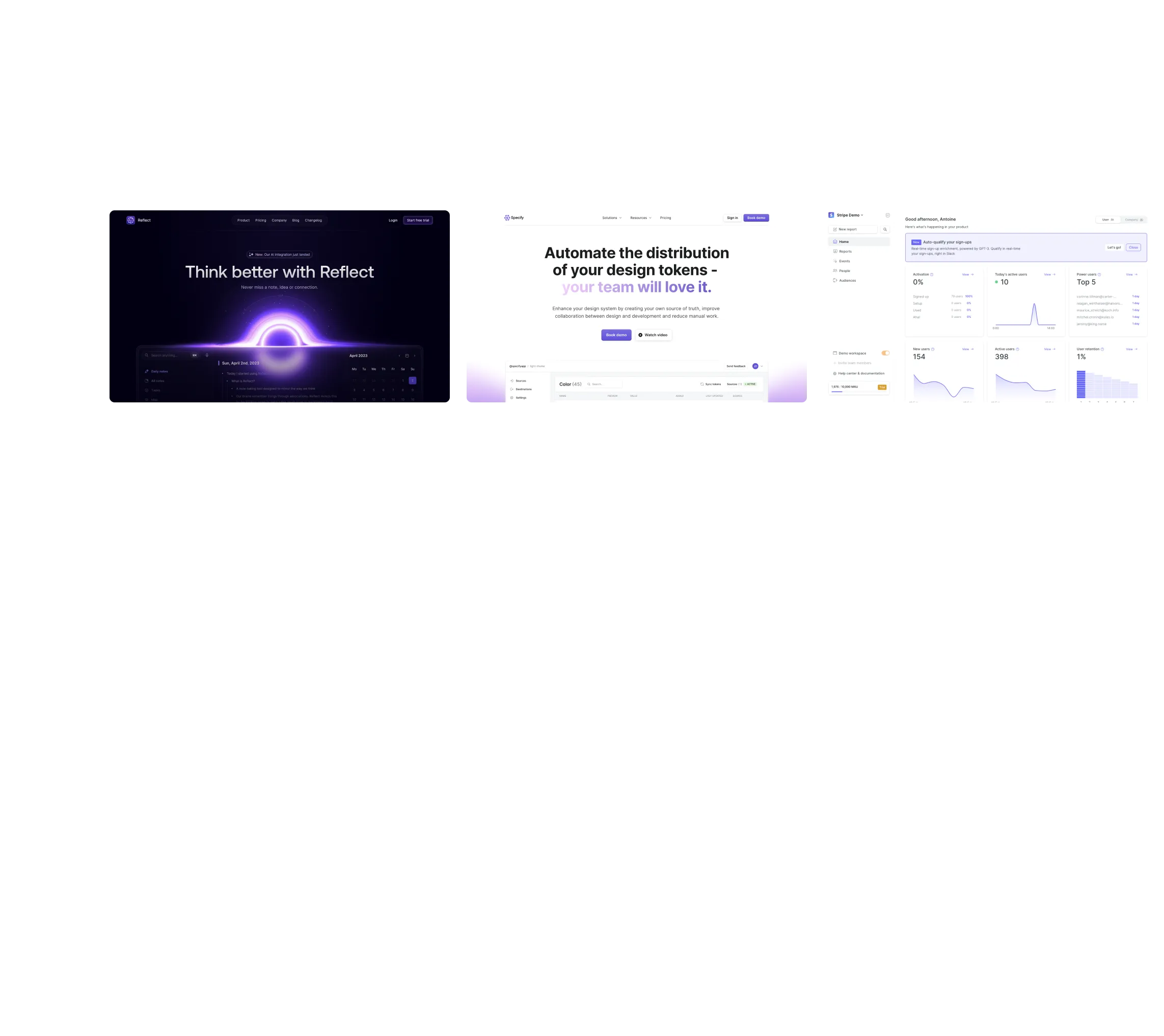
Three website screenshots showing a design tool and distribution dashboard for design tokens, promoting ease and automation.

How do you process payment?

SaaSFrame subscriptions are sold on Lemon Squeezy, a secured online selling platform for creators.

What about future updates and versions?

SaaSFrame gets updated all the time! Every new update and version will immediately be made available to all SaaSFrame users.

Can you send me an invoice?

You can generate an invoice on your Lemon Squeezy portal once you purchased SaaSFrame. You will find the link in the order confirmation email.

How can I cancel my membership subscription?

You can cancel your membership subscription at any moment on your profile page.โ€

Can I get a refund?

If you're not satisfied, you can ask for a refund within 7 days. Just send me an email at antoine[at]unmake[dot]io

I have another question.

You can send me an email at antoine[at]unmake[dot]io, I'll be happy to help with any questions.

No items found.

Remote Add A New Hire Structure

Overall Style and Aesthetic

The Employ Remote "Add People" page exemplifies a crisp, minimalist SaaS design with a distinctly modern and professional vibe. Every element is intentionally spaced, allowing content to breathe and preventing cognitive overloadโ€”perfect for busy HR professionals and team leaders. Subtle use of rounded shapes, whitespace, and gentle shadows conveys approachability without sacrificing authority.

Layout and Structure

The layout is purpose-driven and frictionless. A focused header keeps users oriented within the platform, while the content is centered on a clean, single-column form. No excessive sections distract from the main user flow; the primary interactionโ€”adding new peopleโ€”is front and center. Navigation remains sticky, unobtrusive, and accessible for quick returns to key dashboard areas.

Visual Elements

Employ Remote opts for clarity over embellishment with lightweight icons denoting form fields, gentle illustrations for guidance, and the strategic absence of busy imagery. Micro-animations offer understated feedback on form interactions (e.g., active state highlights), building a sense of control and polish. Visual cues always serve usability rather than decoration.

Color Palette and Typography

The page embraces a refined color palette: predominantly white backgrounds offset by soft grays and a bold, inviting primary blue for CTAs and highlights. Typography follows a clean sans-serif hierarchyโ€”with large, readable headings and thoughtful spacing for form labels and helper text, ensuring easy scanning and reduced eye strain.

User Experience Patterns & Notable Choices

The interface anticipates user needs: contextual tooltips clarify complex fields, smart defaults streamline data entry, and a progress indicator demystifies multi-step onboarding. CTAs are confident and clear, with high-contrast buttons inviting next steps. Overall, the page feels trustworthy, calm, and exceptionally usableโ€”making a potentially tedious HR task fast, seamless, and even delightful.