.webp)
Thank you! Your submission has been received!
Oops! Something went wrong while submitting the form.
Get SaaSFrame Pro
Monthly
$18
Quarterly
$48
Yearly
$180
Upgrade to access this feature
Browse all screens & flows
Filter and search screens & flows
Access Figma files
Access mobile versions
Bookmark screens & flows
Join now
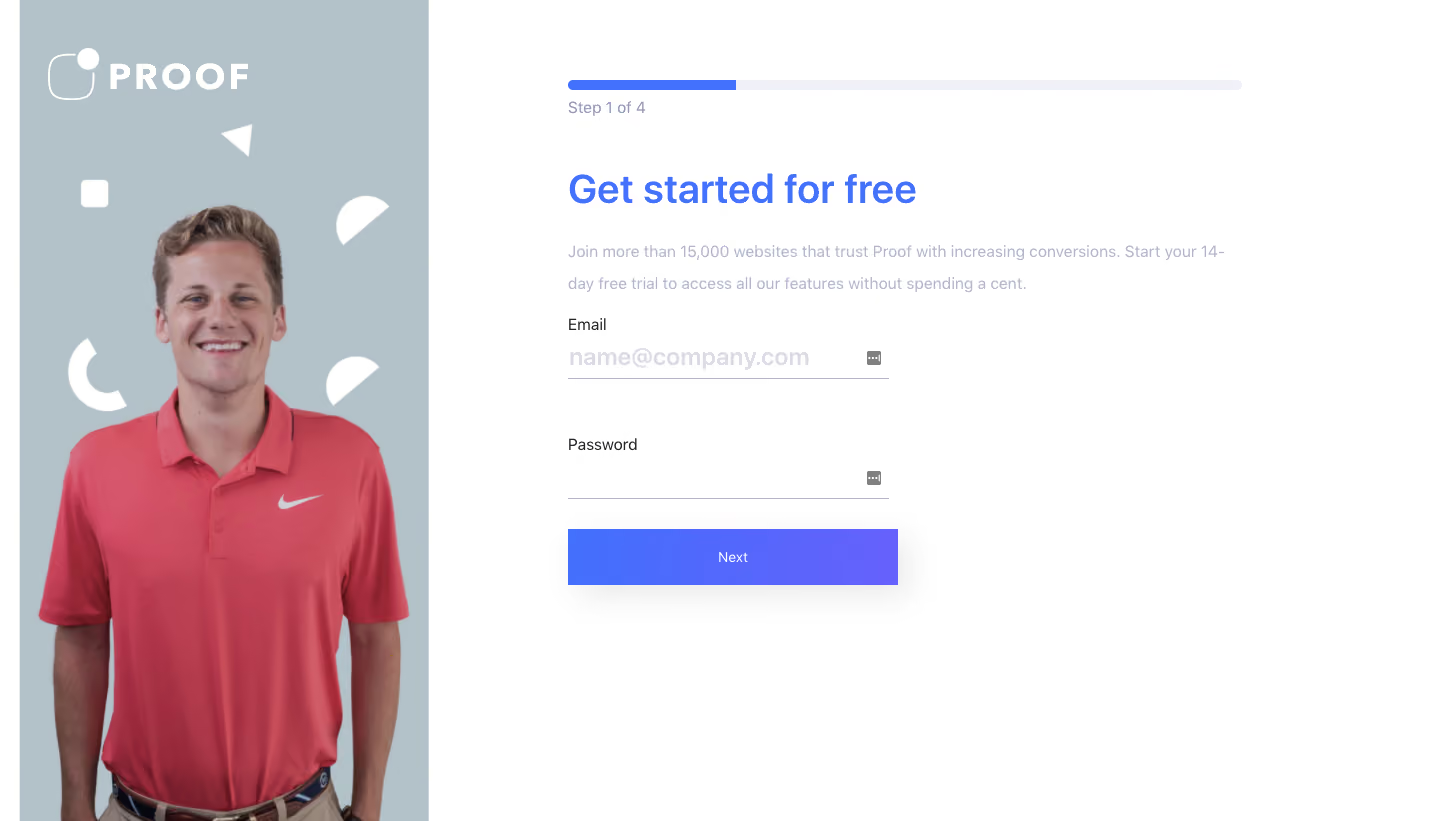

Proof Signup Page

Proof
Boost Your Conversion Rate
Designed by
No items found.

Bookmark
Bookmark

Design with AI
Thank you! Your submission has been received!
Oops! Something went wrong while submitting the form.
# Design from Reference: Proof Signup Page
Create an original, high-fidelity visual design inspired by the reference. Prioritize composition, typography, colors, spacing, and component styling over technical implementation.
## Reference
- **Product:** Proof
- **Category:** Signup
- **Screenshot:** https://cdn.prod.website-files.com/5e9dc792e1210c5325f7ebbc/6acbced375891049b18404e5_6acbcb2a405d8e0fbc3cb119_cms-2222f330a3c7510f47f0d019.webp
Analyze the screenshot first. If inaccessible, request it rather than guessing.
## Content
{{content.instructions}}
{{content.data}}
Preserve essential messaging and factual accuracy. Adapt structure and copy length for visual balance; never invent product claims.
## Visual Design
### Overall aesthetic
- **Character:** Spacious signup screen pairing a photographic brand rail with a sparse white form area and vivid blue accents.
- **Brand expression:** A smiling cutout portrait in a coral shirt fills the left panel beneath a white wordmark and scattered white geometric shapes.
- **Capture scale:** The screenshot measures 1440 × 821 image pixels. Layout dimensions below are observed image estimates; equivalence to CSS pixels is unverified.
### Page composition
- **Split layout:** A muted blue-gray rail occupies approximately 410 px near the left edge, while the remaining white area holds the registration content. A narrow white strip is visible at the far left.
- **Content alignment:** The right content begins near x568, about 140 px beyond the image rail. A long progress bar spans roughly 674 px across the top of this area.
- **Form placement:** The heading and supporting copy use the wider column, but email, password and Next action occupy a narrower approximately 330 px column aligned to the same left edge.
- **Vertical sequence:** Progress appears around y80, heading near y170, explanatory text near y245, email near y320, password near y440 and the submit button near y529. The lower-right area is blank.
### Information hierarchy
- **Progress:** A quarter-filled horizontal indicator and Step 1 of 4 caption establish the current stage before the form title.
- **Main message:** The large blue heading announces free signup; a lighter two-line paragraph explains the trial and supporting trust claim.
- **Input order:** Email precedes Password with explicit labels. A single filled Next action closes the visible form.
- **Visual balance:** The large human portrait supplies emotional emphasis while the form remains structurally minimal. No validation error or success state is visible.
### Typography
- **Family:** A neutral sans-serif is visible; exact font identity and weights are unverified.
- **Heading:** Approximately 38–40 image px, medium-to-bold weight, with around 48 px line-height and normal-to-tight tracking.
- **Supporting copy:** Roughly 16 px with a generous 31–32 px line-height, rendered in a very light lavender-gray.
- **Form roles:** Labels are approximately 16 px in dark gray; the email placeholder is notably larger, around 23–24 px and medium-to-bold. Progress and button captions are near 14–16 px.
- **Wordmark:** Wide-spaced uppercase white lettering pairs with a thin outlined rounded symbol, visually distinct from the form typography.
### Colors & surfaces
- **Measured dominant surfaces:** ICC-aware sRGB sampling yields #FFFFFF for the main canvas and #B2C2C8 for the large photo rail.
- **Measured action color:** #4370FC occurs in the blue action/progress treatment. The button visibly transitions toward violet across its width.
- **Neutral tones:** Sampled #F1F1F8 and #F0F1F7 occur in pale interface areas; supporting copy and underlines use low-contrast lavender-gray tones.
- **Image accents:** The coral shirt and skin tones are confined to the portrait; white abstract marks remain high contrast against the muted rail.
- **Depth:** The form has no enclosing card. A soft diffuse shadow under the Next button provides the main elevated treatment.
### Components
- **Progress indicator:** Approximately 674 × 10 image px with rounded ends; its first quarter is blue and the remaining track extremely pale.
- **Input fields:** Two approximately 320 px-wide underline-only controls have no visible filled rectangle or outer rounded border. Small gray square utility icons sit at the right edge of both fields; their exact function is unverified.
- **Primary action:** An approximately 330 × 56 image px rectangular blue-to-violet Next button uses white centered text, nearly square corners and a broad subtle shadow.
- **Brand rail:** The portrait extends beyond the bottom of the viewport. A white rounded square, triangle, semicircular fragments and curved mark are scattered around the head and shoulders.
- **State:** The email field shows a placeholder and the password field is empty. No focused border, error helper, terms checkbox or alternate sign-in action is visible.
### Visual rhythm
- **Form spacing:** The heading-to-copy gap is generous; the two inputs are separated by approximately 60 px between the first underline and second label.
- **Action proximity:** The submit button begins about 30 px below the password underline, linking it to the form despite the otherwise airy layout.
- **Alignment:** Progress, heading, copy, labels and button share a clean vertical left axis. The wider progress/copy width contrasts with the narrow input stack.
- **Whitespace:** Large blank areas on the right and below the form preserve a calm first-step presentation.
### Responsive
- **Evidence limit:** Only the desktop capture is available; these are recommendations rather than observed breakpoint behavior.
- **Rail handling:** Hide or shorten the portrait rail on narrow screens so the signup task remains above the fold.
- **Fluid form:** Use a full-width form within 20–24 px side padding, retain explicit labels and prevent the larger placeholder from overflowing.
- **Progress and actions:** Scale the progress track to the container and maintain a generous touch target for Next; allow introductory text to wrap without reducing readability.
### Adaptation guidance
- **Reusable structure:** Use a branded photographic panel beside a simple progressive form, with one clear action and an immediately visible step indicator.
- **Contrast improvement:** Preserve the light visual tone while strengthening supporting text, placeholder and track contrast for accessibility.
- **State coverage:** Define keyboard focus, password visibility, validation and submission feedback separately; none can be inferred from this still image.
- **Implementation:** Treat portrait/decorative shapes as non-interactive assets, keep form labels programmatically connected and announce step changes accessibly.
Use this context to reproduce the reference's visual language: layout, typography, colors, spacing, borders, radii, and distinctive elements. The screenshot takes priority if descriptions conflict.
## Direction
{{preferences.fidelityInstructions}}
## Output
{{output.instructions}}
Deliver a polished, cohesive design with precise alignment, hierarchy, and spacing. Produce the requested visual artifact, not just a description. If unsupported, explain the limitation.

.avif)
Category
Patterns
No items found.
Tech Stack



Added on
May 3, 2020
Found in 1 flow

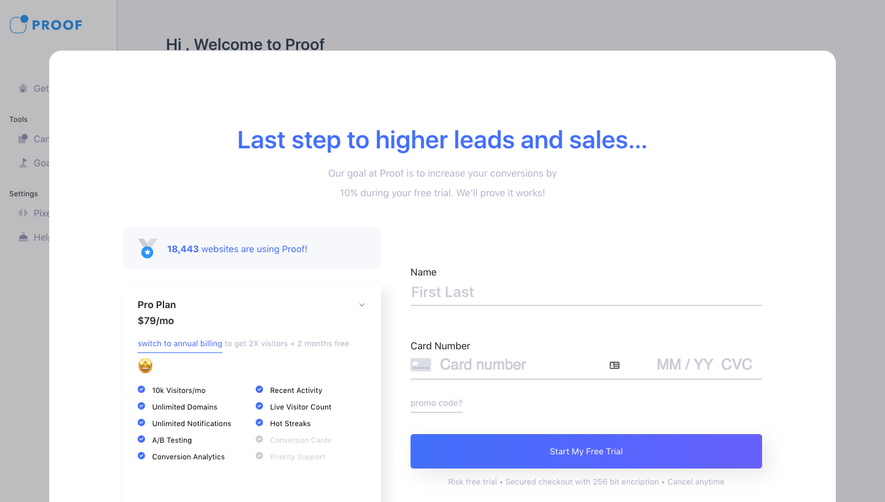
Similar screens
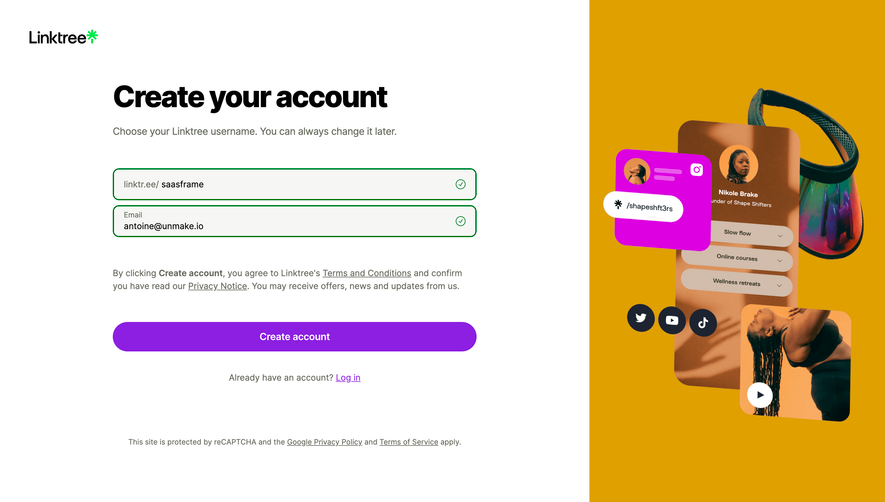



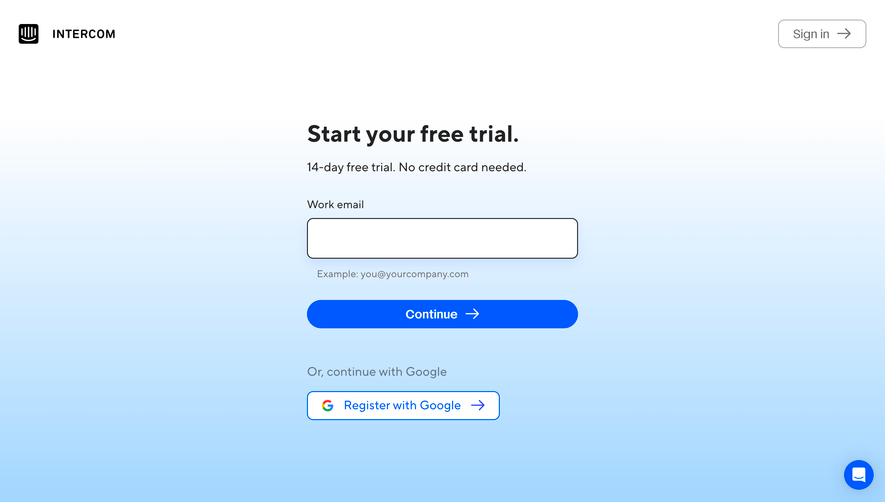

Upgrade to SaaSFrame Pro now to see similar examples.
Monthly
$18 /month
Billed $18 monthly
Browse all screens & flows
Filter and search screens & flows
Search text in screenshots
Access Figma files
Access mobile versions
Join now
Quarterly
$16 /month
Billed $48 quarterly
Browse all screens & flows
Filter and search screens & flows
Search text in screenshots
Access Figma files
Access mobile versions
Join now
Yearly
$15 /month
Billed $180 yearly
Browse all screens & flows
Filter and search screens & flows
Search text in screenshots
Access Figma files
Access mobile versions
Join now