Overall Style and Aesthetic
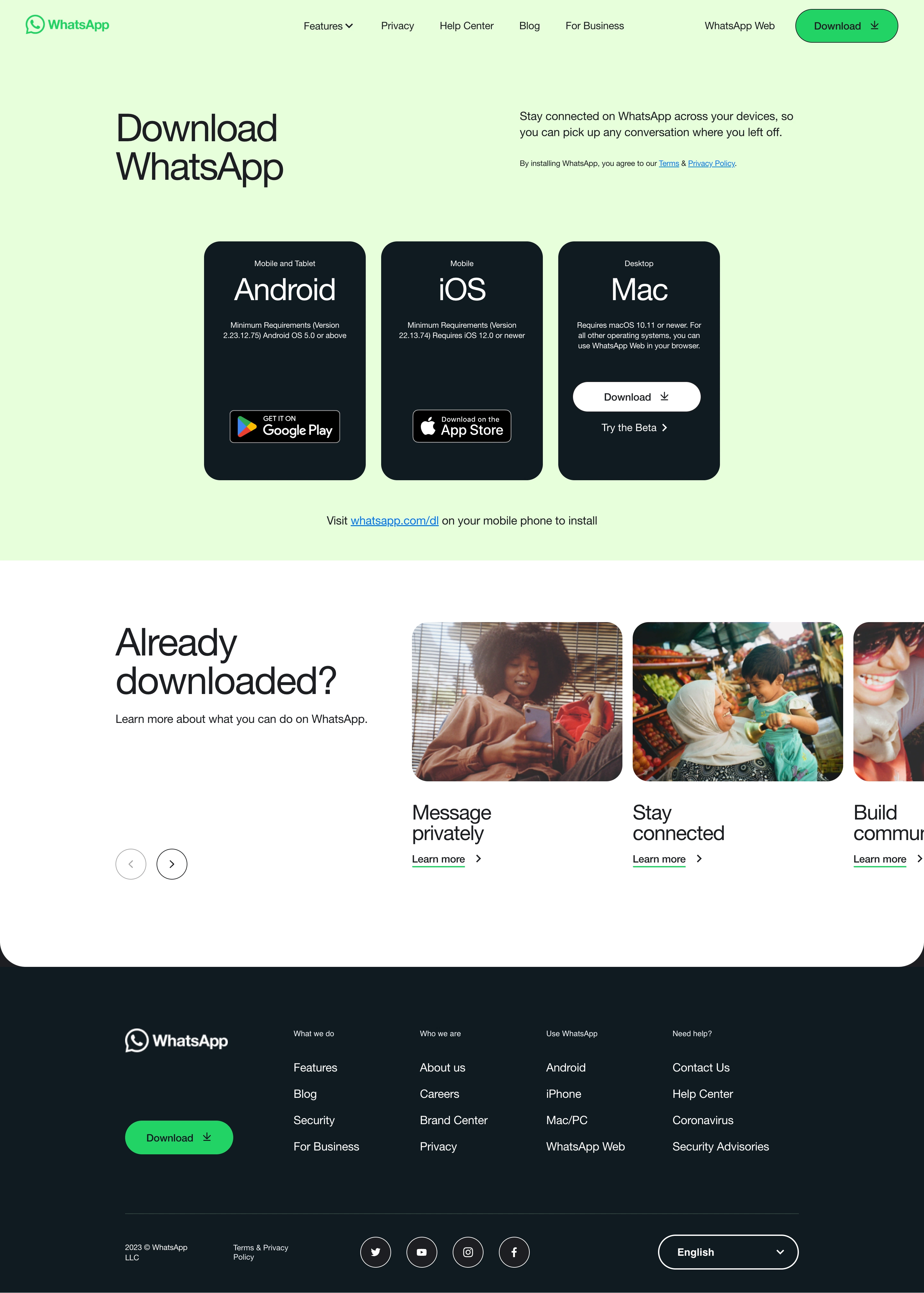
WhatsApp’s download page epitomizes minimalist, modern design. The interface feels clean and uncluttered, with ample white space allowing each element to breathe. The overall vibe is approachable yet professional, projecting trustworthiness and universal appeal. Layout and Structure
The page embraces a streamlined structure: a prominent hero section immediately highlights platform choices (Mac, Windows, mobile), followed by succinct explanatory content. There are no overwhelming feature grids, testimonials, or pricing cards—just straightforward, purpose-driven layout, funneling users toward their desired action with minimal friction. Visual Elements
A prominent product illustration anchors the hero area, subtly depicting familiar WhatsApp screens to convey context at a glance. Gentle motion draws the eye to key CTAs, while crisp platform icons (Apple, Windows, Android) offer instant visual cues. There’s minimal use of decorative imagery, prioritizing clarity over clutter and ensuring instant comprehension. Color Palette and Typography
A deep WhatsApp green dominates, complemented by white and light gray backgrounds for contrast and legibility. Clear, sans-serif typography ensures readability and modern appeal, with hierarchy established through font weight and size rather than excessive color. User Experience Patterns
Navigation is laser-focused: anchored navigation at the top, paired with ultra-clear CTAs (“Download for Windows”, etc.) prompt immediate action. Forms are absent, reducing friction, and device switching is effortless via simple tabs, delivering a frictionless, universal experience. Unique or Notable Design Choices
The conscious omission of noise—no testimonials, no pricing, no lengthy copy—proves the power of restraint. This single-task design, focused solely on downloading, prioritizes user intent, presenting a template for SaaS onboarding where speed, clarity, and trust matter most..webp)




.avif)