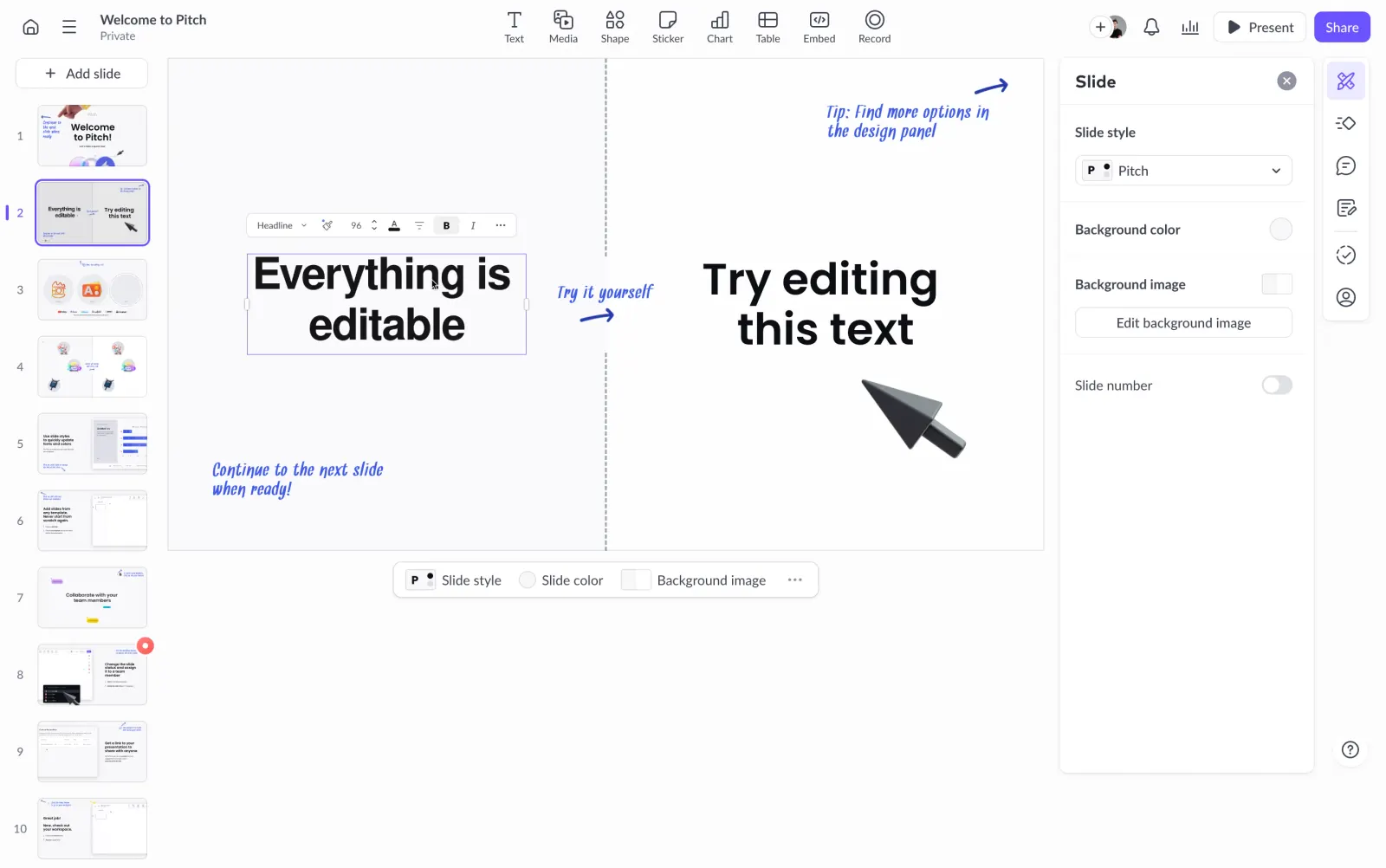
First thing you notice is how clean this slide editor feels. The workspace is wide open, with a dashed vertical divider splitting the canvas into two clear zones. Left side tells you "Everything is editable" in a bold serif headline. Right side literally says "Try editing this text" with a giant cursor pointing at it. Smart.
Teaching by Doing
The handwritten-style annotations in blue ink are doing heavy lifting here. "Try it yourself" with a little arrow, "Continue to the next slide when ready!" at the bottom. These feel human and approachable, not like a sterile tooltip. They guide without being annoying. The slide panel on the left shows a full deck of 10+ slides, giving you a sense of progression through the tutorial.
Restrained but Confident
The right panel keeps things minimal with just slide style, background color, and image options. Typography mixing a bold serif headline with that casual handwritten font creates contrast that actually works. The whole thing feels like a product that respects your attention. No clutter, no overwhelming feature dumps. Just "here, touch stuff."
 SaaSFrame