.webp)
Thank you! Your submission has been received!
Oops! Something went wrong while submitting the form.
Get SaaSFrame Pro
Monthly
$18
Quarterly
$48
Yearly
$180
Upgrade to access this feature
Browse all screens & flows
Filter and search screens & flows
Access Figma files
Access mobile versions
Bookmark screens & flows
Join now
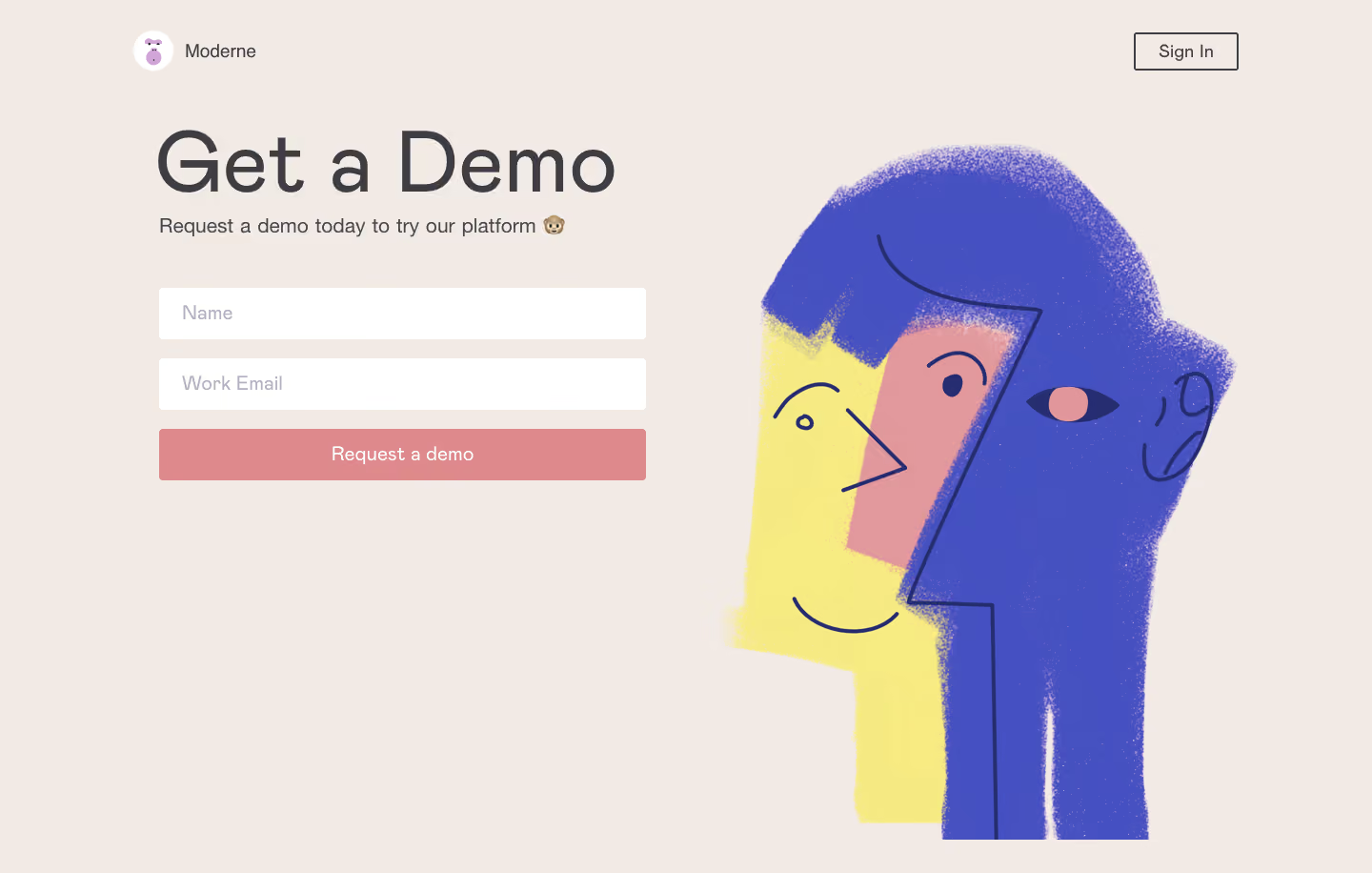

Moderne Demo Request
Moderne
Insight and Collaboration platform for creative minds
Designed by
No items found.

Bookmark
Bookmark

Design with AI
Thank you! Your submission has been received!
Oops! Something went wrong while submitting the form.
# Design from Reference: Moderne Demo Request
Create an original, high-fidelity visual design inspired by the reference. Prioritize composition, typography, colors, spacing, and component styling over technical implementation.
## Reference
- **Product:** Moderne
- **Category:** Demo Request
- **Screenshot:** https://cdn.prod.website-files.com/5e9dc792e1210c5325f7ebbc/6acb6ea92837b9f3168fb6d0_6acb6ca466705250381292e4_cms-c640b226d9c3057e50d73076.webp
Analyze the screenshot first. If inaccessible, request it rather than guessing.
## Content
{{content.instructions}}
{{content.data}}
Preserve essential messaging and factual accuracy. Adapt structure and copy length for visual balance; never invent product claims.
## Visual Design
### Overall aesthetic
- **Character:** A warm, playful demo-request screen pairs a very large lightweight heading with a minimal two-field form and a textured abstract character illustration.
- **Palette mood:** Beige, coral pink, cobalt, and pale yellow create a softer creative identity than a conventional enterprise form.
- **Observed scale:** The source measures 1440 × 916 pixels. Dimensions below are approximate image pixels; CSS estimates assume an unverified 1× capture.
### Page composition
- **Full canvas:** A uniform warm beige background fills the entire capture. There is no card enclosure or separate footer.
- **Header:** A small circular illustrated brand mark and Moderne name sit at upper left within a centered content width. An outlined Sign In button aligns to the far right.
- **Left column:** The main block begins around x=167 and y=125, with a large Get a Demo heading, one short explanatory line, and the form beneath.
- **Form:** Two white fields and a full-width coral action occupy a roughly 510-pixel-wide column. The controls are vertically stacked with consistent gaps.
- **Right illustration:** A large textured cobalt/yellow/pink figure occupies most of the right half, starting near the heading’s height and extending close to the bottom edge.
- **Negative space:** The area beneath the left form remains largely empty, balancing the tall illustration.
### Information hierarchy
- **Primary title:** Get a Demo is the dominant text, set much larger than every other element and kept on one line.
- **Supporting invitation:** A concise request sentence with a small monkey emoji sits immediately below the heading.
- **Input priority:** Name and Work Email appear as large placeholders inside otherwise empty fields. No separate visible labels are shown.
- **Conversion:** The full-width Request a demo button follows directly after the fields.
- **Secondary access:** Sign In is isolated in the header and uses an outline, making it less prominent than the form action.
- **Capture scope:** No testimonials, product screenshots, legal copy, success message, or additional form step is visible.
### Typography
- **Typeface appearance:** A rounded neutral sans-serif is used, with a lightweight display role. Exact font identity is unverified.
- **Display heading:** Approximately 88–92 pixels, regular/light weight, with line-height near 100 pixels and open spacing.
- **Supporting line:** Approximately 21–22 pixels, regular weight, in dark gray.
- **Inputs and CTA:** Around 20–21 pixels. Placeholders are pale gray-lavender; button text is white and regular weight.
- **Header roles:** Brand text and Sign In are approximately 18–20 pixels.
- **Alignment:** All left-column text and controls share a left edge; CTA text is centered.
### Colors & surfaces
- **Measured canvas:** #F2EAE5 supplies the warm beige background.
- **Measured illustration blue:** #4551C2 and nearby #4451C2 dominate the textured figure.
- **Measured coral:** #DE8A8D appears in the pink family used by the action/illustration, with #E2999D also sampled in the artwork.
- **Measured yellow:** #F7EC81 and nearby #F5EA81 supply the pale yellow face/body region.
- **Form surfaces:** Inputs are #FFFFFF. Text and Sign In outlines are dark charcoal; placeholders are muted lavender-gray.
- **Texture:** Grainy brush edges and stippling are confined to the illustration. The form and background remain flat and clean.
### Components
- **Brand lockup:** A small white circle contains a purple illustrated mark, followed by the Moderne name.
- **Sign In control:** An outlined rectangle roughly 108 × 40 pixels has a thin dark border and very slight corner rounding.
- **Name field:** Approximately 510 × 54 pixels, white, with a small radius around 4 pixels and roughly 24-pixel left text inset.
- **Email field:** Matches the name field’s width, height, fill, and inset. No entered value or validation state is visible.
- **Request button:** Approximately 510 × 54 pixels, filled coral, with the same slight radius as the fields.
- **Illustration:** Overlapping abstract faces use dark blue contour lines, a central pink geometric face, yellow and cobalt areas, and rough textured boundaries. The composition is decorative rather than an interface preview.
- **Unshown behavior:** Focus, errors, required status, submission loading, and confirmation are not established by the image.
### Visual rhythm
- **Compact form cadence:** Approximately 20 pixels separate successive controls, producing a clear three-row action block.
- **Title grouping:** Heading and supporting sentence are close together, followed by a larger pause before the first input.
- **Two-column balance:** The wide, short text/form block is counterweighted by a tall, irregular illustration.
- **Shared alignment:** Header branding, title, description, fields, and button align closely along the same left content margin.
- **Minimal framing:** There are no dividers, shadows, or extra modules to interrupt the single-screen task.
### Responsive
- **Evidence limit:** Only one desktop layout is captured. Narrow-screen behavior is unverified.
- **Recommended stacking:** Put the form before the decorative artwork on mobile, reducing or cropping the illustration without removing essential form content.
- **Recommended heading:** Reduce the title to around 44–56 CSS pixels and allow wrapping when necessary.
- **Recommended form:** Use fluid width with 20–24-pixel gutters and visible accessible labels, even if the visual treatment keeps placeholders.
- **Recommended header:** Preserve sufficient spacing between branding and Sign In and maintain usable touch targets.
- **Recommended submission:** Provide clear focus, validation, and success feedback without relying only on changes in color.
### Adaptation guidance
- **Preserve the concise task:** Keep the short invitation, two essential fields, and one clear request action.
- **Separate expressive and functional layers:** Use the textured illustration for personality while keeping controls plain, legible, and consistent.
- **Start from measured colors:** Use beige canvas, white inputs, coral CTA, and cobalt/yellow artwork, then verify text and button contrast.
- **Add form semantics:** Associate persistent labels with inputs, use the correct email type, and specify required fields and validation from actual requirements.
- **Keep artwork flexible:** Export responsive illustration assets or use art-directed crops so its rough edges and faces remain balanced at different widths.
- **Validate missing content:** Supply approved privacy, consent, and submission messaging where required by the actual product; none is visible in this capture.
Use this context to reproduce the reference's visual language: layout, typography, colors, spacing, borders, radii, and distinctive elements. The screenshot takes priority if descriptions conflict.
## Direction
{{preferences.fidelityInstructions}}
## Output
{{output.instructions}}
Deliver a polished, cohesive design with precise alignment, hierarchy, and spacing. Produce the requested visual artifact, not just a description. If unsupported, explain the limitation.

.avif)
Category
Patterns
No items found.
Tech Stack

Added on
March 15, 2023
Similar screens
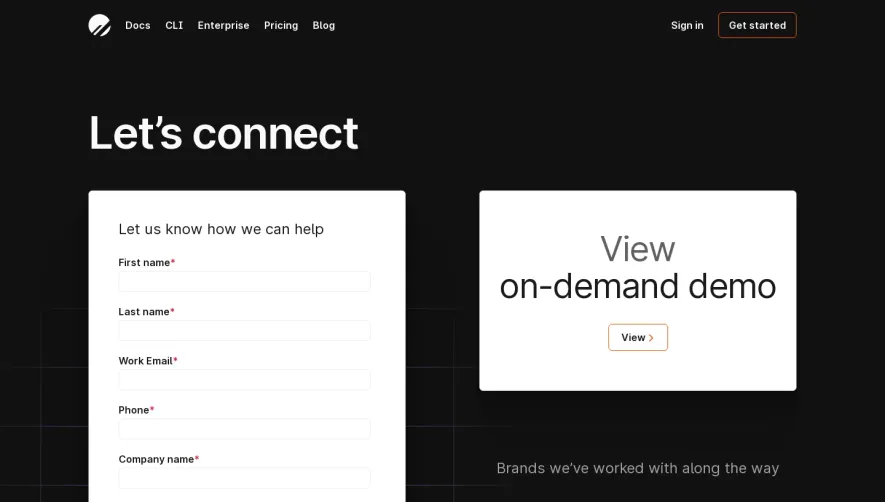


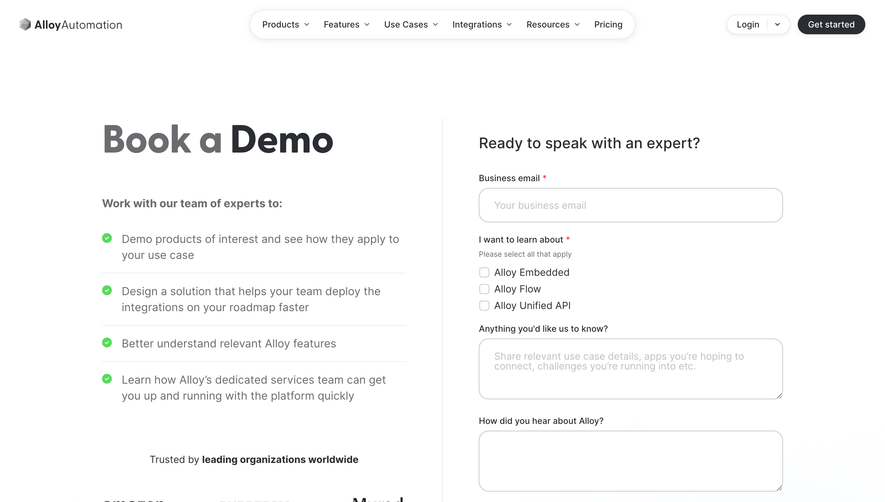

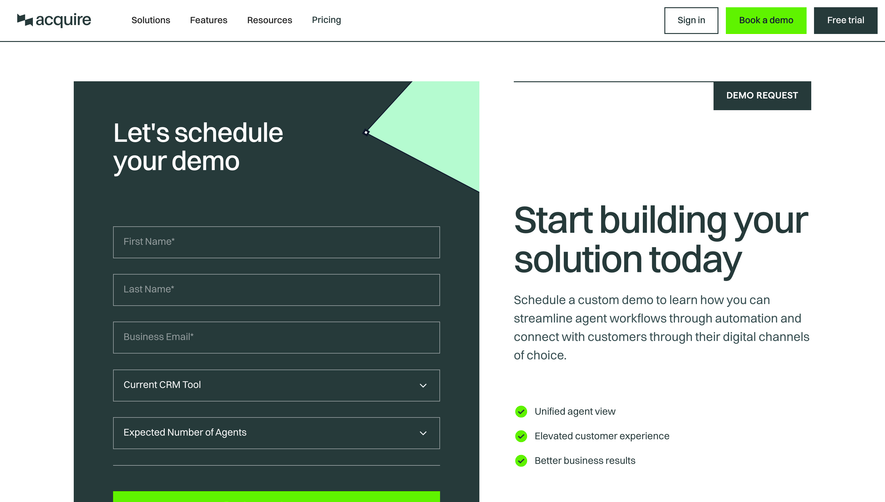

Upgrade to SaaSFrame Pro now to see similar examples.
Monthly
$18 /month
Billed $18 monthly
Browse all screens & flows
Filter and search screens & flows
Search text in screenshots
Access Figma files
Access mobile versions
Join now
Quarterly
$16 /month
Billed $48 quarterly
Browse all screens & flows
Filter and search screens & flows
Search text in screenshots
Access Figma files
Access mobile versions
Join now
Yearly
$15 /month
Billed $180 yearly
Browse all screens & flows
Filter and search screens & flows
Search text in screenshots
Access Figma files
Access mobile versions
Join now