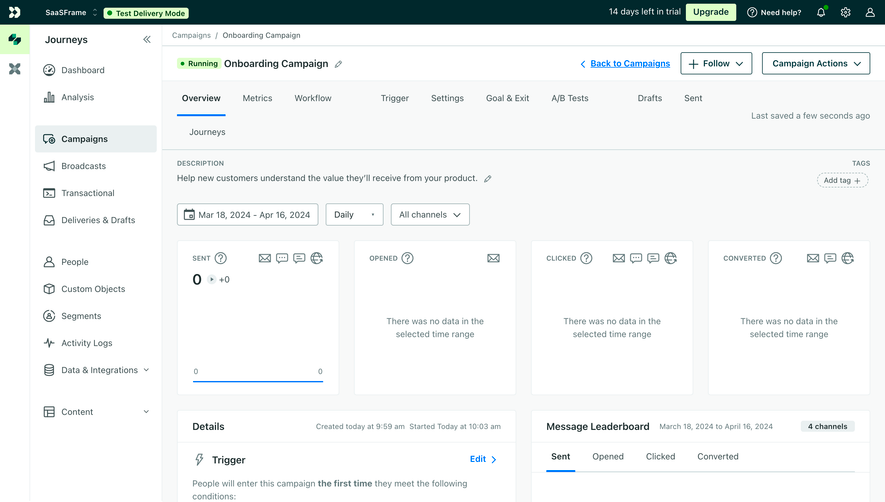
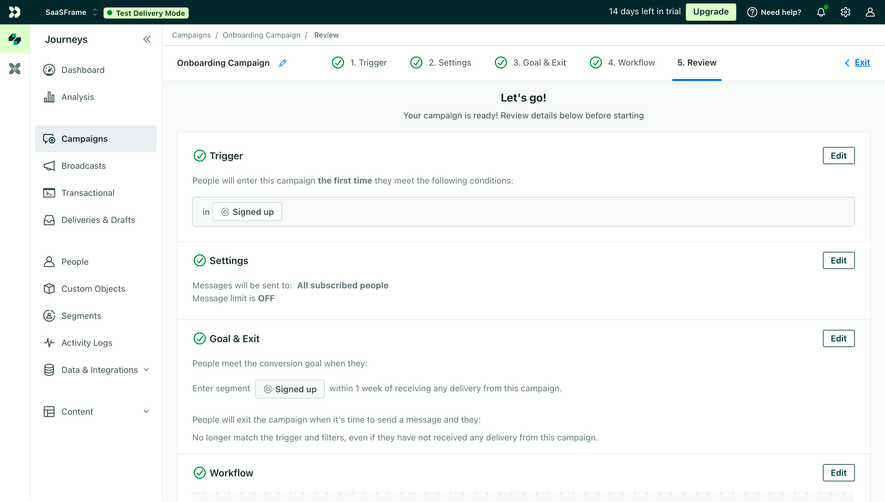
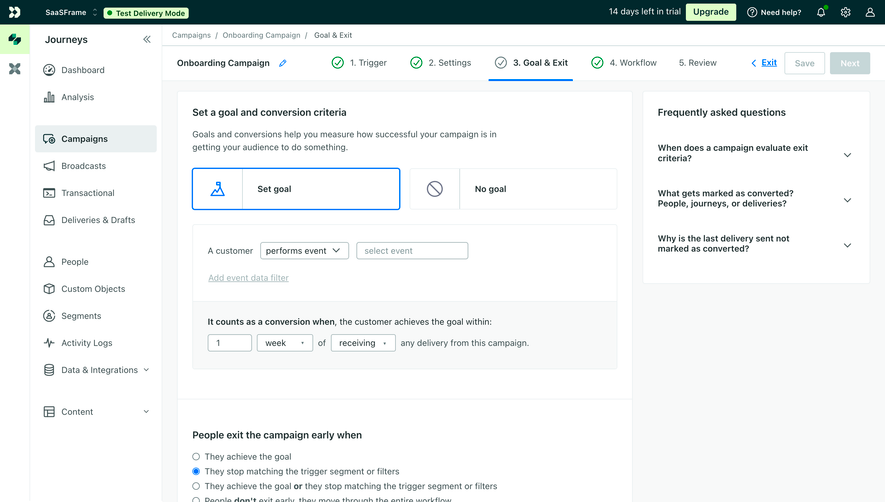
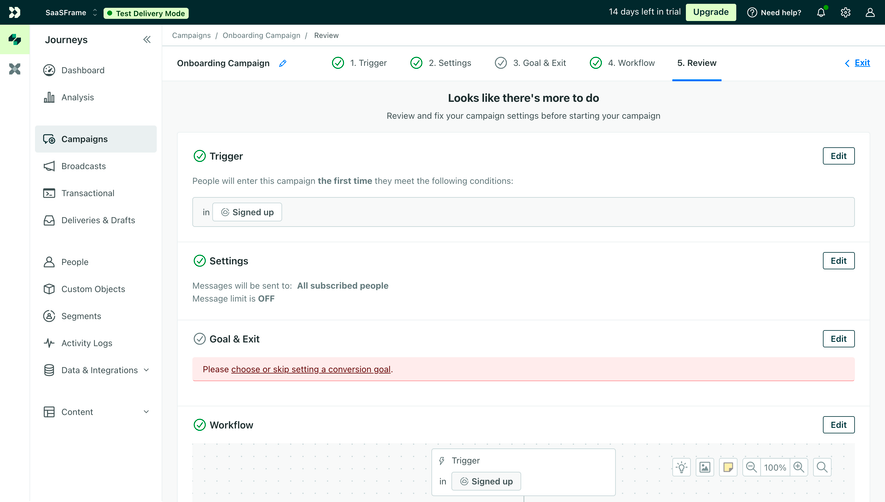
Generate a new design based on this screen using your own content.
Thank you! Your submission has been received!
Oops! Something went wrong while submitting the form.
# Design from Reference: Customer.io Create First Campaign
Create an original, high-fidelity visual design inspired by the reference. Prioritize composition, typography, colors, spacing, and component styling over technical implementation.
## Reference
- **Product:** Customer.io
- **Category:** User Onboarding
- **Screenshot:** https://cdn.prod.website-files.com/5e9dc792e1210c5325f7ebbc/6aca27f0aca7079066e8e8f4_6aca271370735ac224819df9_cms-893201e3813d4d3e892eb158.webp
Analyze the screenshot first. If inaccessible, request it rather than guessing.
## Content
{{content.instructions}}
{{content.data}}
Preserve essential messaging and factual accuracy. Adapt structure and copy length for visual balance; never invent product claims.
## Visual Design
Use this context to reproduce the reference's visual language: layout, typography, colors, spacing, borders, radii, and distinctive elements. The screenshot takes priority if descriptions conflict.
## Direction
{{preferences.fidelityInstructions}}
## Output
{{output.instructions}}
Deliver a polished, cohesive design with precise alignment, hierarchy, and spacing. Produce the requested visual artifact, not just a description. If unsupported, explain the limitation.
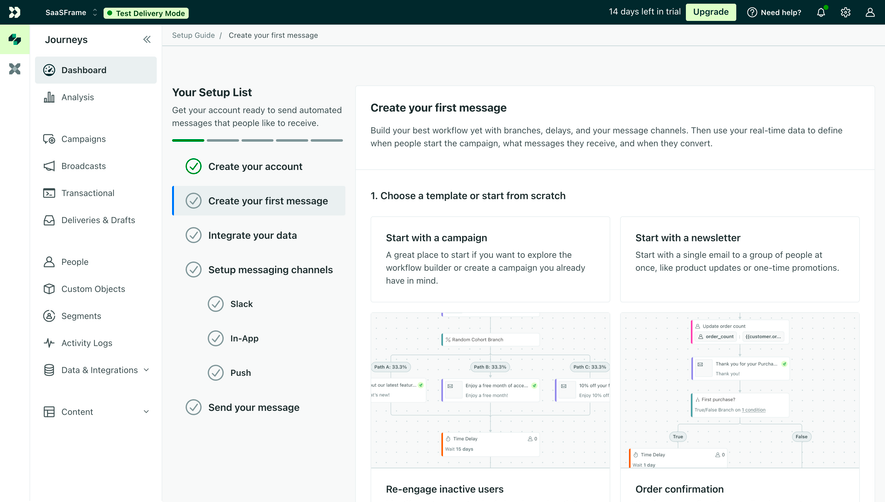
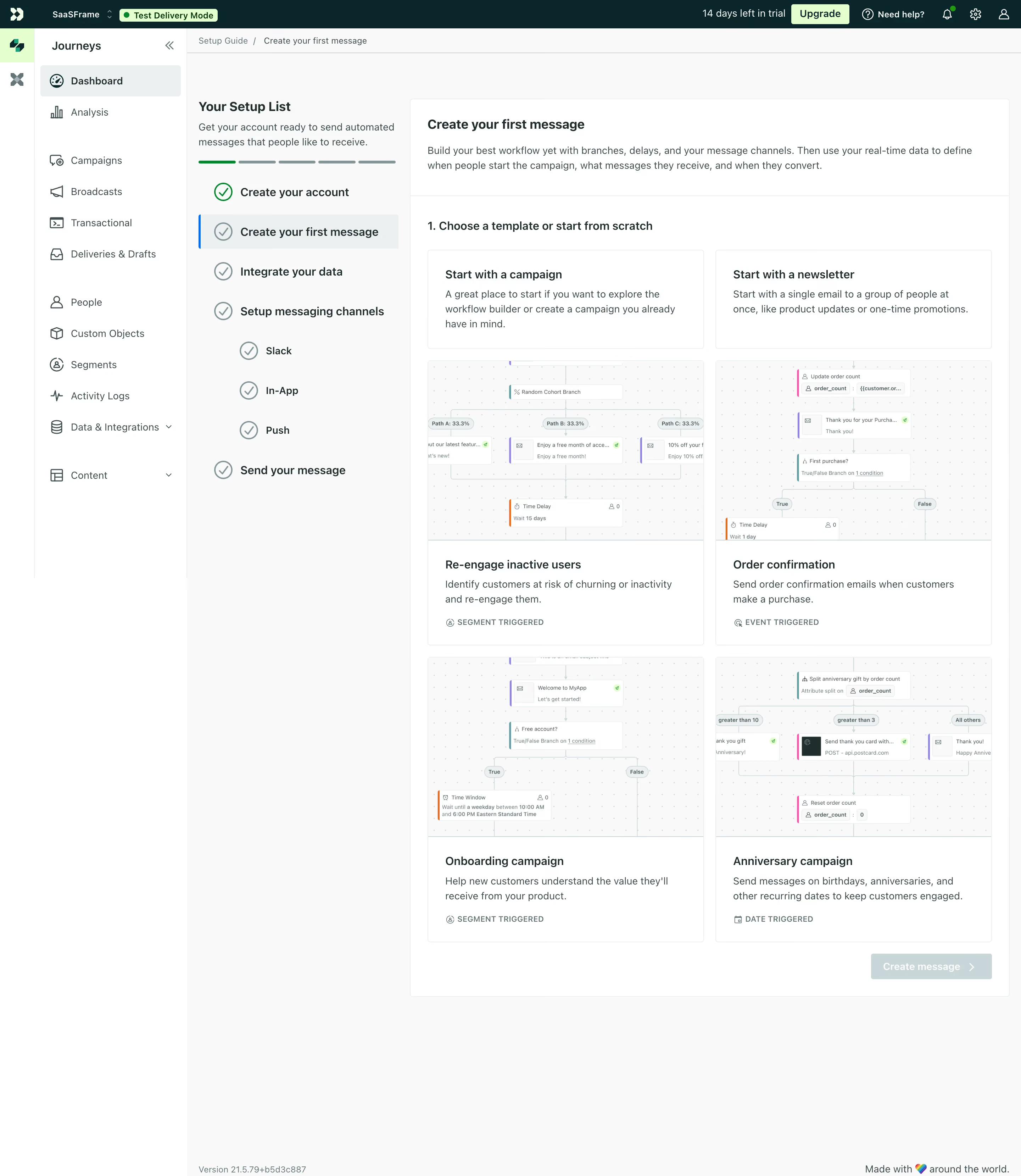
First thing you notice is that left-side setup checklist with green checkmarks. It breaks what could be an overwhelming onboarding into bite-sized steps. The progress bar with those small pill indicators is a smart touch. You know exactly where you are.
Template Cards That Sell Themselves
The four campaign templates steal the show. Each one has a mini workflow preview screenshot that gives you a real taste of what you're building before you commit. "Re-engage inactive users," "Order confirmation," "Onboarding campaign," "Anniversary campaign." Labels like SEGMENT TRIGGERED and EVENT TRIGGERED in small caps underneath add just enough context without cluttering things.
Clean Without Being Boring
The palette is mostly white and soft grays with green as the single accent color. Typography is straightforward, nothing fancy. The left nav uses a simple icon + label pattern that stays out of your way. That "Test Delivery Mode" badge in orange up top is impossible to miss, which is exactly the point. The whole page feels functional and honest. No decoration for decoration's sake.
.webp)




.avif)