SaaSFrame
Part of Onboarding and Workspace Setup
Langdock Onboarding Invite Team
 LangdockCompany-wide AI chat, agents and workflows
About this screen
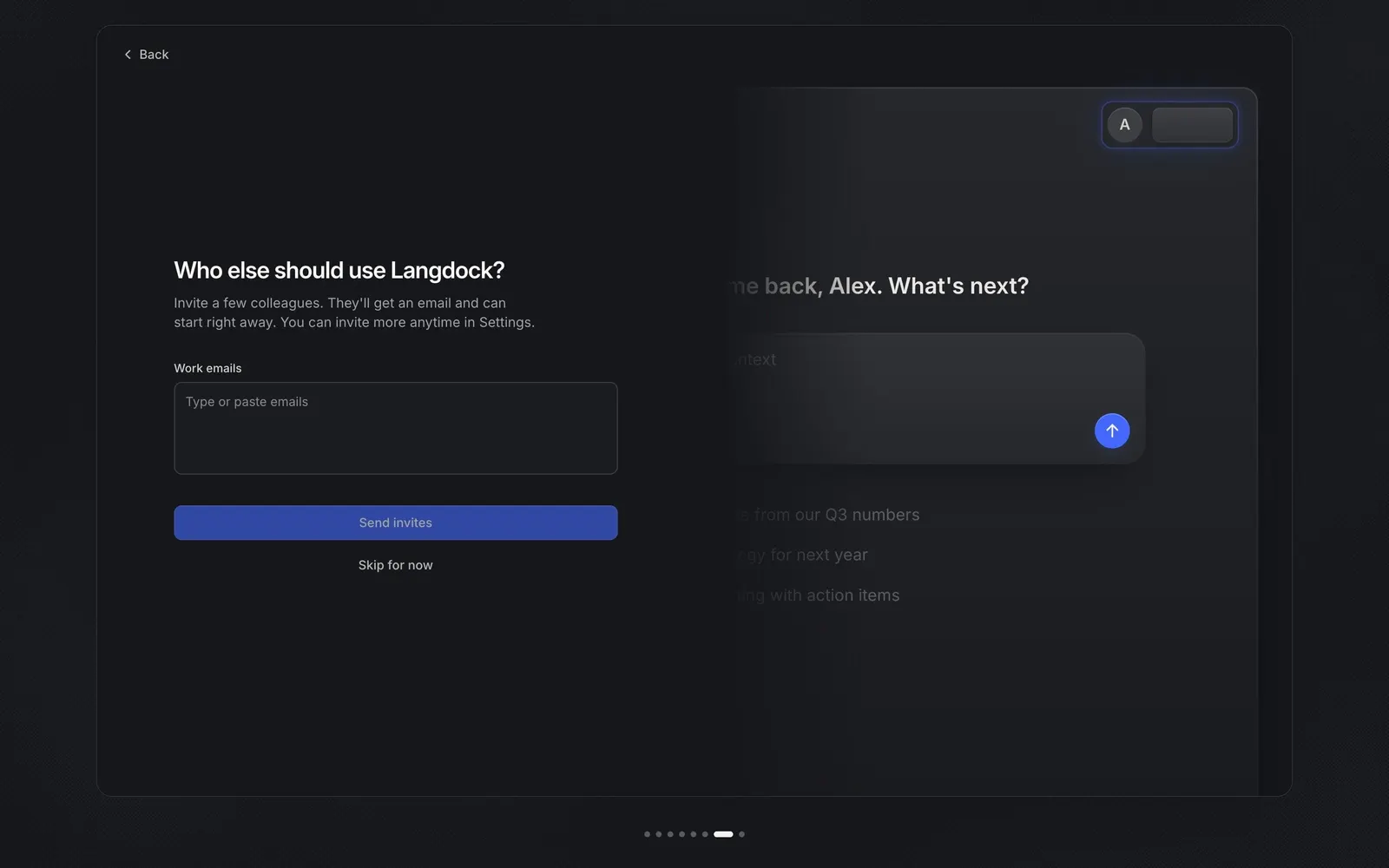
Invites as one free-text box
The "Who else should use Langdock?" step uses a single multi-line field labeled "Work emails" with the placeholder "Type or paste emails", instead of a row per invitee. The subline says colleagues "will get an email and can start right away" and that more people can be invited later in Settings.
The button names the action
The primary button reads "Send invites", disabled until an address is entered, with "Skip for now" underneath. There is no role picker on this step, keeping the decision to just who should join.
The preview zooms in
The right side now shows a close-up of the app with an avatar pill in the top corner and the chat card, suggesting a shared workspace waiting for teammates.