SaaSFrame
Part of Onboarding and Workspace Setup
Langdock Connect Your Apps
 LangdockCompany-wide AI chat, agents and workflows
About this screen
A short list built from earlier answers
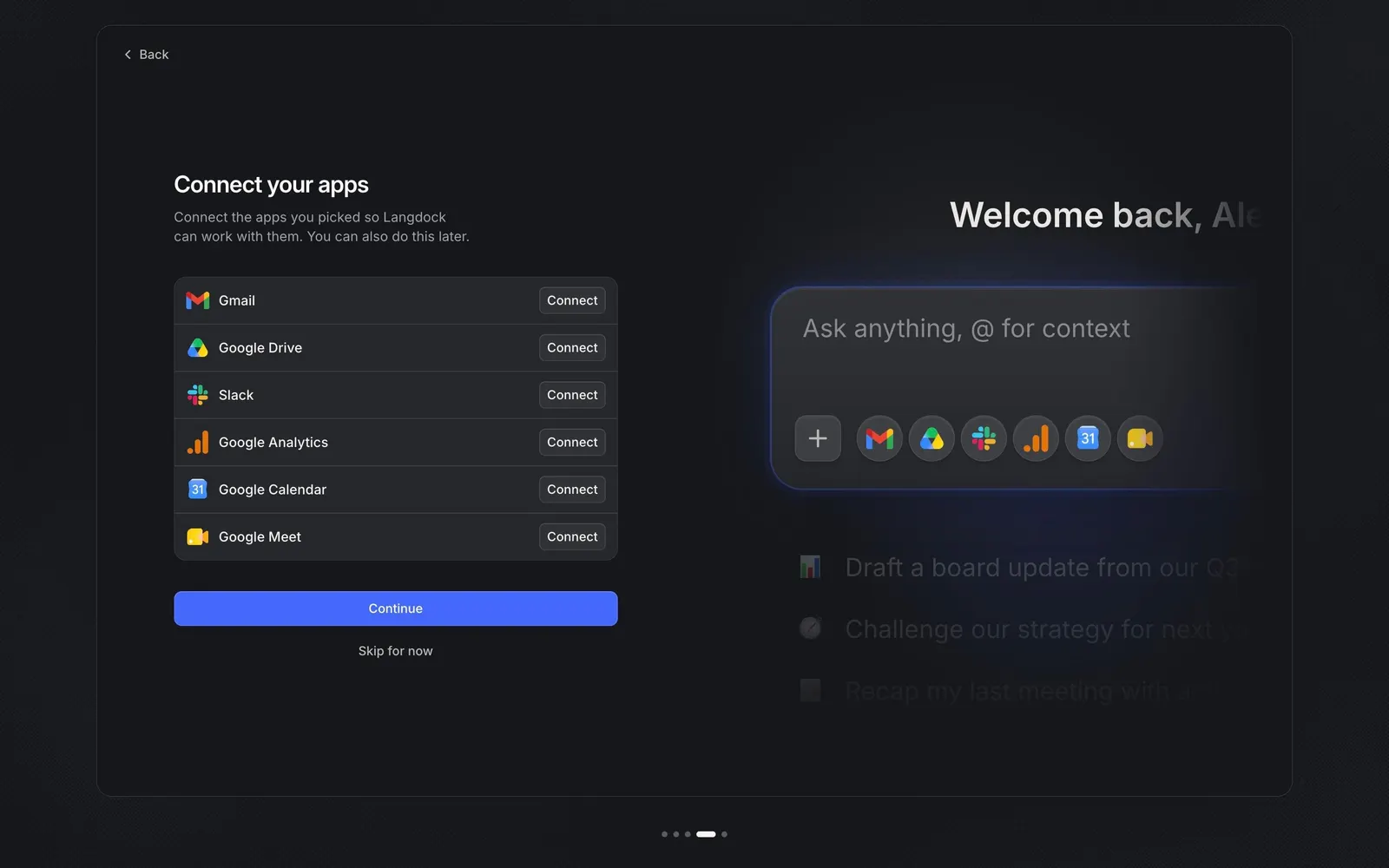
"Connect your apps" lists only the tools picked or suggested before, here Gmail, Google Drive, Slack, Google Analytics, Google Calendar and Google Meet. Each row shows the app logo, its name and a small "Connect" button on the right, inside one bordered list.
Deferred permission
The subline says "You can also do this later", and both "Continue" and "Skip for now" let users move on without granting access. That keeps OAuth prompts optional during setup.
Logos land in the chat bar
On the right, the chat input now shows a row of the selected app icons next to the plus button, making it concrete that connected apps become context you can call from the chat.