SaaSFrame
Langdock Pricing Page
 LangdockCompany-wide AI chat, agents and workflows
About this page
A calculator-style pricing header
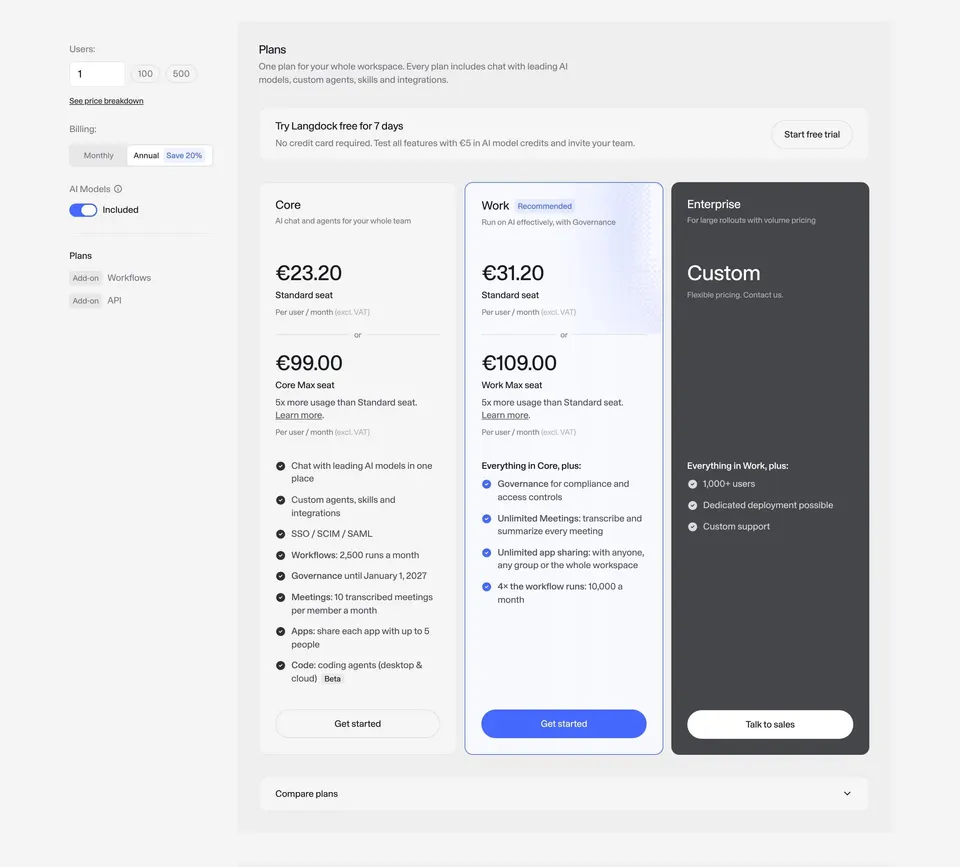
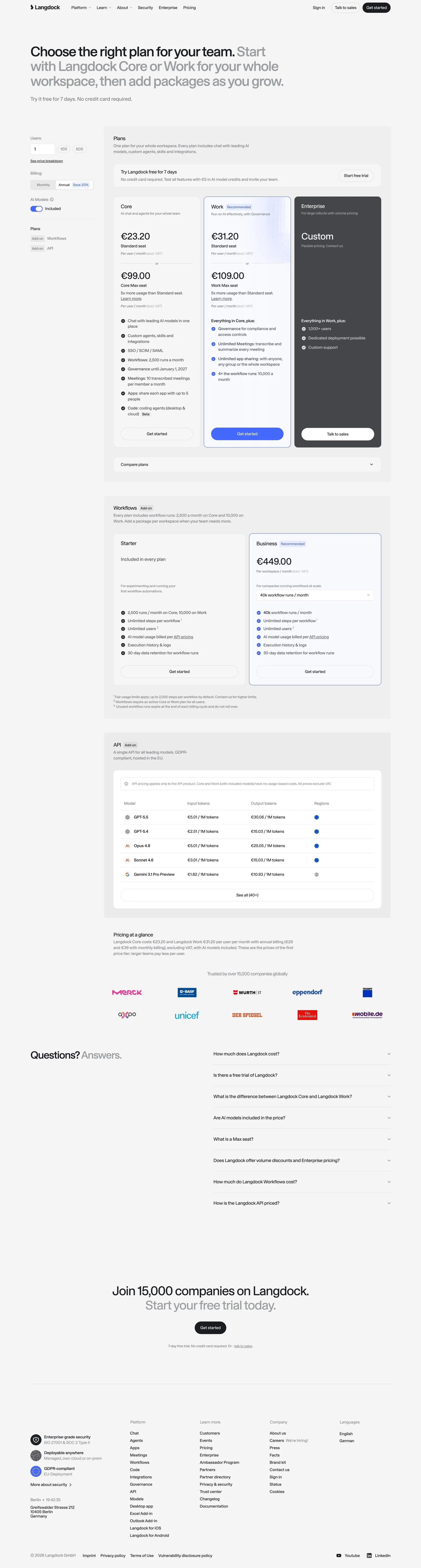
Langdock's pricing page opens with "Choose the right plan for your team." followed in gray by "Start with Langdock Core or Work for your whole workspace, then add packages as you grow." and "Try it free for 7 days. No credit card required." A left column holds a users input, a Monthly/Annual toggle with "Save 20%" and an AI models switch, while tabs switch between Plans, Add-on Workflows and Add-on API.
Three plans with a dark Enterprise card
Core and Work show per-user prices with total cost lines, check lists and "Get started" buttons; Work is outlined in blue as the recommended plan. Enterprise is a dark card with "Custom" pricing, "1,000+ users" and "Talk to sales".
Add-ons and token prices on the same page
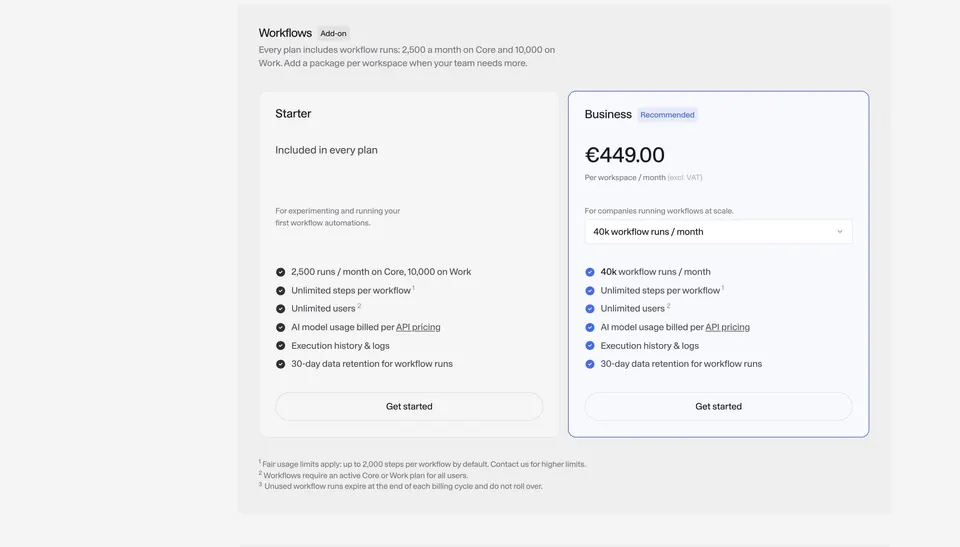
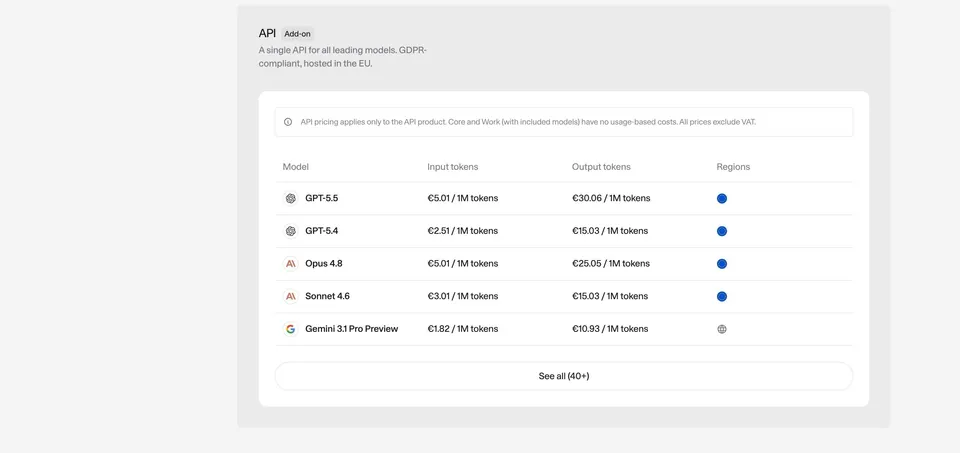
A Workflows card compares "Starter" and "Business" with a runs selector, and an API card lists per-model token prices with regions and "See all (40+)". The page ends with "Pricing at a glance", customer logos, an FAQ and a trial CTA.