SaaSFrame
MindCloud Gravity Home
 MindCloudIntegrations and workflow automation
About this screen
Welcome header
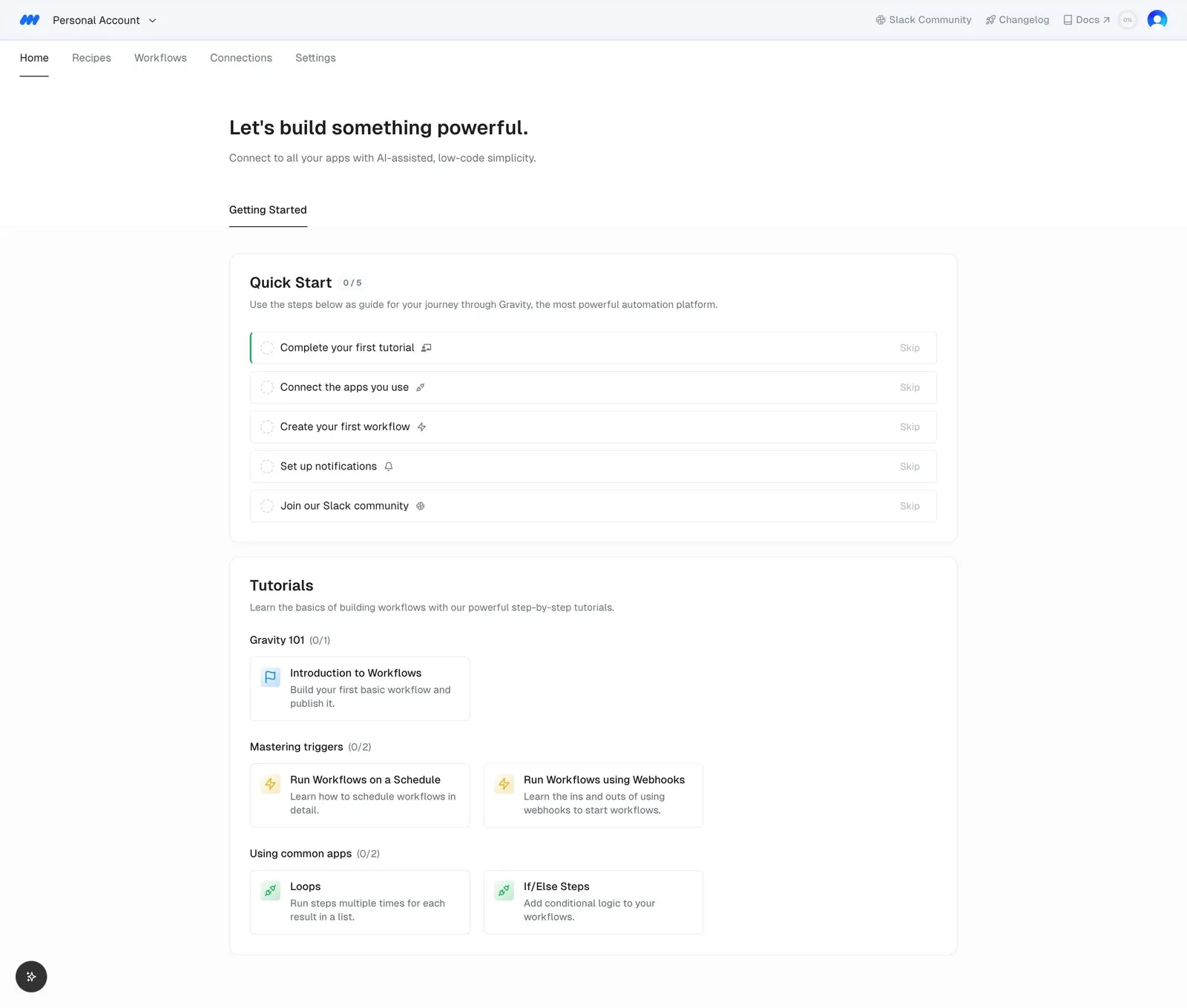
The Home tab opens on "Let's build something powerful." with a short subline about connecting your apps with AI-assisted, low-code simplicity, under a top bar with five tabs.
Quick Start checklist
A "Quick Start 0 / 5" card lists five steps, such as "Complete your first tutorial" and "Connect the apps you use", each with a small icon and a muted "Skip" link on the right.
Tutorial cards
Below, "Tutorials" groups small cards under headings like "Gravity 101" and "Mastering triggers", each with an icon, a bold title and a two-line summary.