Part of Creating a Project and Adding Secrets
Infisical Review and Upload Secrets
 InfisicalOpen-source secrets management platform
About this screen
Layout
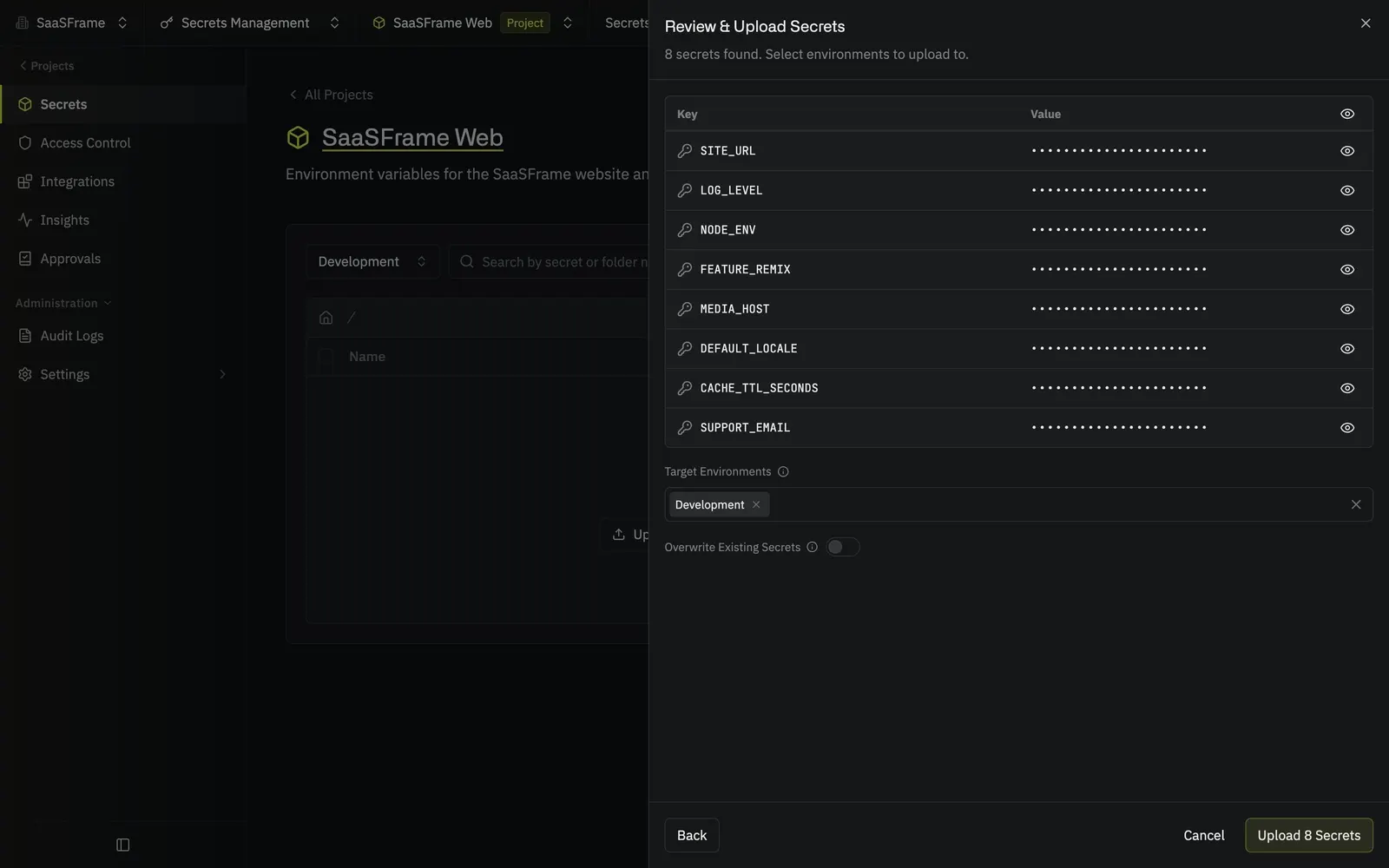
Wide right drawer covering two thirds of the screen.
Content
Review and Upload Secrets: 8 secrets found, a table of keys with masked values and eye toggles, Target Environments set to Development, an Overwrite Existing Secrets switch, and Back, Cancel and Upload 8 Secrets.
Notable details
The button label repeats the exact count, and values stay hidden during review. The step follows a paste of variables in JSON or .env format and shows what was parsed before anything is written. Each row has a key icon and an eye button to reveal a single value, plus a global reveal in the header. Target environments are chips, so the same batch can be uploaded to several environments in one action.