Part of Creating a Project and Adding Secrets
Infisical Secrets Overview
 InfisicalOpen-source secrets management platform
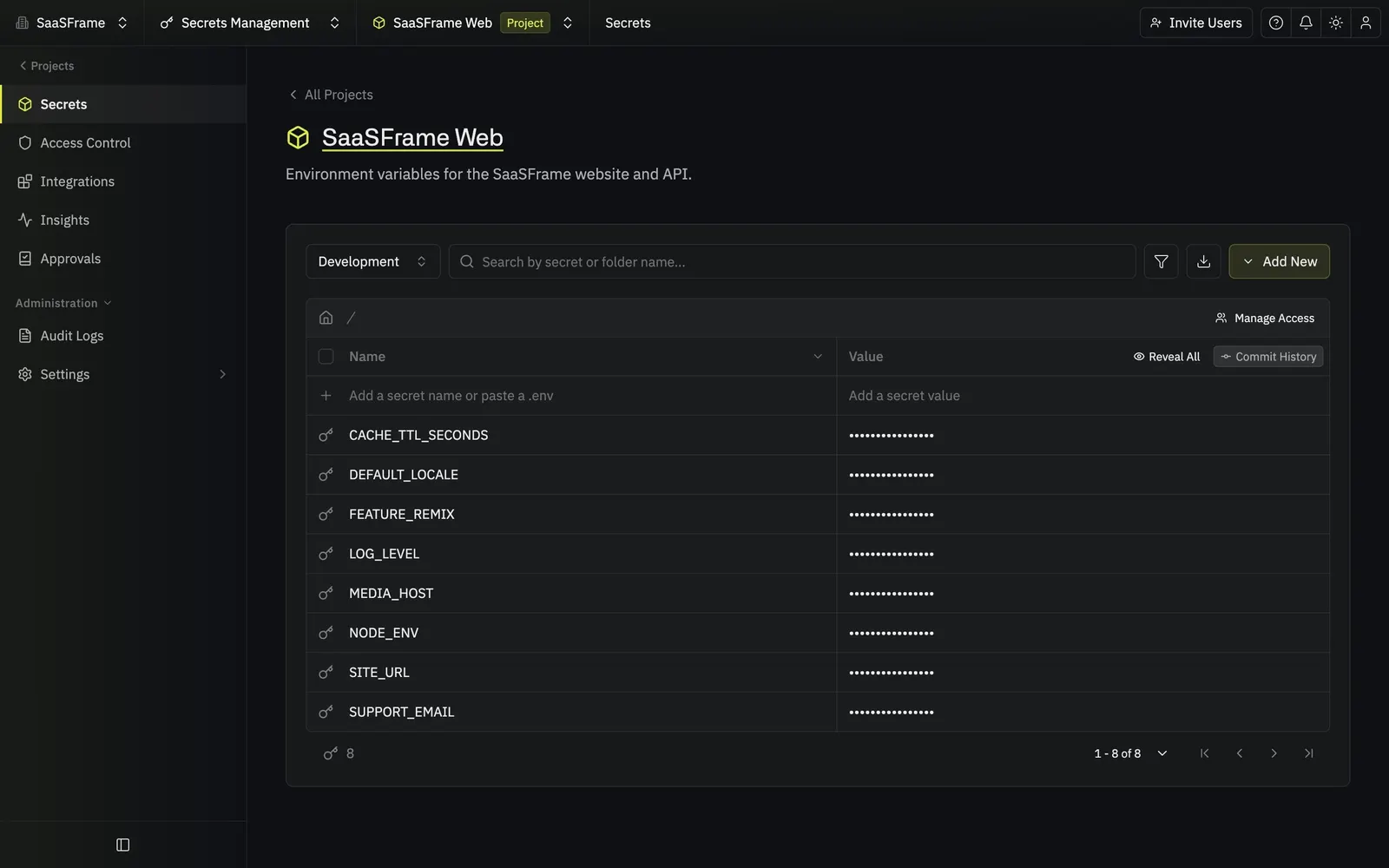
About this screen
Layout
Project sidebar and a main column with header, environment toolbar and a secrets table.
Content
Project SaaSFrame Web with eight secrets in Development such as CACHE_TTL_SECONDS, LOG_LEVEL and SITE_URL, values masked as dots, with Reveal All, Commit History and Add New.
Notable details
The first table row is an inline input to add a secret or paste a .env file; key icons mark each row. The project header shows the name with an icon and underline, the description beneath, and a back link to All Projects. A footer under the table counts 1 to 8 of 8 and tracks pending changes with Discard and Review actions, treating secret edits like commits; a Manage Access shortcut sits on the folder path row.