SaaSFrame
Part of Gravity Organization Settings
MindCloud Gravity Roles
 MindCloudIntegrations and workflow automation
About this screen
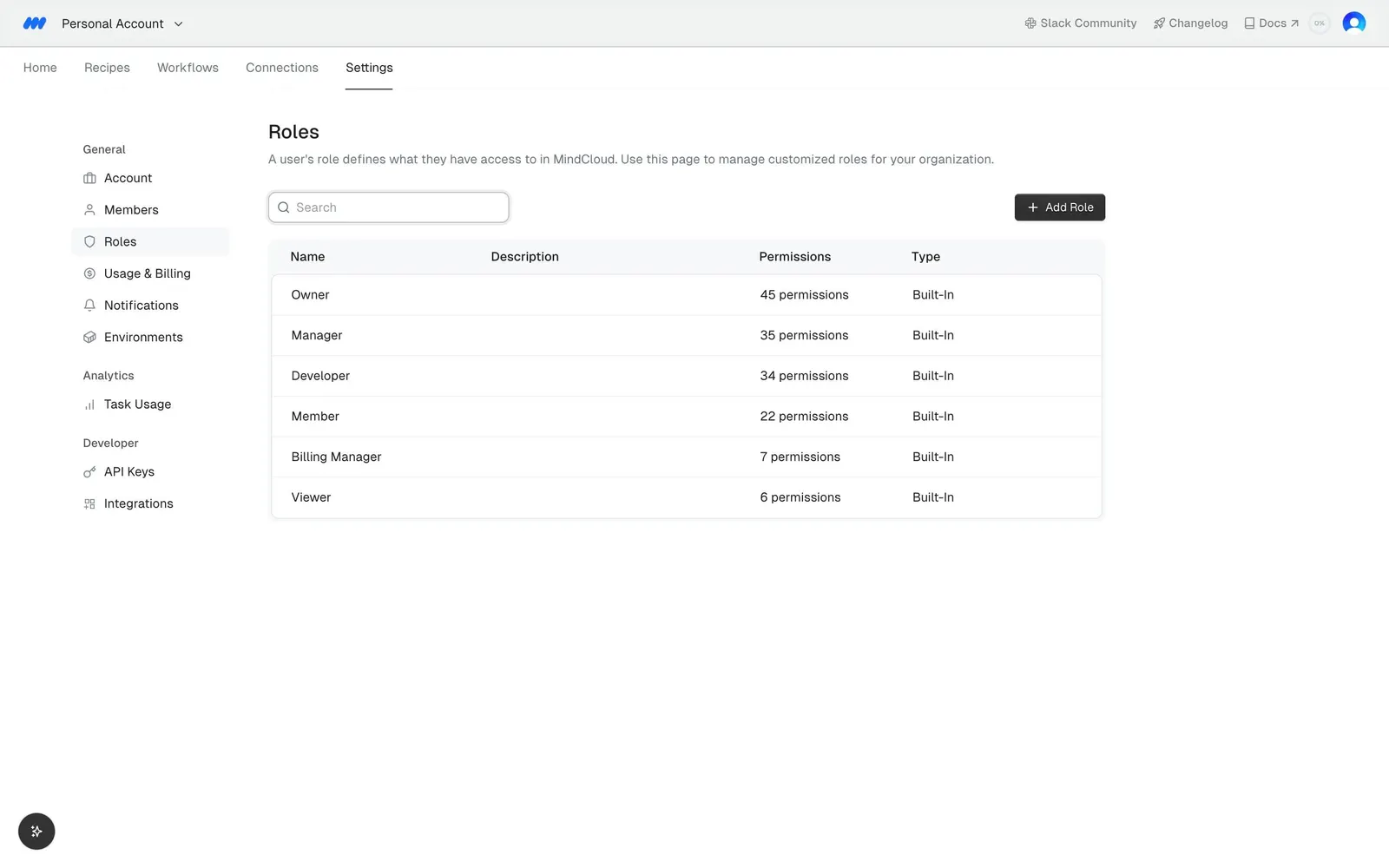
Roles page
"Roles" explains that a user's role defines what they have access to in MindCloud, with a search field and a dark "Add Role" button.
Roles table
Columns "Name", "Description", "Permissions" and "Type" list six roles: Owner, Manager, Developer, Member, Billing Manager and Viewer.
Permission counts
Each row shows a count such as "N permissions" and the type "Built-in", with fewer permissions toward the bottom of the list.