SaaSFrame
Part of Onboarding and Workspace Setup
Langdock Workspace Setup
 LangdockCompany-wide AI chat, agents and workflows
About this screen
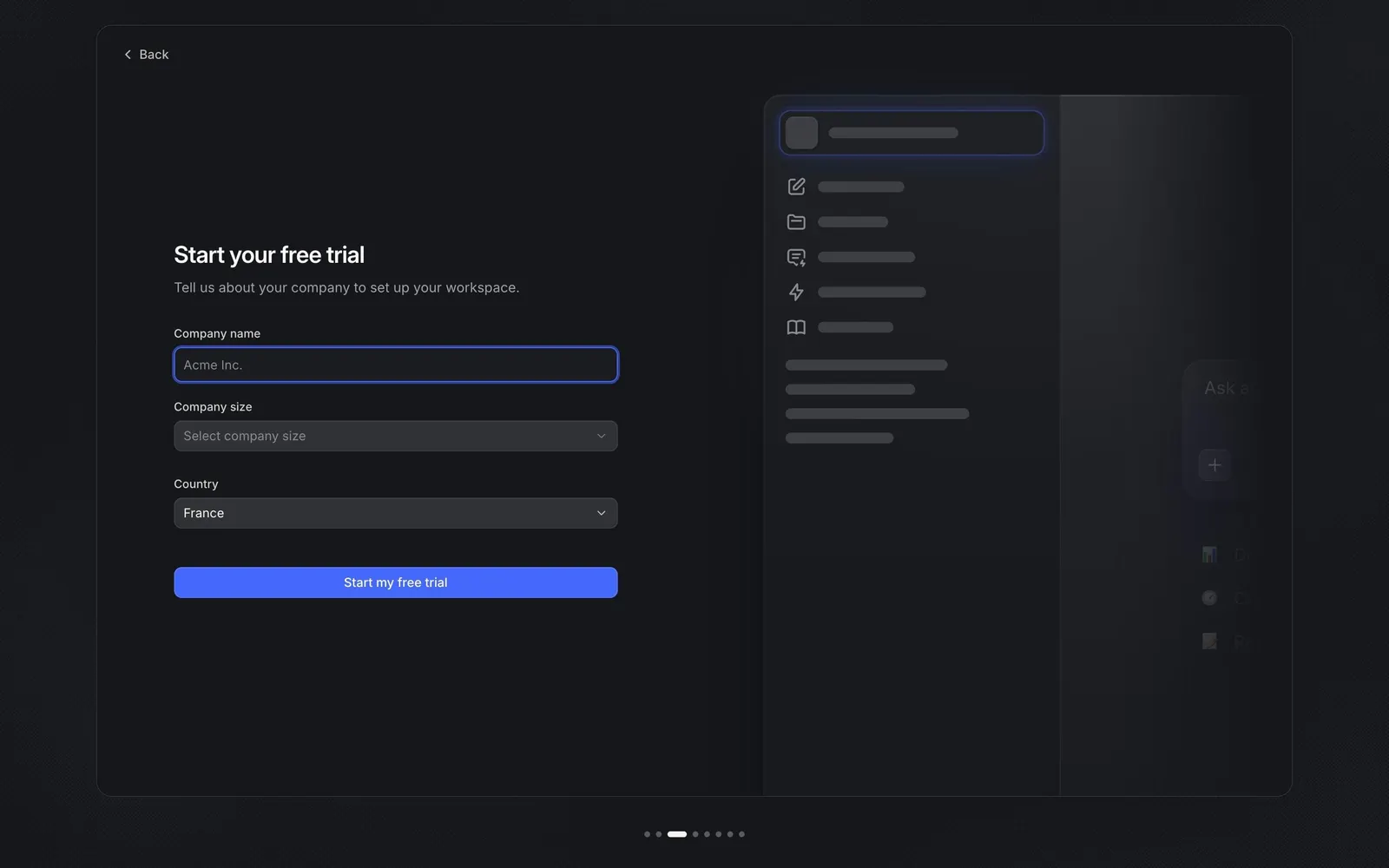
The trial starts with three company facts
Langdock's "Start your free trial" step asks only for company name, company size and country, with the country prefilled to "France". The button reads "Start my free trial", making it clear this form creates the workspace rather than asking for payment.
A workspace skeleton waits on the right
The preview now shows the app's sidebar: an empty workspace switcher with a blue glow, five icon rows for the main sections and a few gray text bars. As soon as a company name is typed, it appears in that switcher, so the user sees their workspace taking shape before it exists.
Plain selects, no pricing talk
Company size and country use full-width dark selects with chevrons. There is no plan choice, credit card field or legal text on the step, and a "Back" link stays available in the top-left corner.