SaaSFrame
Part of Onboarding and Workspace Setup
Langdock Workspace Branding
 LangdockCompany-wide AI chat, agents and workflows
About this screen
Branding as an onboarding step
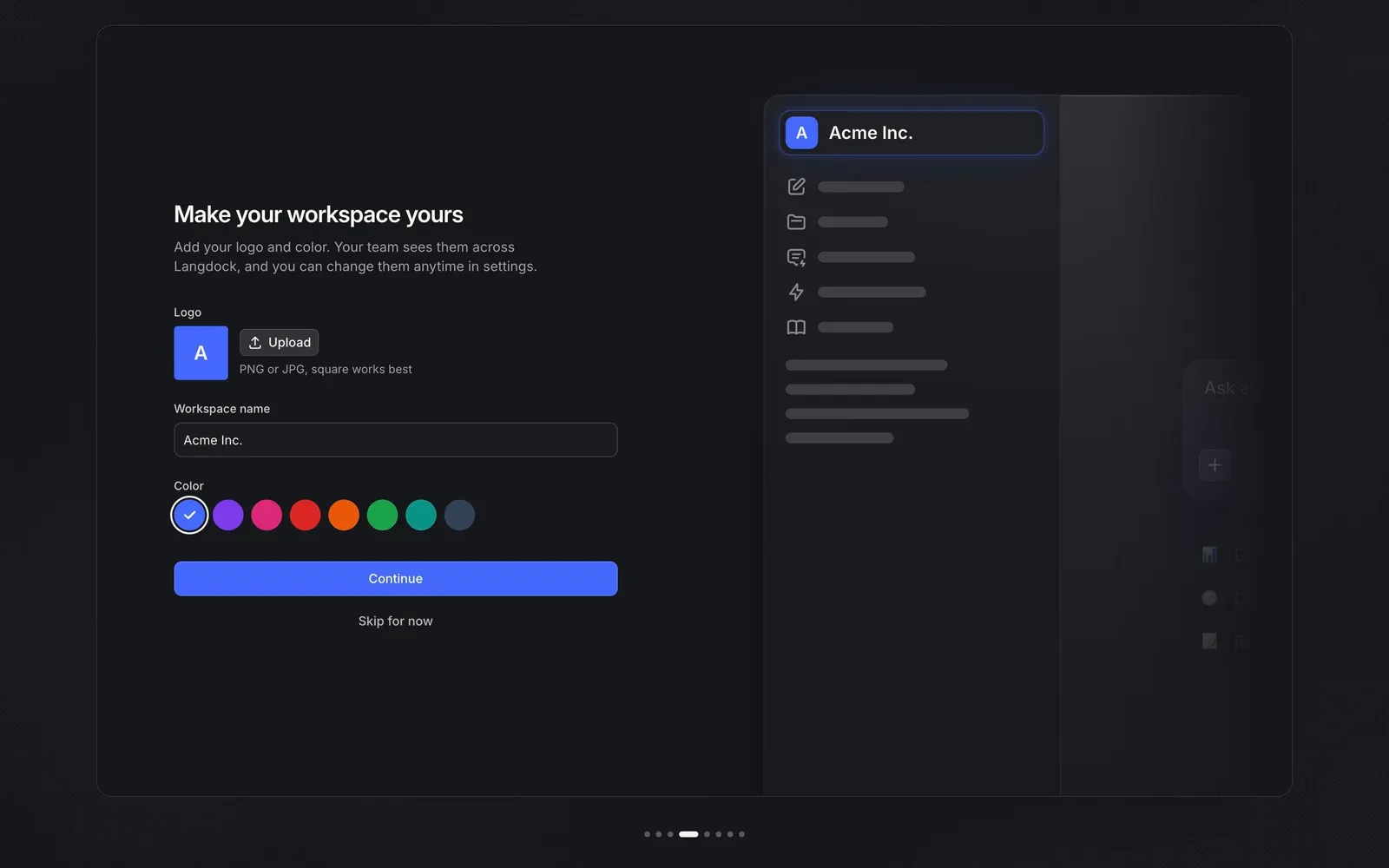
"Make your workspace yours" asks admins for a logo, a workspace name and a color, explaining that "Your team sees them across Langdock". The logo defaults to a blue square with the company initial next to an "Upload" button and the hint "PNG or JPG, square works best".
Eight color swatches
The color choice is a row of eight round swatches, from blue to purple, pink, red, orange, green, teal and slate, with a check mark on the selected one. The preview on the right updates live: the workspace switcher now shows "Acme Inc." with the colored initial badge.
Easy to skip
A blue "Continue" button and a "Skip for now" link close the form, since everything here can be changed later in settings, as the subline says.