SaaSFrame
Gradium Speech to Text
 GradiumReal-time voice AI API for voice agents
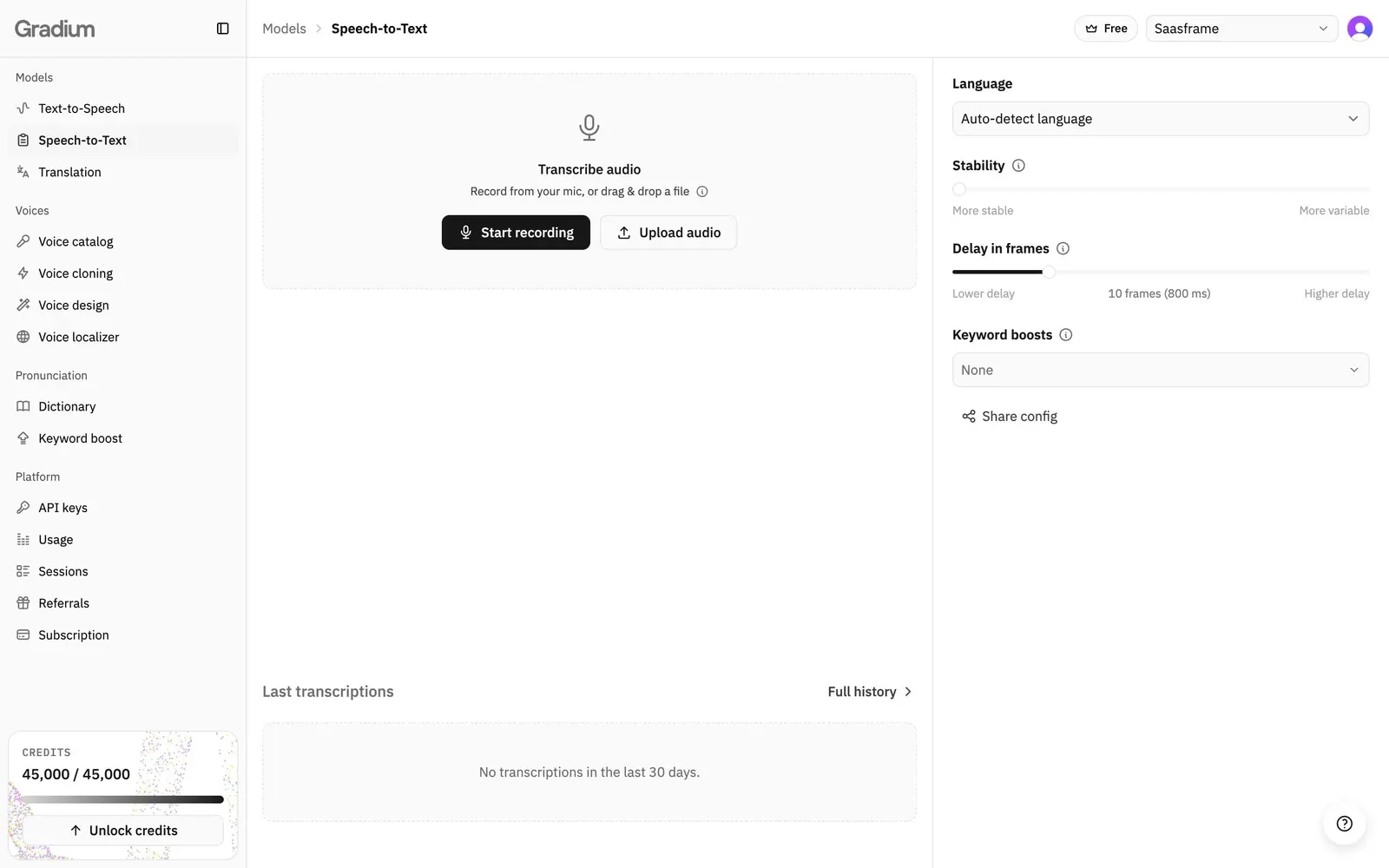
About this screen
Record or upload
The Speech-to-Text studio centres a microphone icon with "Transcribe audio - Record from your mic, or drag & drop a file" and two buttons: a black "Start recording" and a secondary "Upload audio".
Latency as a slider
The right panel sets Language (Auto-detect language), Stability, and "Delay in frames" from Lower delay to Higher delay, shown as "10 frames (800 ms)". Keyword boosts can be attached.
Same frame as the other models
"Last transcriptions" mirrors the history block of Text-to-Speech, so switching model does not change the layout.