About this screen
Layout
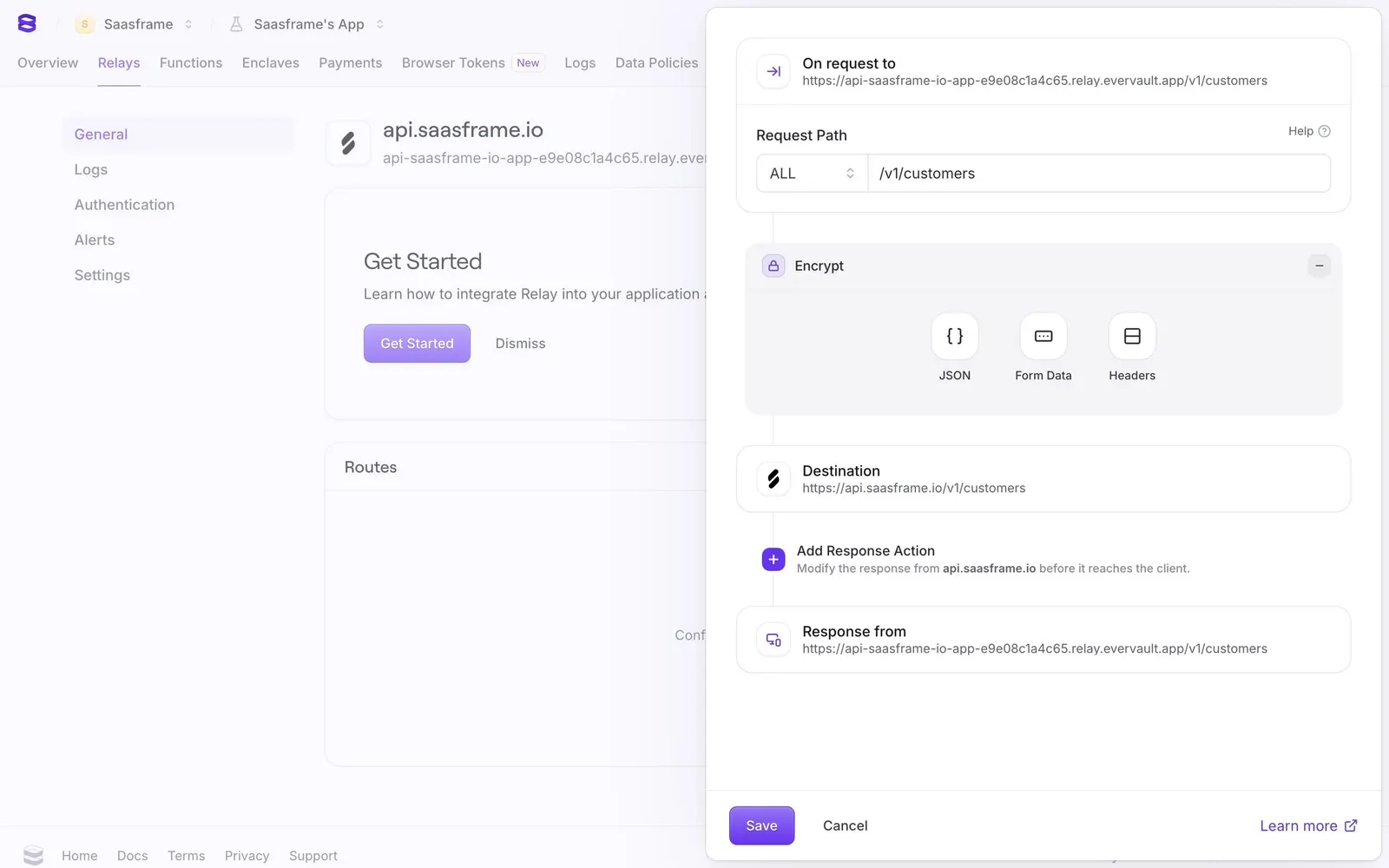
Right side sheet over the dimmed relay page.
Content
Route editor: on request to the relay domain, request path /v1/customers for all methods, an Encrypt action with JSON, Form Data and Headers choices, the destination, an optional response action and the response, with Save and Cancel.
Notable details
The route reads top to bottom as a pipeline with plus buttons between stages. The sheet header shows the full relay URL including the path as it is typed, so the user sees the final endpoint. After choosing Encrypt, three tiles ask where the data lives, JSON, Form Data or Headers. The relay page stays visible on the left, dimmed, and a Learn more link in the footer opens the documentation.