SaaSFrame
Clerk Workspace Settings
 ClerkAuthentication and user management for apps
About this screen
Workspace settings
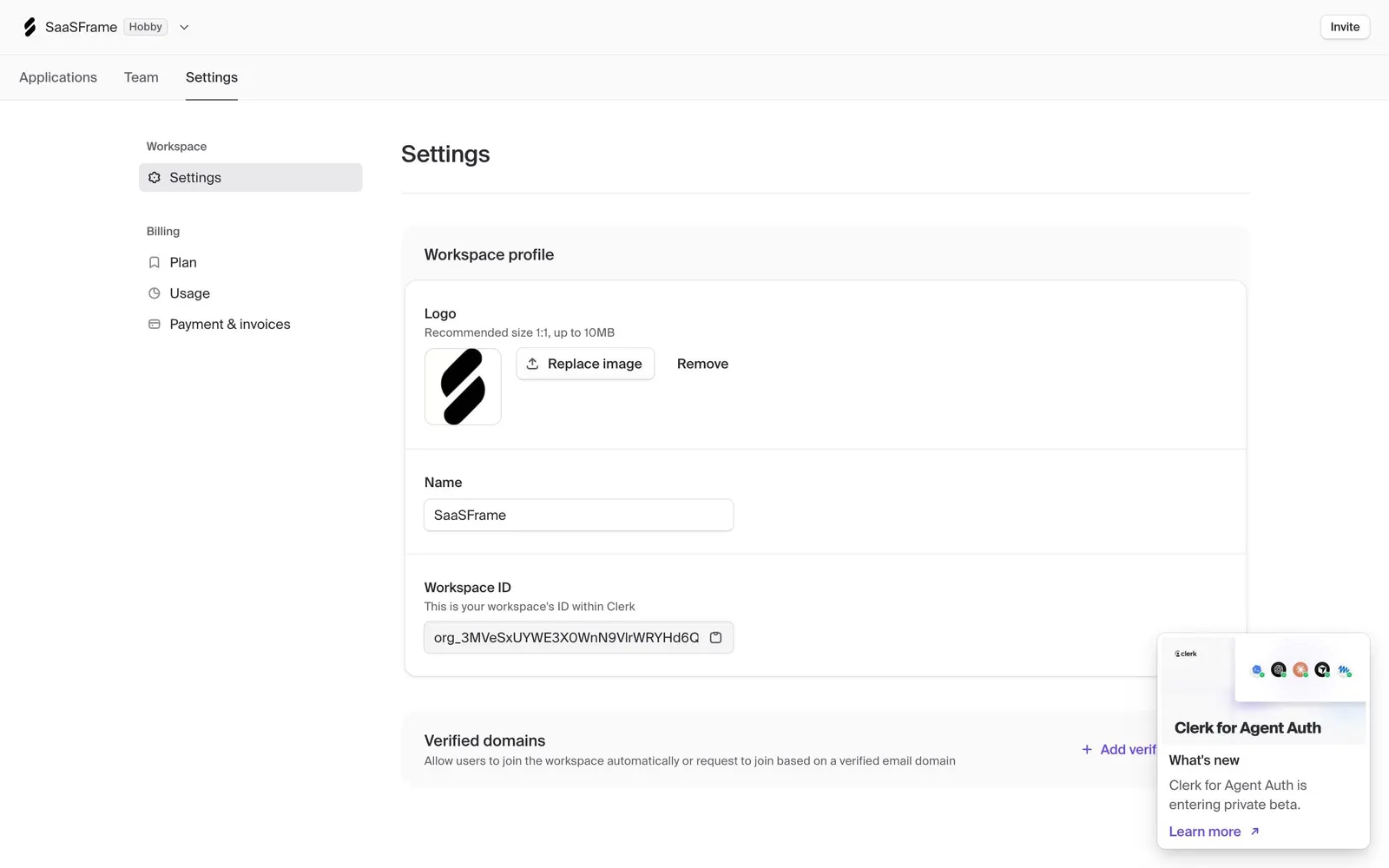
The workspace Settings tab of the Clerk dashboard uses a left menu with Workspace (Settings) and Billing (Plan, Usage, Payment & invoices). The "Workspace profile" card shows the logo with "Recommended size 1:1, up to 10MB", Replace image and Remove actions, then a Name field.
Workspace ID
"Workspace ID: This is your workspace's ID within Clerk" displays the identifier in a read-only field with a copy icon, useful for support requests and API calls.
Verified domains
A "Verified domains" card explains that users can join the workspace automatically or request to join with a verified email domain, with an "Add domain" action on the right and the what's new popover in the corner.