SaaSFrame

About this screen
A link editor with its own sidebar
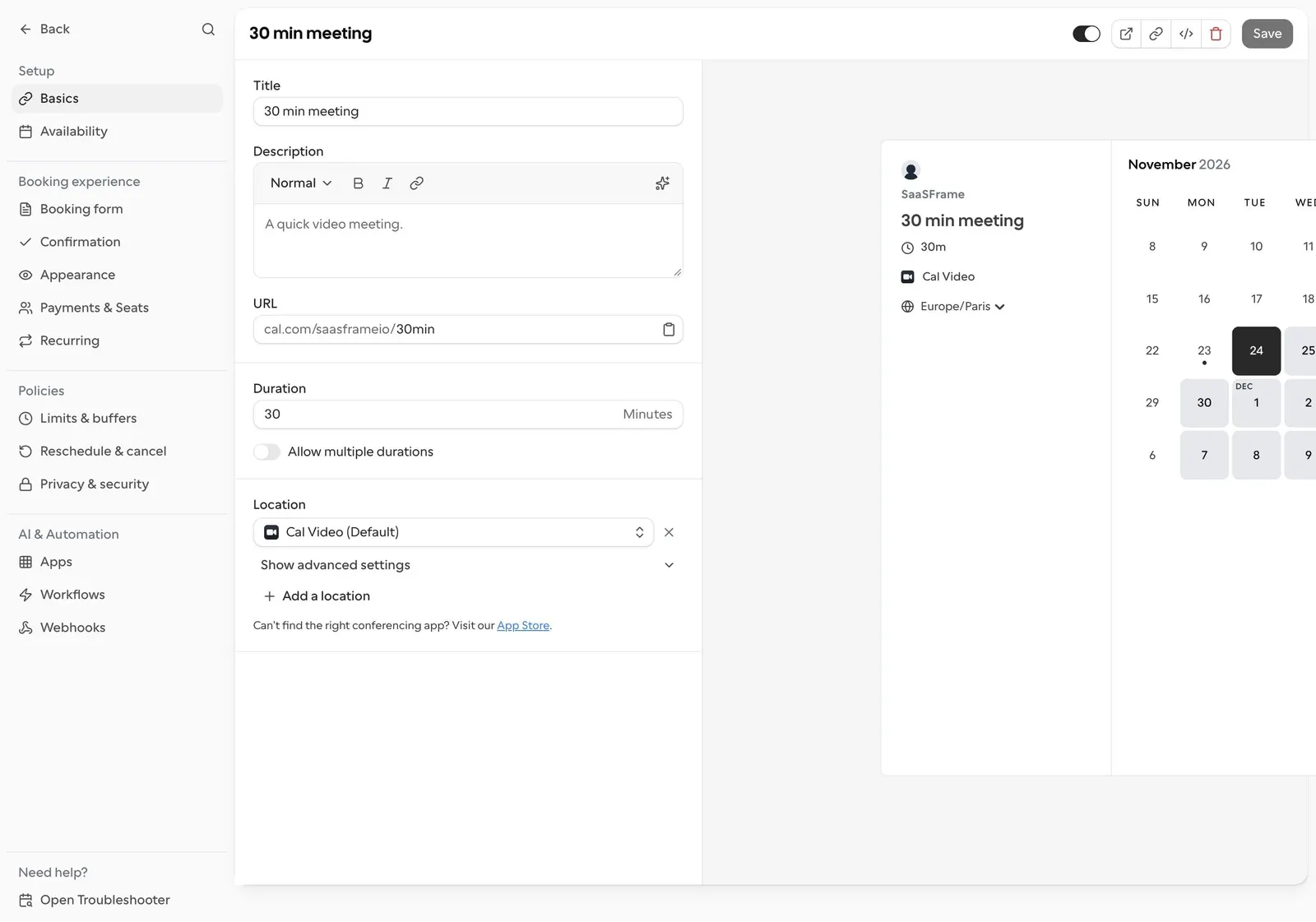
Opening the 30 min meeting replaces the main navigation with a settings sidebar: Basics and Availability under Setup, then Booking experience (Booking form, Confirmation, Appearance, Payments & Seats, Recurring), Policies (Limits & buffers, Reschedule & cancel, Privacy & security) and AI & Automation (Apps, Workflows, Webhooks).
Basics form
The center column edits Title, Description with a small rich text toolbar, URL (cal.com/saasframeio/30min), Duration in minutes with "Allow multiple durations", and Location with Cal Video (Default) and "Add a location".
Live booking preview
The right side previews the booking page with the event card and calendar; a toolbar at the top holds a hidden toggle, link icons and a dark Save button.