SaaSFrame

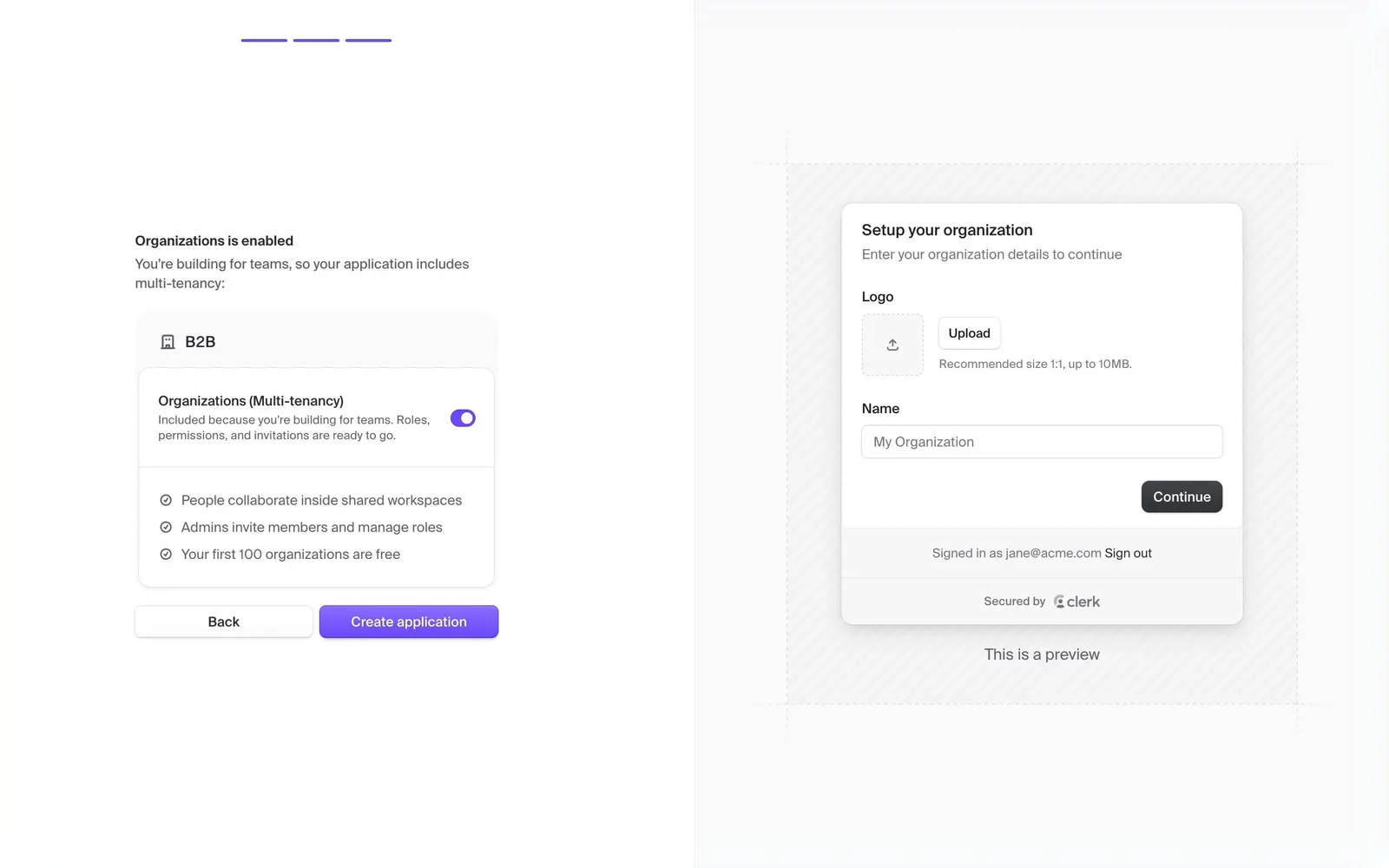
About this screen
Organizations turned on for B2B
The third step confirms "Organizations is enabled": "You're building for teams, so your application includes multi-tenancy." A B2B card shows "Organizations (Multi-tenancy)" switched on with "Included because you're building for teams. Roles, permissions, and invitations are ready to go."
What it includes
Three check rows explain that people collaborate inside shared workspaces, admins invite members and manage roles, and the first 100 organizations are free.
Preview of the organization setup
The right pane previews "Setup your organization" with a logo upload, a name field and Continue, and a "Create application" button ends the flow.