 SaaSFrame
SaaSFrame Pro
1 more step in this flow
Free accounts see the first 3 steps of each flow. Pro unlocks every step of every flow, plus every screen, section and Copy in Figma.

Clerk Create Application
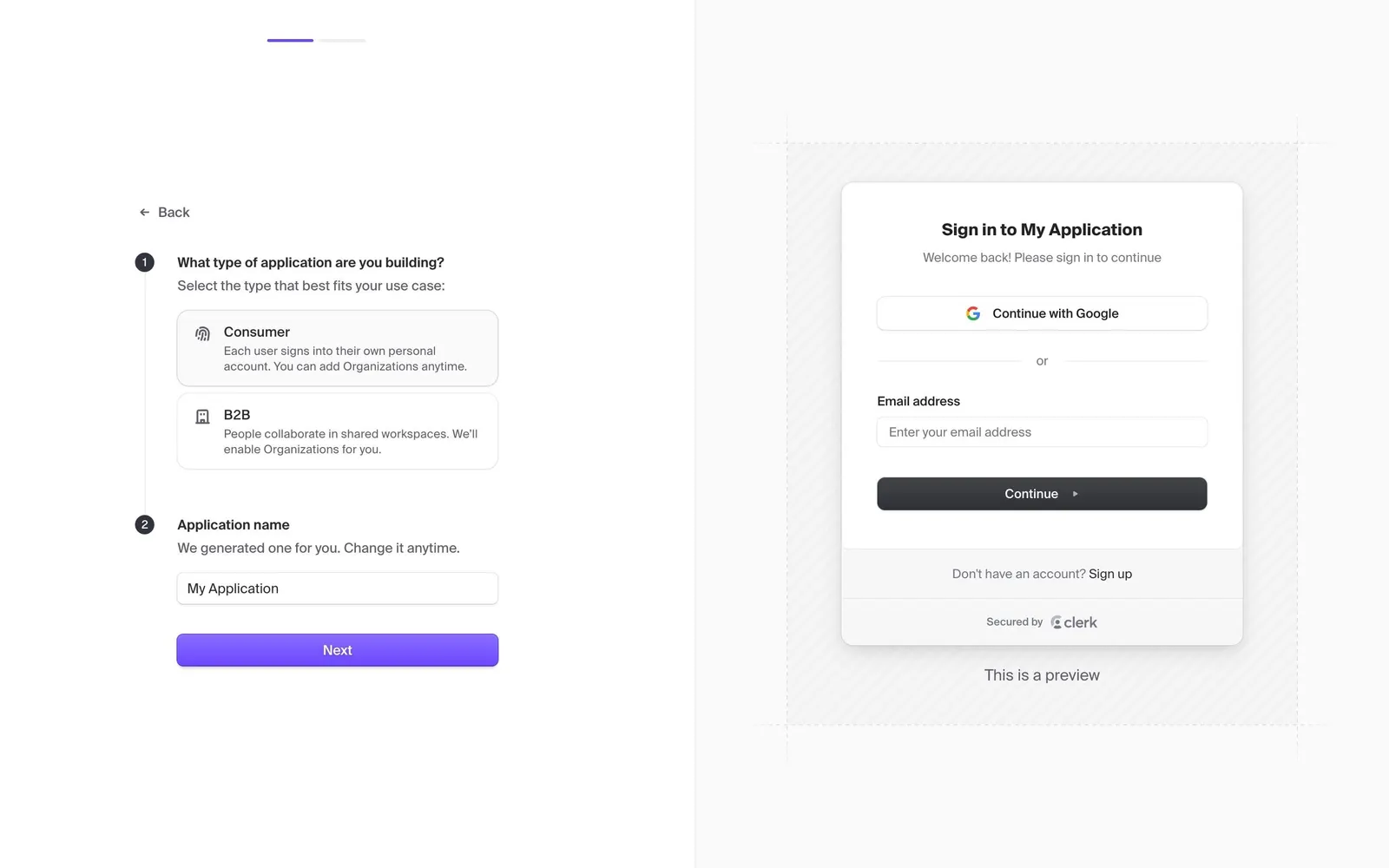
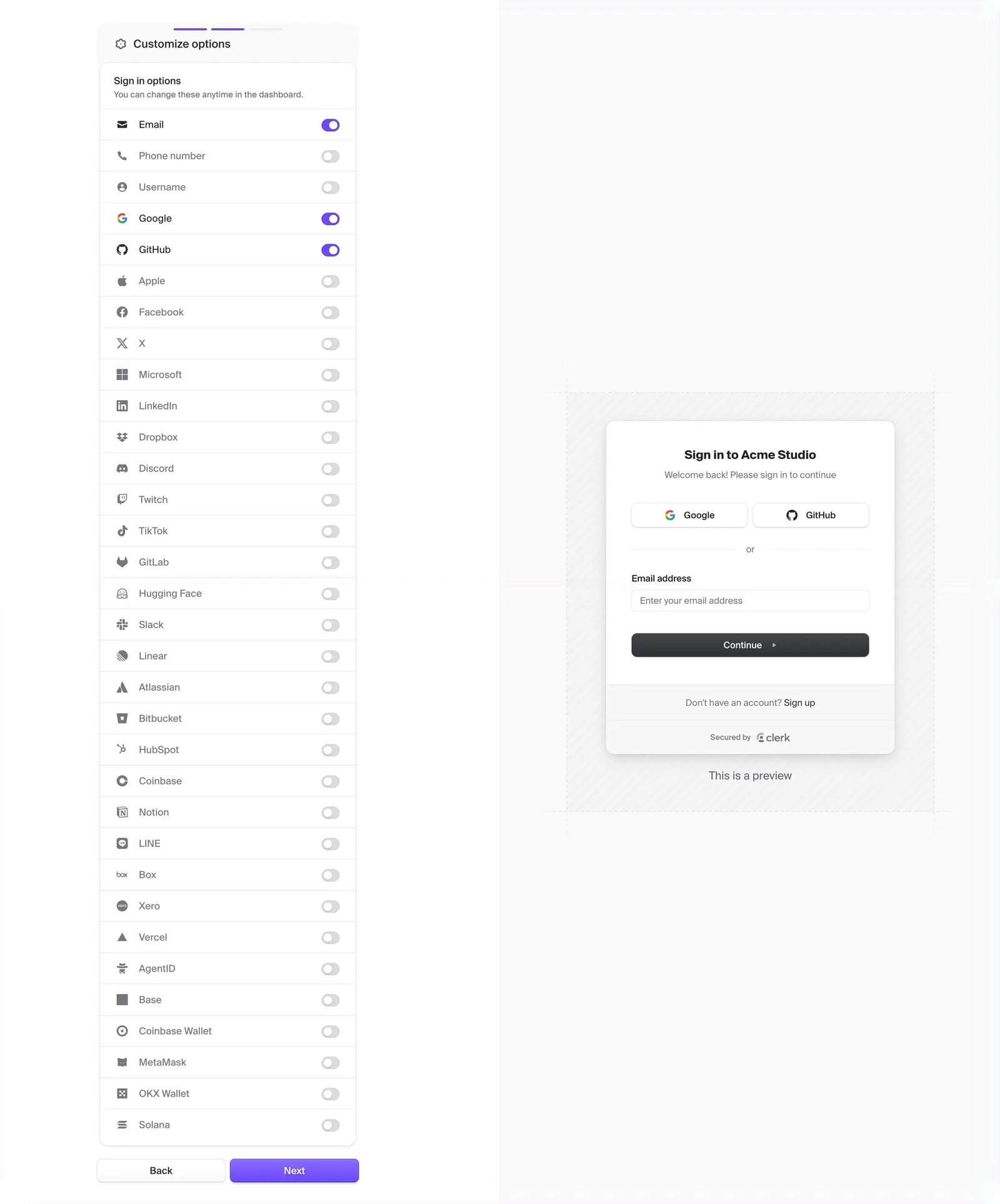
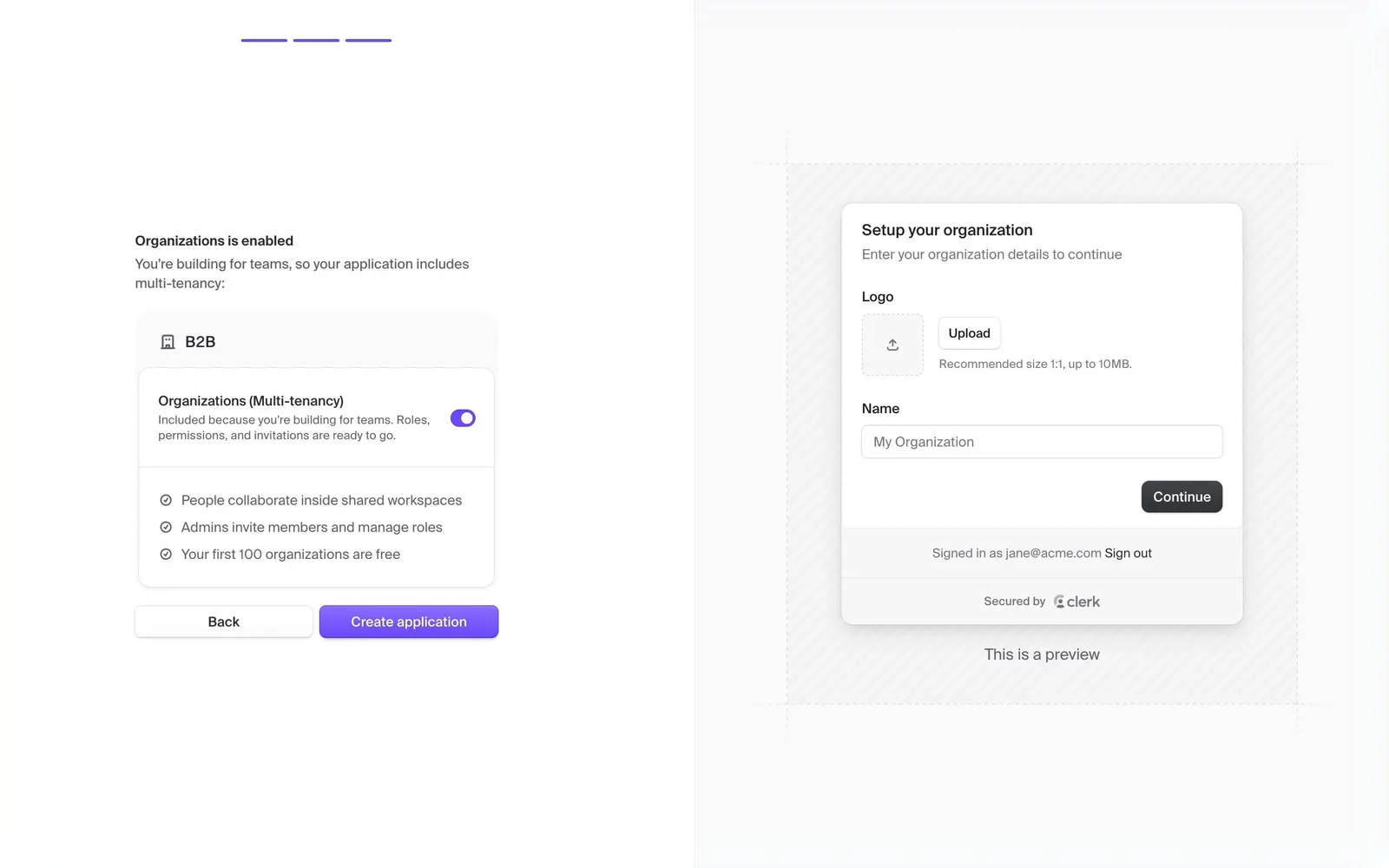
Clerk's application setup walks from choosing Consumer or B2B, through picking sign-in methods, to enabling Organizations and the framework quickstart. Each step pairs a short form on the left with a live preview of the sign-in or organization component on the right, then lands on an agent-ready install prompt.
Follow Clerk’s create application flow step by step: 4 real screens captured from the live product, from create application to overview quickstart. Use ← → to move between steps, and open any screen to see it in full.