Calendly Create Automation
 CalendlyScheduling links for meetings
About this screen
An automation as a sentence
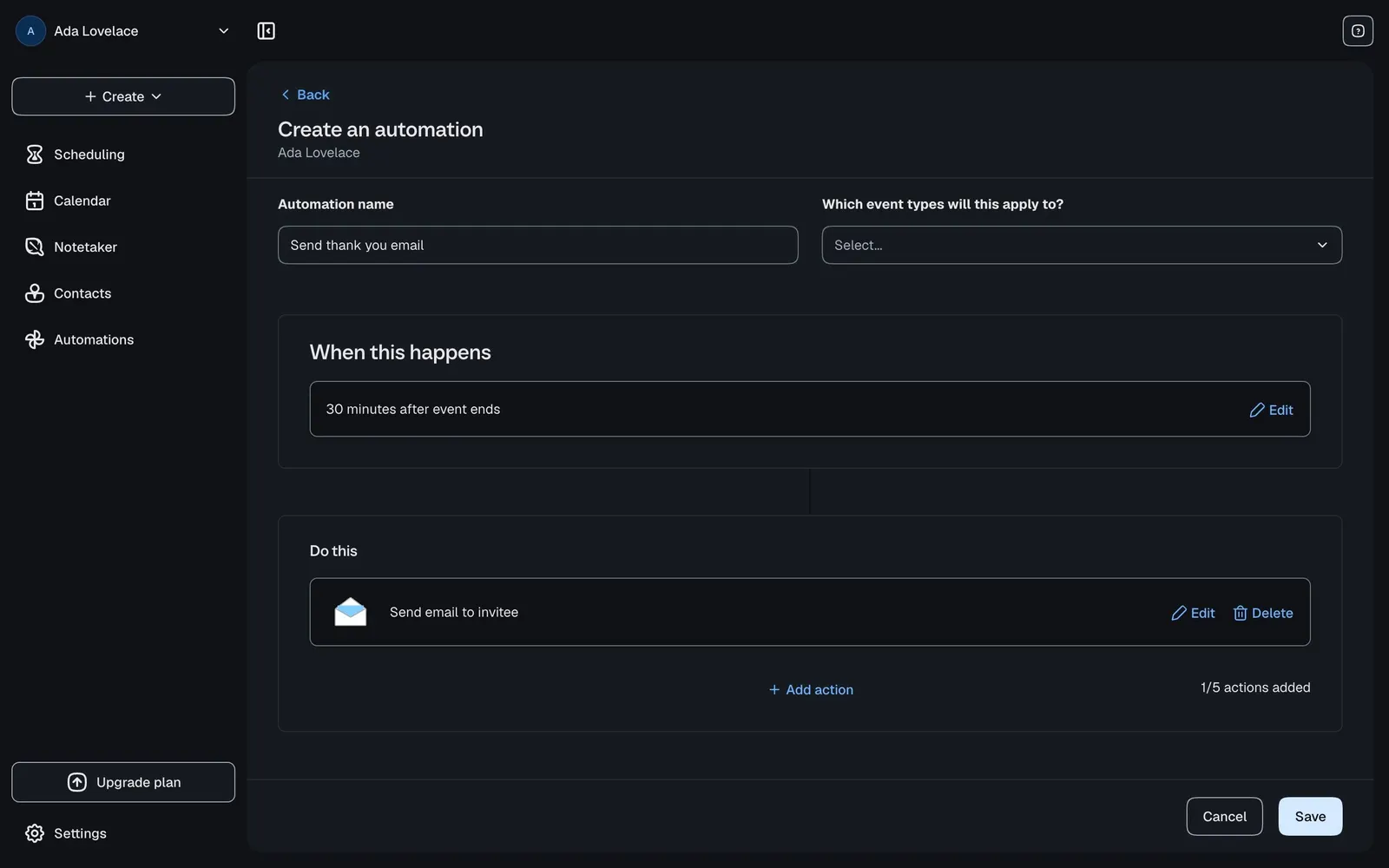
"Create an automation" starts from the "Send thank you email" template: a name, the event types it applies to, then "When this happens" and "Do this".
Trigger and action as cards
The trigger reads as minutes after the event ends, the action as "Send email to invitee", each with an edit link; "Add action" allows more.
Save or cancel
Buttons sit bottom right; nothing is created until saved.