Part of Creating a Deck from a Template
Chronicle Deck Editor
 ChronicleAI presentations with interactive blocks
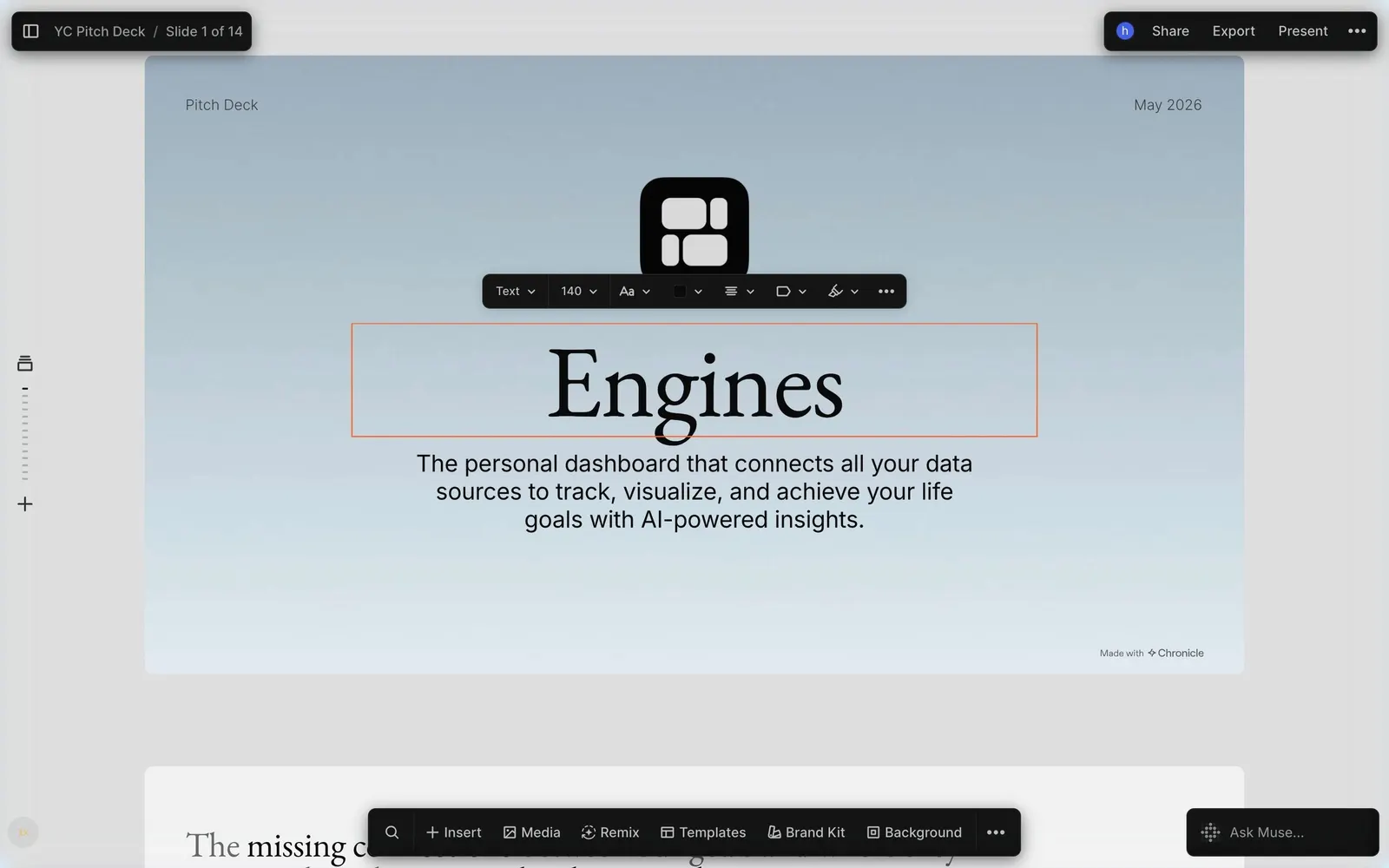
About this screen
A canvas with floating controls
The editor shows the slide almost edge to edge. A pill top left gives the deck name and "Slide 1 of 14"; another top right holds Share, Export and Present.
Editing text in place
The title "Engines" is selected: an orange outline frames it and a compact bar above offers text style, size (140), font, alignment and colour.
Everything else at the bottom
A centred toolbar lists Search, Insert, Media, Remix, Templates, Brand Kit and Background, with an "Ask Muse" assistant field in the corner.