About this screen
Preview while editing
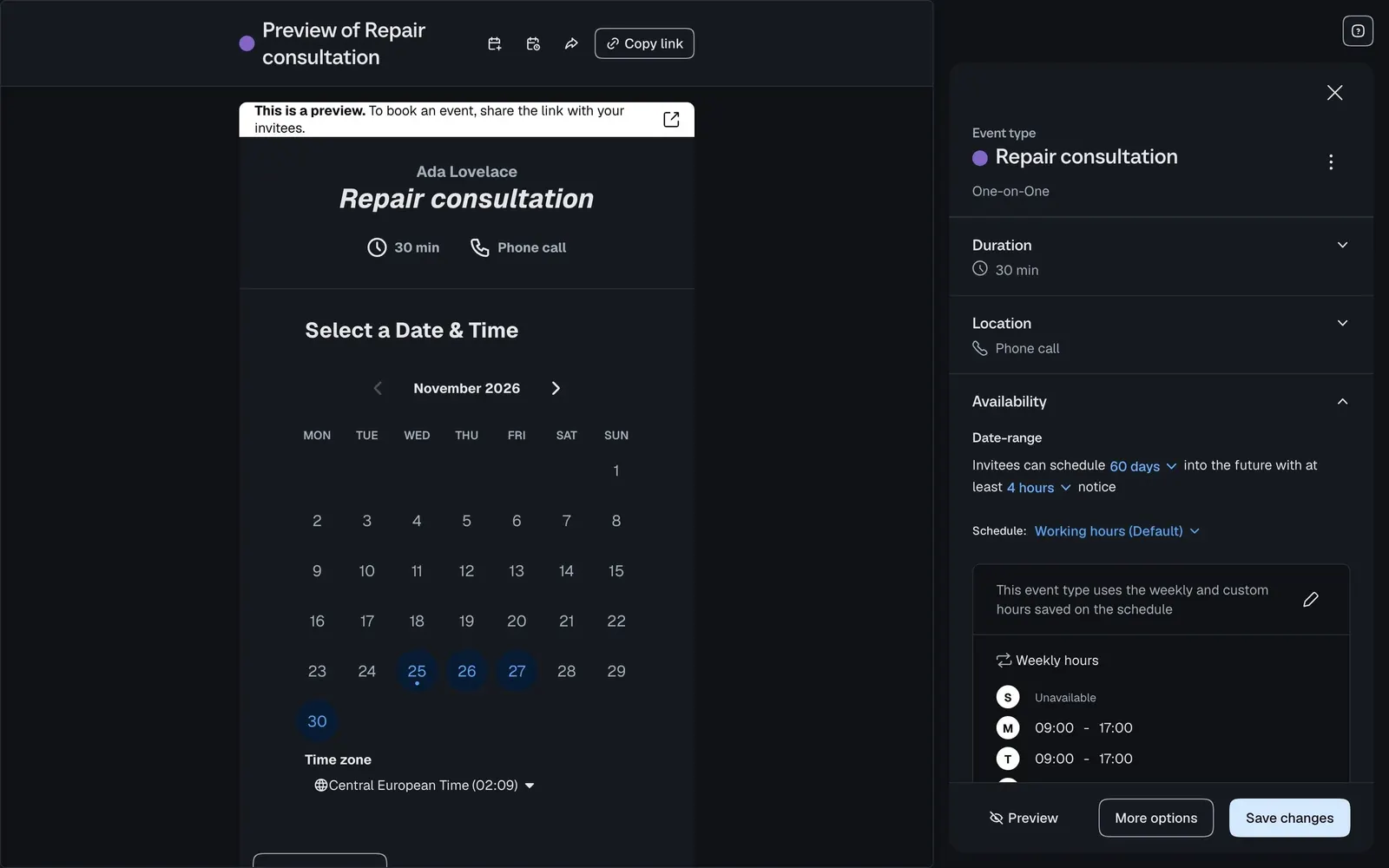
The event editor shows "Preview of Repair consultation" on the left: the booking page as invitees will see it, with a notice that it is a preview.
Settings alongside
The right panel keeps the event's sections, here Availability with date range, schedule and weekly hours, so changes can be checked against the page.
Save in place
"Preview", "More options" and "Save changes" sit at the bottom of the panel, and "Copy link" at the top of the preview.