About this screen
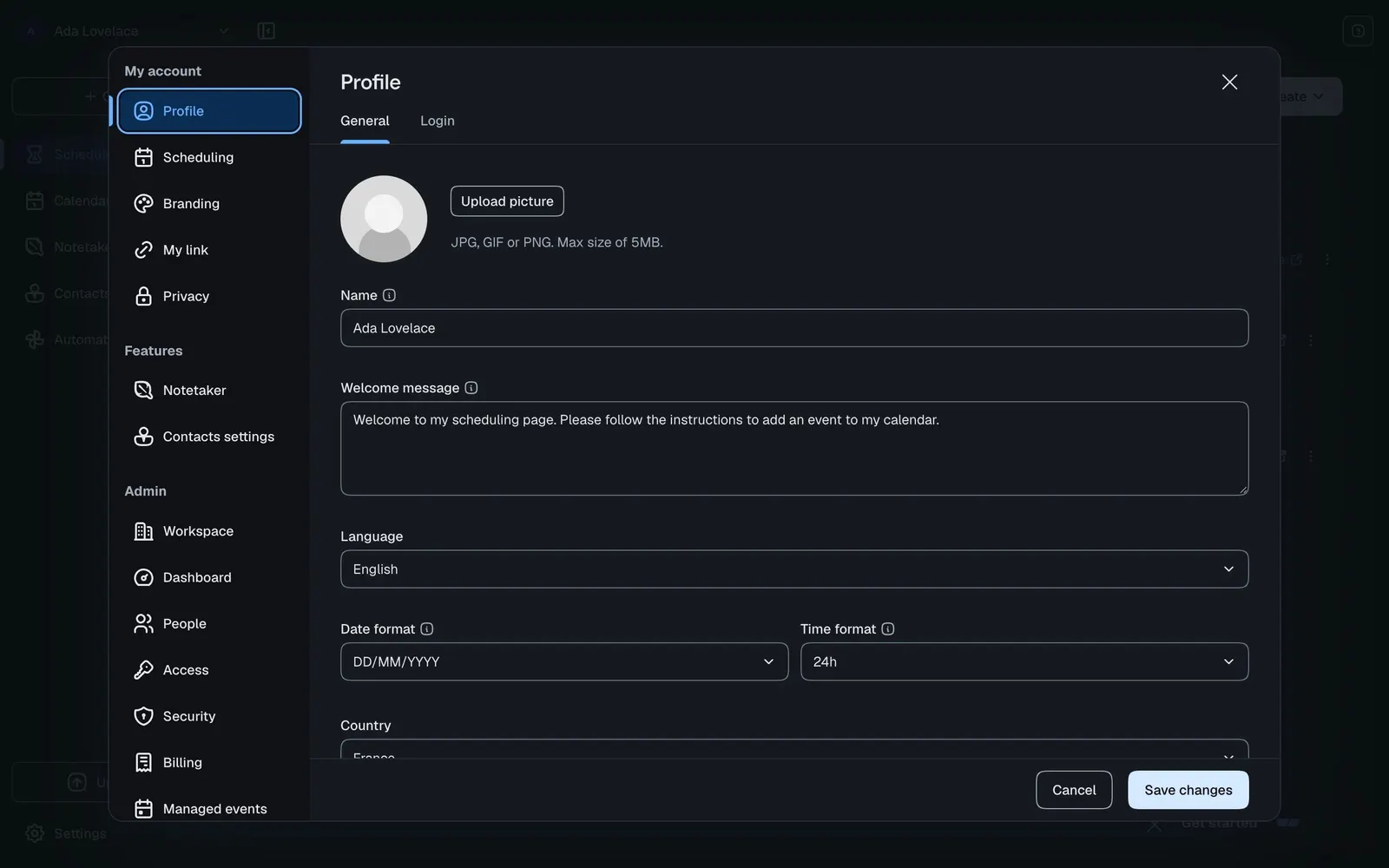
Profile settings in a dialog
Settings opens on Profile with General and Login tabs: picture upload, name, welcome message, language, date and time format, country.
The welcome message is public
The text entered here appears on the scheduling landing page.
Wide navigation
The left column groups My account, Features (Notetaker, Contacts settings) and Admin (Workspace, Dashboard, People, Access, Security, Billing, Managed events).