SaaSFrame
SaaS Pricing Page Examples: What 245 Real Pages Have in Common
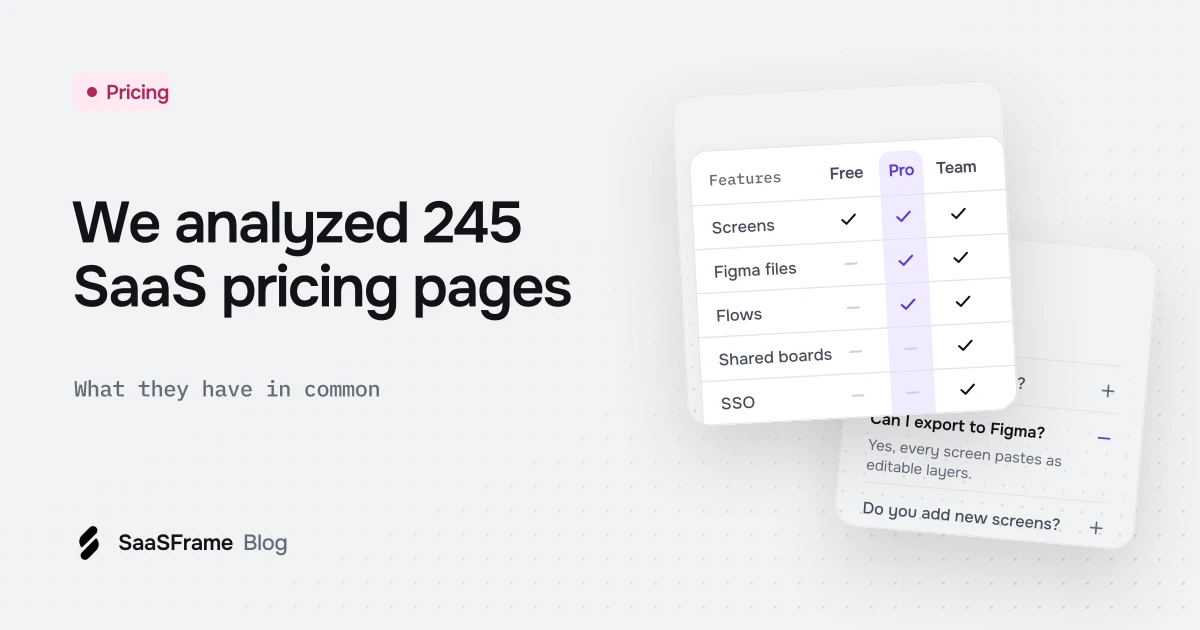
Most SaaS pricing pages share four elements: a sales path such as contact sales or book a demo (58%), an FAQ (58%), an enterprise option (56%) and both monthly and annual billing (56%). Free plans and free trials each appear on 46% of the 245 pages in SaaSFrame, as of November 2026.
- As of November 2026, 58% of the 245 SaaS pricing pages in SaaSFrame show a sales path such as contact sales or book a demo.
- Free plans and free trials are equally common, at 46% of pages each, but only 20% of pages offer both and 28% offer neither.
- 56% of pricing pages mention both monthly and annual billing, yet only 33% state the annual saving as a number.
- Credits appear on 18% of all pricing pages, but on 15 of the 34 pages added to the library since January 2025.
- An FAQ is the most common element below the plan cards, on 58% of pages; a compare plans heading appears on 22%.
Most advice about pricing pages comes from one team's A/B test or one designer's taste. We went the other way and read every pricing page in the SaaSFrame library, 245 pages from 225 SaaS products as of November 2026, to see which elements actually show up again and again.
What do most SaaS pricing pages have in common?
Most SaaS pricing pages share four things: a path to sales, an enterprise option, an FAQ and both monthly and annual billing. Each of these appears on more than half of the 245 pricing pages in SaaSFrame. Everything else, from free plans to comparison tables, is a real choice that splits the field.
| Element on the page | Pages | Share |
|---|---|---|
| A sales path (contact sales, book a demo, talk to sales) | 142 | 58% |
| An FAQ section | 141 | 58% |
| An enterprise plan or option | 138 | 56% |
| Both monthly and annual billing | 136 | 56% |
| A free plan ($0 tier, free plan or free forever) | 113 | 46% |
| A free trial | 113 | 46% |
| A stated annual discount (save 20%, 2 months free) | 82 | 33% |
| Per-seat prices (per user, per member, per editor) | 79 | 32% |
| A "compare plans" or feature comparison heading | 55 | 22% |
| "No credit card required" | 53 | 22% |
| Cancel anytime or a refund promise | 45 | 18% |
| Credits as a unit of usage | 43 | 18% |
| A "most popular" or "best value" label | 39 | 16% |
The counts come from the text captured on each page, so they are floors rather than exact figures: a label drawn inside an image or hidden behind a tab is not counted. The method is explained at the end of this article.
Do SaaS pricing pages offer a free plan or a free trial?
They split almost exactly in half: 46% of pages show a free plan and 46% mention a free trial. Only 49 pages (20%) offer both, and 68 pages (28%) offer neither, which usually means a demo-led product. The free entry point is a strategic decision, not a layout detail, and the page makes it visible in the first column.
Vercel: free plan, trial and sales in three cards
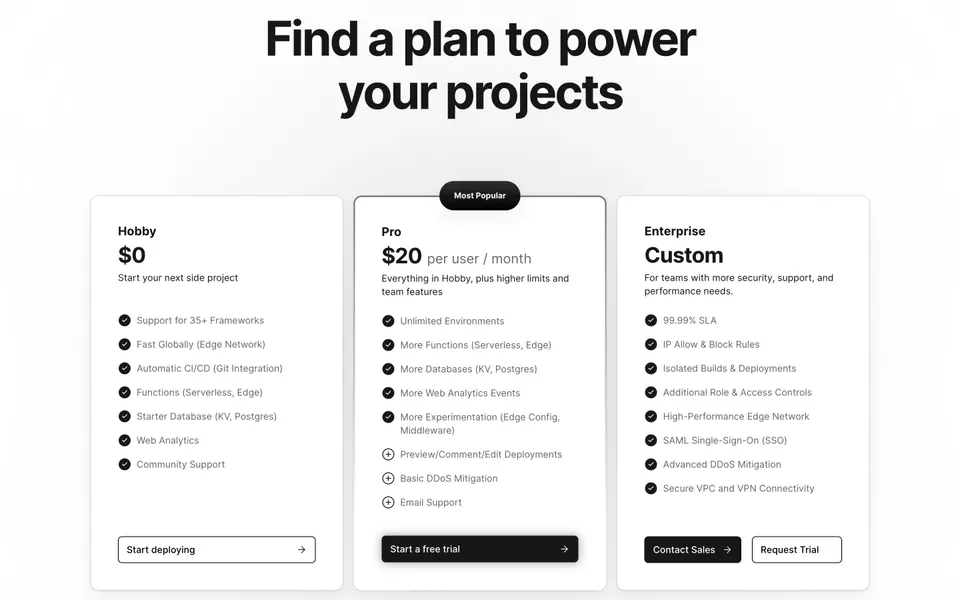
Vercel is one of the 49 pages that does both. Each card has exactly one job: start deploying for free, try Pro, or talk to sales about Enterprise.
Latitude: the trial is in the headline
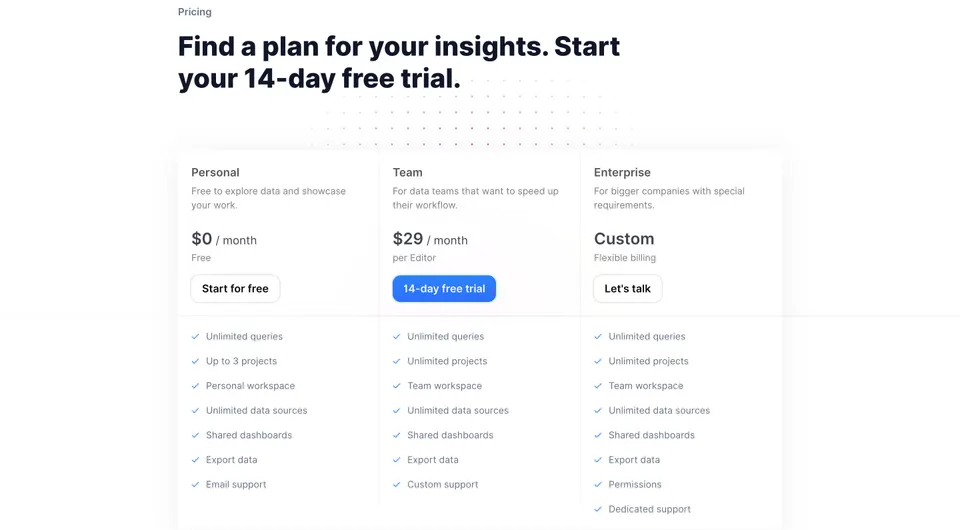
When the trial is the main conversion goal, putting its length in the heading answers the first question before the visitor reads a single card.
Why do most pricing pages include a sales path?
Because the biggest deals rarely start with a credit card: 58% of pages show a sales call to action and 56% mention an enterprise plan or option. In practice, that is a last card with "Custom" or "Let's talk" instead of a price, or a banner under the plans.
Clay: "Let's Chat" as the enterprise price
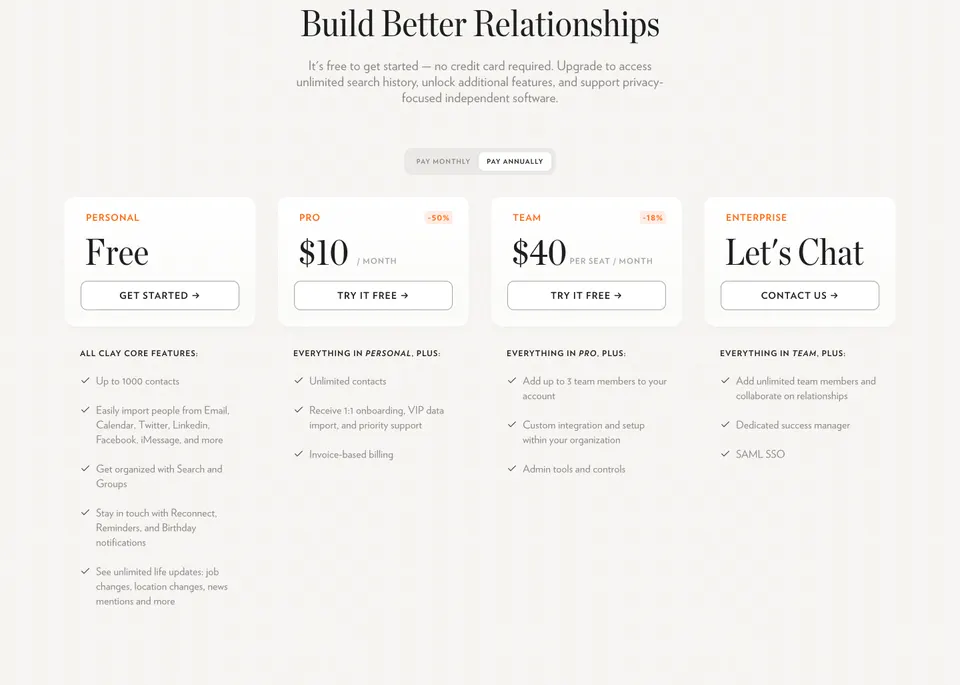
Clay's subtitle also covers one of the less common reassurances: only 22% of pages say no credit card is needed.
Base44: the enterprise offer as a banner
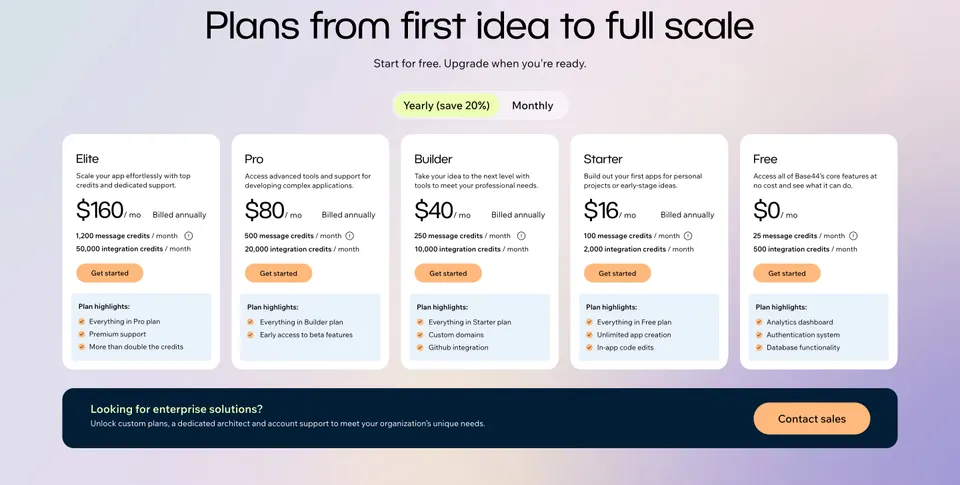
Moving enterprise out of the grid keeps five self-serve cards readable and still gives large accounts a clear way in.
Rule of thumb If your largest customers sign contracts, give them a named path on the pricing page. More than half of the pages we read do.
Do pricing pages still show monthly and annual billing?
Yes: 56% of pages mention both monthly and annual billing, usually through a pricing toggle. Fewer pages put a number on the difference: 33% state the annual discount, as a percentage or as free months.
Audienceful: a usage slider next to the billing switch
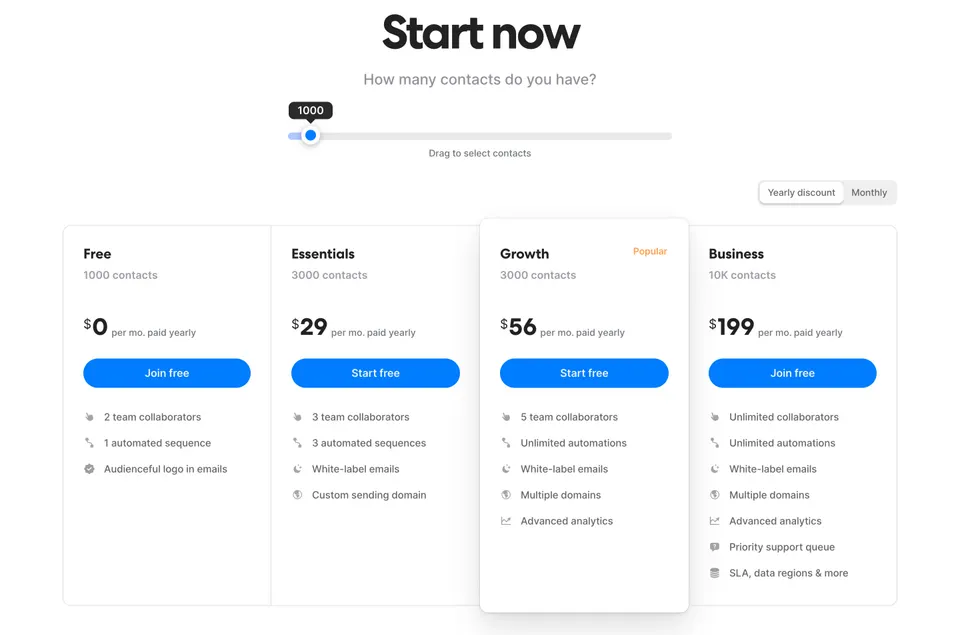
The slider turns the price into an answer to the visitor's own volume. Only 16% of pages use a "most popular" or "best value" label in their text, so a highlighted plan is less standard than it looks.
How are pricing pages handling usage and credits?
Credits are spreading fast in recent pages. Across the whole library, 18% of pricing pages use credits as a unit, but that rises to 15 of 34 pages added since January 2025, against 28 of the 211 pages added before. The sample of recent pages is small, so read it as a direction rather than a precise rate.
Wiza: credit-based pricing, stated up front
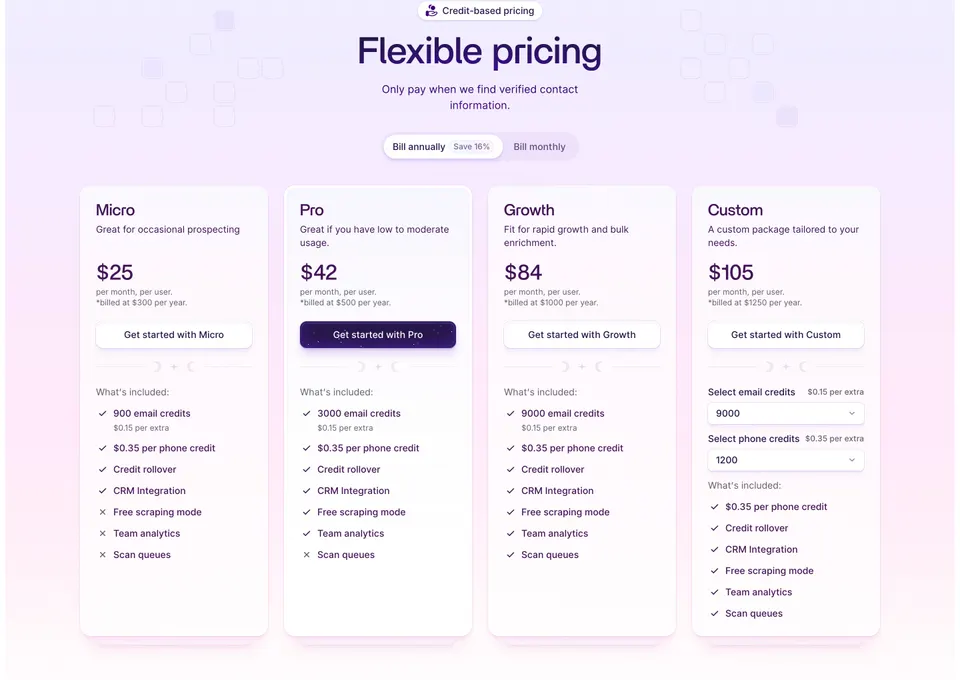
Wiza shows the included amount, the overage price and credit rollover on every card, which is what a usage buyer needs to estimate a bill. For AI products, our guide to AI SaaS pricing pages looks at credits and limits in more depth.
Plain: per-seat, but only for some seats
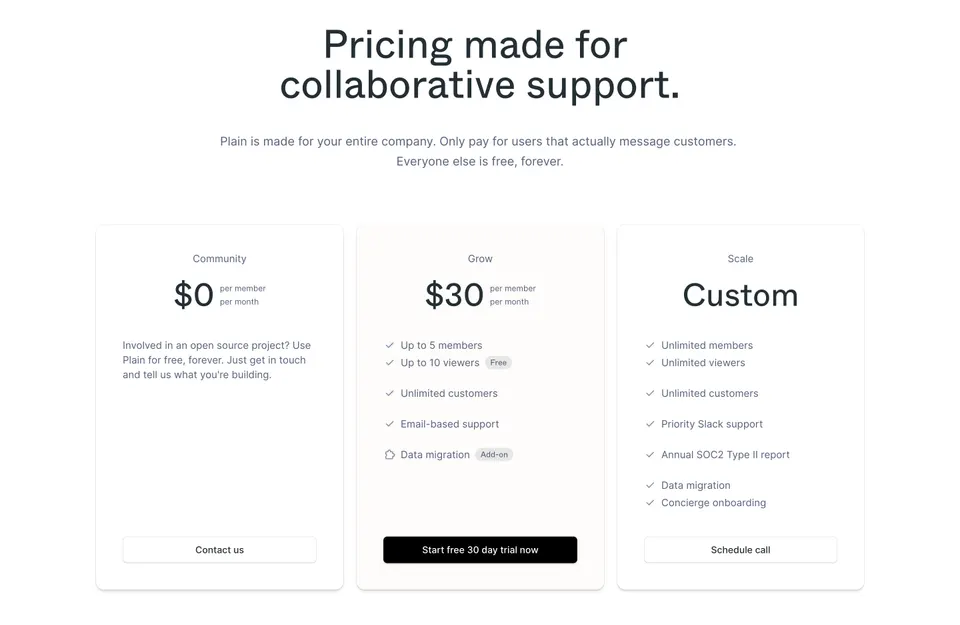
Per-seat pricing appears on 32% of pages. Plain refines it by saying, in the subtitle, which seats count.
What usually sits below the plan cards?
An FAQ, most of the time: 58% of pricing pages include one, more than any other element after the sales path. A comparison table is less common in the text we captured, with 22% of pages showing a "compare plans" style heading.
Steep: a feature comparison grouped by topic
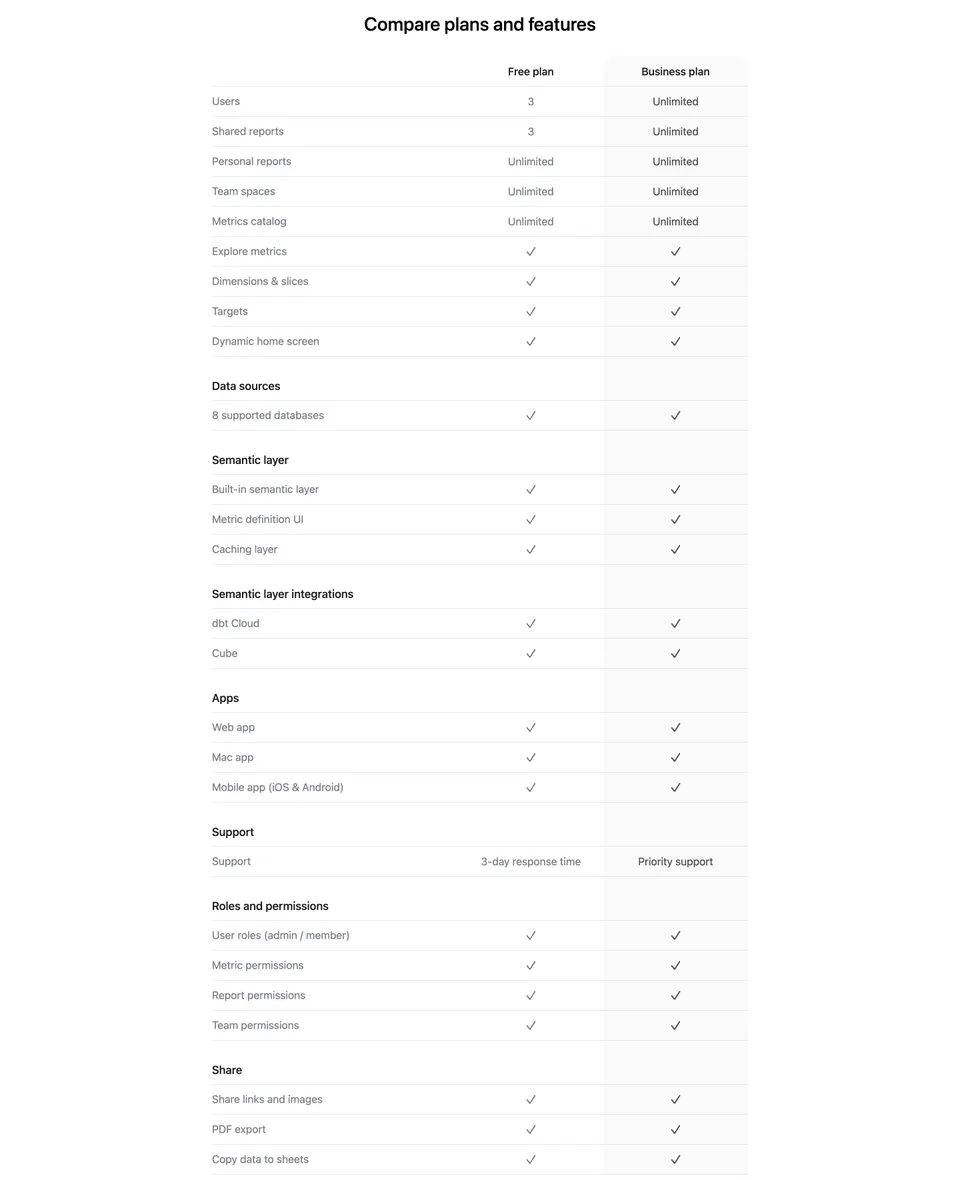
With only two plans, the table shows that most rows are identical and the difference is in users, shared reports and support. See more layouts under pricing comparison.
Atlas: FAQ about plans, not about the product
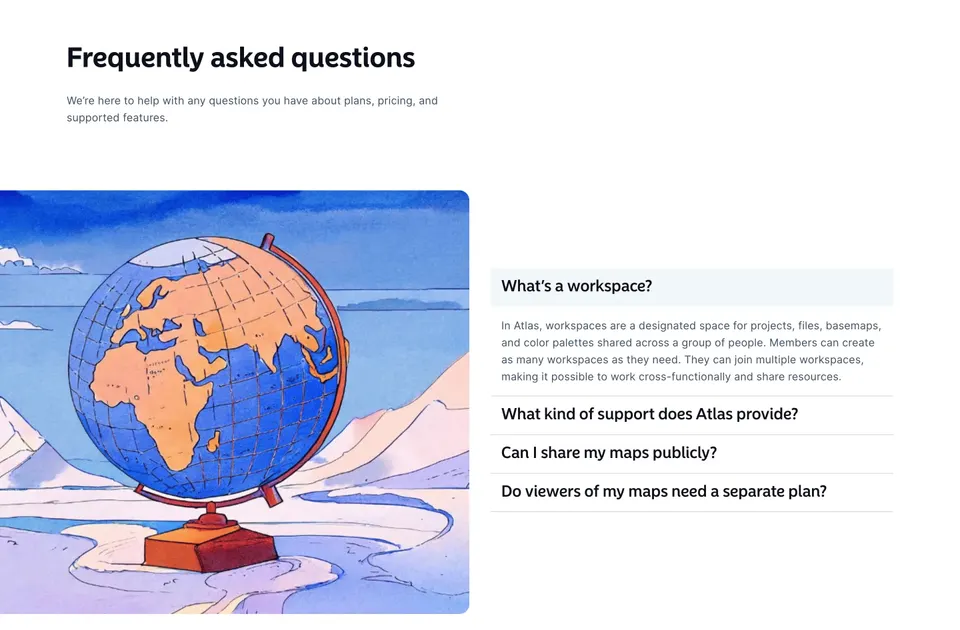
The questions explain the units the plans are built on. That is the job of a pricing FAQ: remove the doubt that stops someone from picking a card.
What should you take from this when designing your pricing page?
Treat the four majority elements as the baseline and spend your design effort on the choices that split the field. Whether you lead with a free plan, a trial or a demo, whether you price by seat or by credit, and how you name the enterprise path are the decisions that make a page specific to your product.
- Show what is free, or how long the trial lasts, in the first card or the heading.
- Give enterprise buyers a named path, either as a last card or as a banner.
- If you offer annual billing, state the saving as a number.
- If you charge by usage, show the included amount and the overage price on each card.
- Answer plan questions in an FAQ under the cards.
For the visual side, read the 10 UI patterns behind high-converting pricing pages and the pricing page design trends for 2026, then browse every pricing section in the library.
How did we count?
We took the 245 published screens in the Pricing page category of SaaSFrame on November 13, 2026, from 225 SaaS products, and searched the text captured from each page for each element. A page counts once per element, whatever the number of mentions, and a "Book a demo" link in the navigation counts as a sales path. Text inside images is not always captured, so every figure is a minimum.
Frequently asked questions
What should a SaaS pricing page include?
At minimum, plan cards with prices, a clear way to start (free plan, trial or demo), a path to sales for large accounts and an FAQ. In SaaSFrame's 245 pricing pages, the sales path, the FAQ, an enterprise option and monthly plus annual billing each appear on more than half of the pages.
Is a free plan or a free trial more common on SaaS pricing pages?
They are equally common: 113 of 245 pages (46%) show a free plan and 113 mention a free trial. Only 49 pages offer both, and 68 offer neither, which usually points to a demo-led sales process.
Should a pricing page have a monthly and annual toggle?
If you sell both, yes: 56% of the pages we analyzed mention monthly and annual billing. State the saving as a number, such as save 20% or 2 months free; only a third of pages do.
How many SaaS pricing pages use credits?
As of November 2026, 43 of the 245 pricing pages in SaaSFrame use credits as a unit (18%). The share is much higher on recent pages: 15 of the 34 pages added since January 2025, against 28 of the 211 added before.
Do SaaS pricing pages show a most popular plan?
Less often than you might think: 39 pages (16%) have a most popular or best value label in their text. Some highlight a plan with color or a border only, which a text count does not capture.
How were these pricing page statistics calculated?
We searched the captured text of the 245 published screens in the Pricing page category of SaaSFrame on November 13, 2026, counting each element once per page. Text inside images is not always captured, so each figure is a minimum.
 Pricing96 examples
 Pricing Toggle2 examples
 Pricing Plan Comparison29 examples
 FAQ27 examples