SaaSFrame

About this screen
Step 1: what are you building?
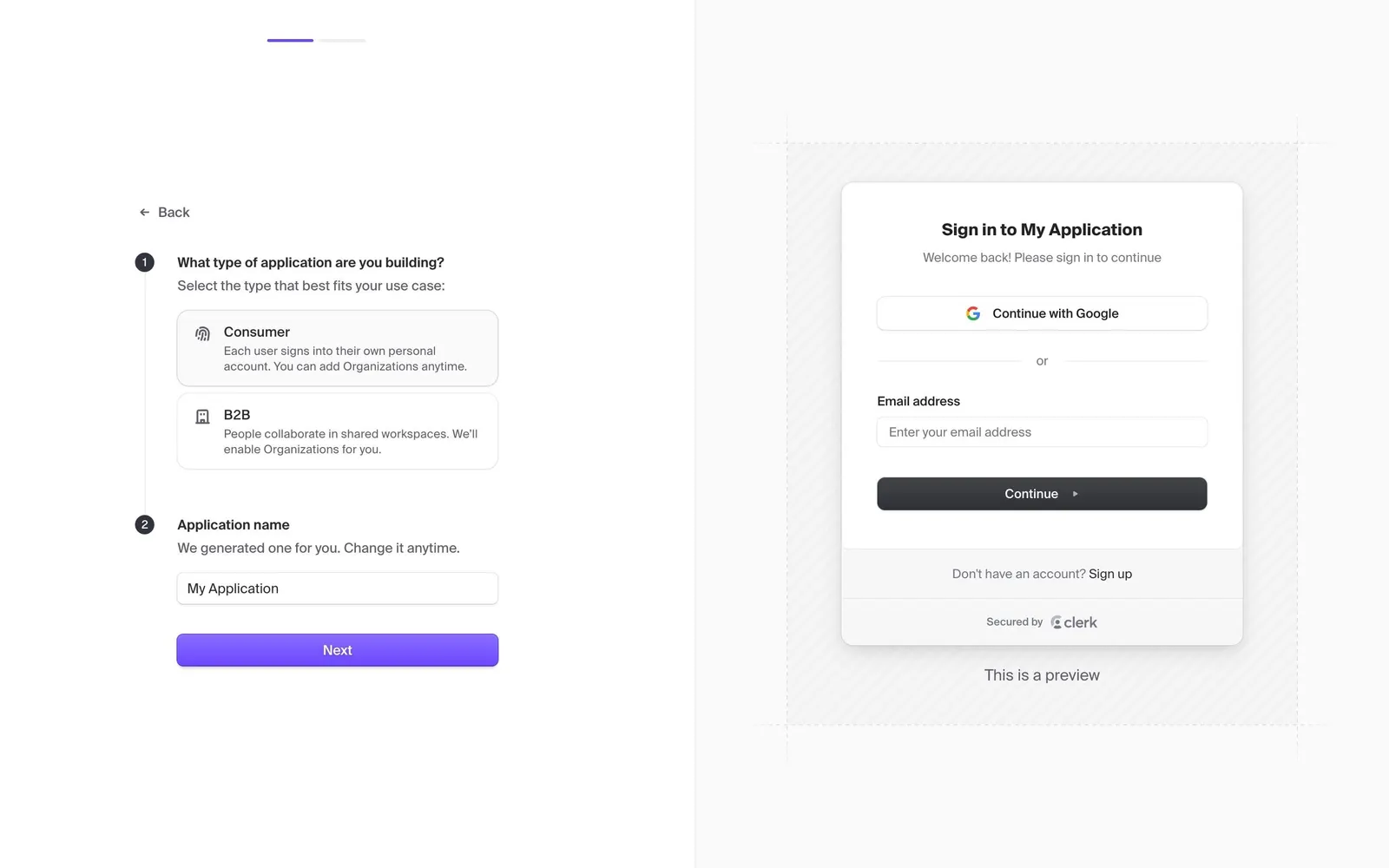
Creating an application in Clerk starts with a focused two-step form. The first question, "What type of application are you building?", offers two radio cards: Consumer ("Each user signs into their own personal account. You can add Organizations anytime.") and B2B ("People collaborate in shared workspaces. We'll enable Organizations for you.").
A prefilled name
"Application name" comes with "We generated one for you" and an editable default, followed by a full-width violet Next button.
Live preview on the right
The right half shows a live sign-in card, "Sign in to My Application", with "Continue with Google", an email field and "Secured by Clerk", labeled "This is a preview".