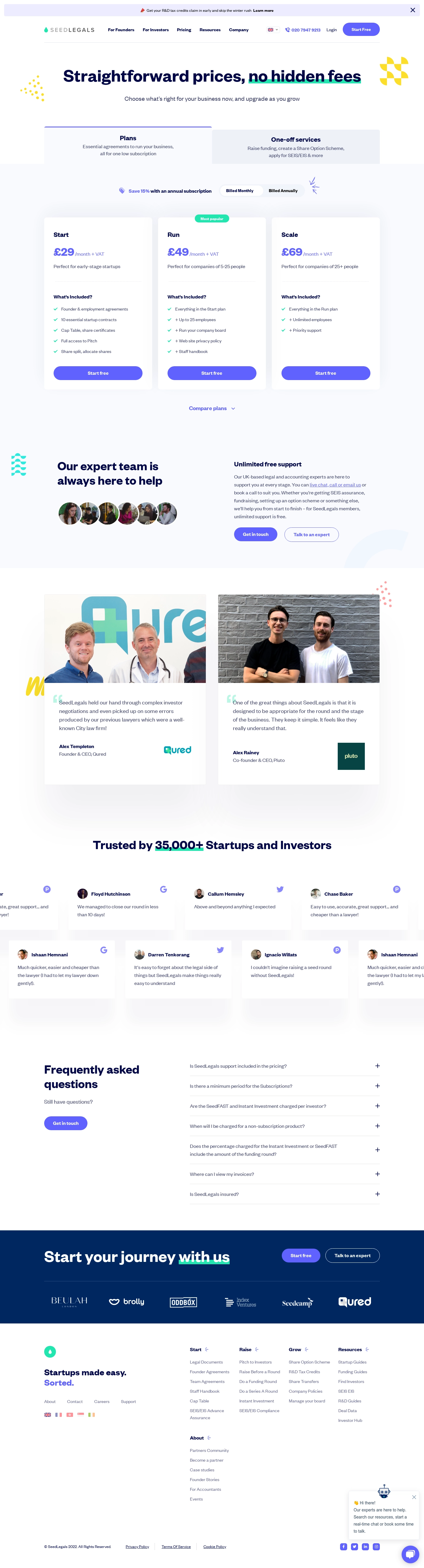
1. Header: At the top of the page, there is a header containing the SeedLegals logo, a "Get Started" button, "Pricing" title, and a navigation menu. 2. Pricing summary: Below the header, there is a pricing summary that outlines the different pricing plans available on the platform, including "Launch," "Grow," "Scale," and "Custom." 3. Plan details: Each of the pricing plans is separated into its own section, with details on what's included in each plan. 4. Feature comparison: There is a feature comparison table that allows users to compare the different pricing plans side by side, detailing what features are provided in each plan. 5. Pricing information: The pricing information for each plan is displayed in a clear, easy-to-understand format, including the monthly subscription price, the discount for annual subscriptions, and the number of users that are included in each plan. 6. Trial offer: SeedLegals offers a free 7-day trial for all of its pricing plans, and this information is clearly displayed on the pricing page. 7. Payment information: There is a section that outlines how payments are processed and what types of payment methods are accepted. 8. Frequently Asked Questions: At the bottom of the page, there is a section containing frequently asked questions about SeedLegals' pricing plans. 9. Footer: Finally, there is a footer that includes links to SeedLegals' social media accounts and other resources.
 SaaSFrame