SaaSFrame
Part of Workspace Administration
Langdock Settings Overview
 LangdockCompany-wide AI chat, agents and workflows
About this screen
Settings as a grid of cards
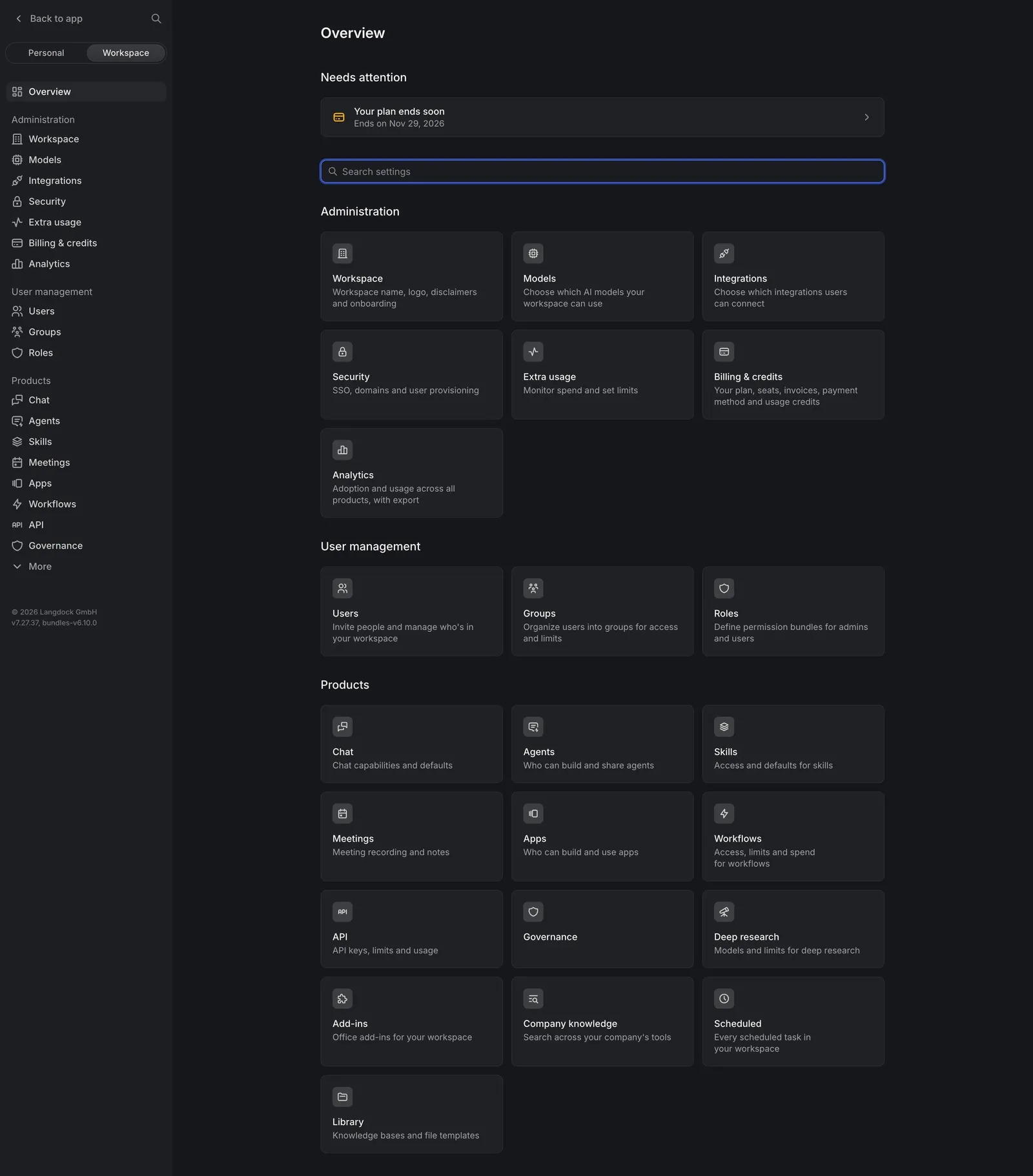
Langdock's workspace settings overview groups every area into icon cards under three headings: "Administration" (Workspace, Models, Integrations, Security, Extra usage, Billing & credits, Analytics), "User management" (Users, Groups, Roles) and "Products" (Chat, Agents, Skills, Meetings, Apps, Workflows, API and more). Each card adds a one-line description.
Alerts and search first
A "Needs attention" block sits at the top with "Your plan ends soon" and the trial end date, followed by a "Search settings" field, so the most urgent item and the fastest path come before browsing.
Personal and workspace scopes
The settings sidebar starts with a "Back to app" link and a "Personal / Workspace" switch, then repeats the same sections as a list, with the app version shown at the bottom.