SaaSFrame
Langdock Agents
 LangdockCompany-wide AI chat, agents and workflows
About this page
Building an agent, shown step by step
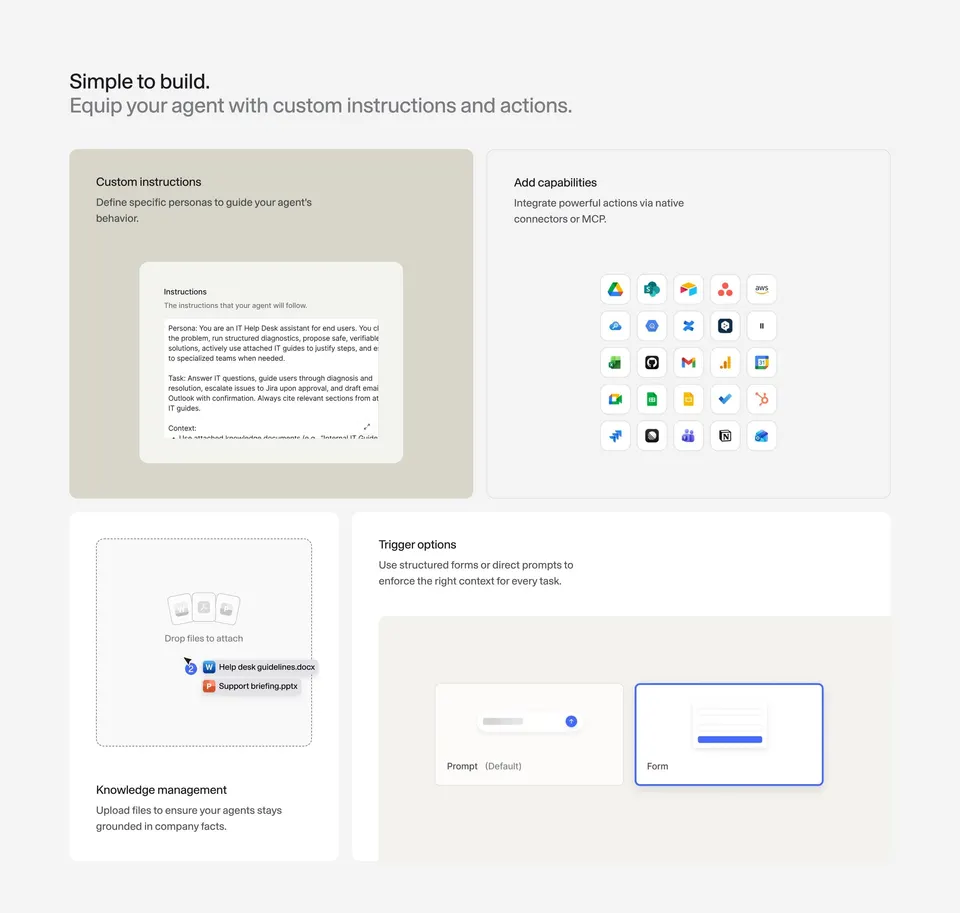
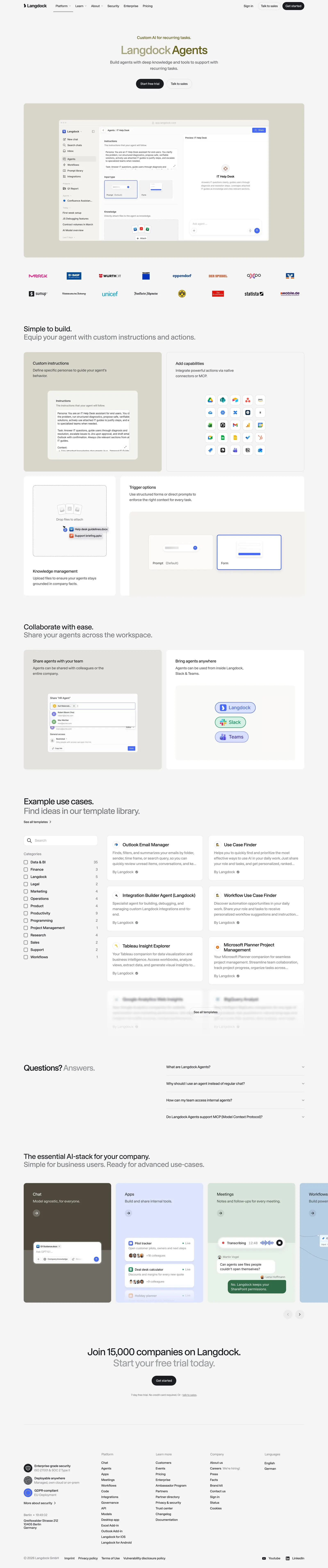
Langdock Agents opens with "Custom AI for recurring tasks." and a screenshot of the agent editor next to a test chat. "Simple to build. Equip your agent with custom instructions and actions." then breaks the editor into four cards: "Custom instructions", "Add capabilities" with a grid of integration logos, "Knowledge management" with an upload drop zone, and "Trigger options" with prompt and form inputs.
Sharing and reach
"Collaborate with ease. Share your agents across the workspace." pairs a share dialog with a card showing the agent available in Langdock, Slack and Teams.
Templates browsable on the page
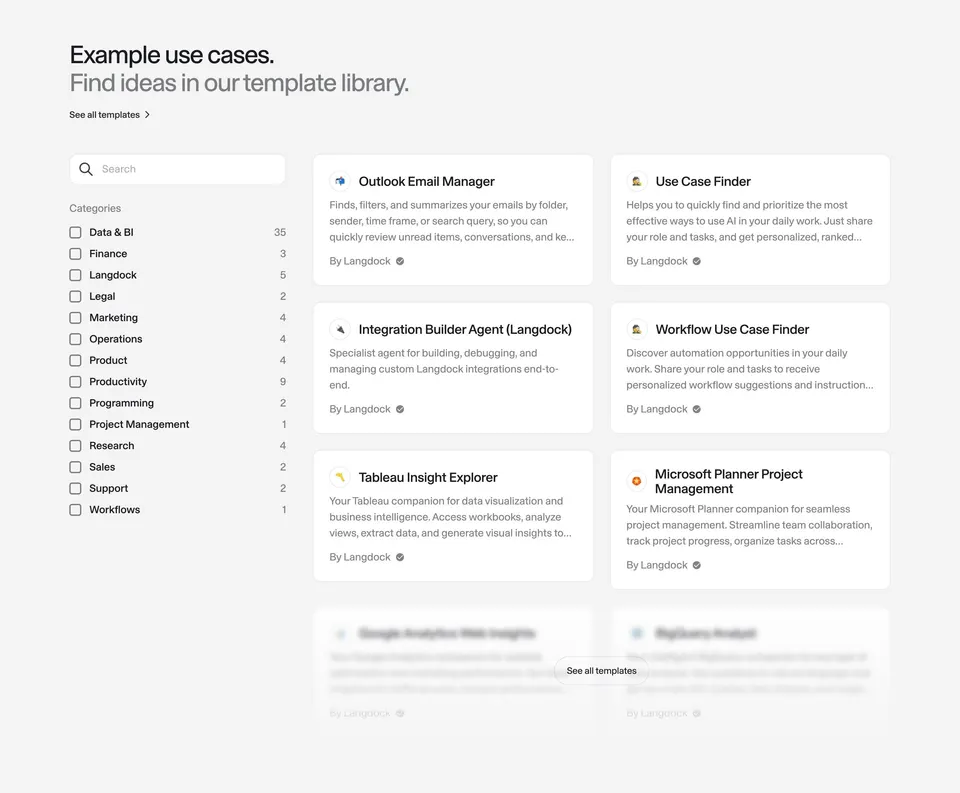
"Example use cases. Find ideas in our template library." embeds a mini template browser with category filters and counts on the left and template cards on the right, fading out at the bottom with "See all templates". A four-question FAQ, the product carousel and the trial CTA follow.