SaaSFrame
Langdock Workflows
 LangdockCompany-wide AI chat, agents and workflows
About this page
The canvas in the hero
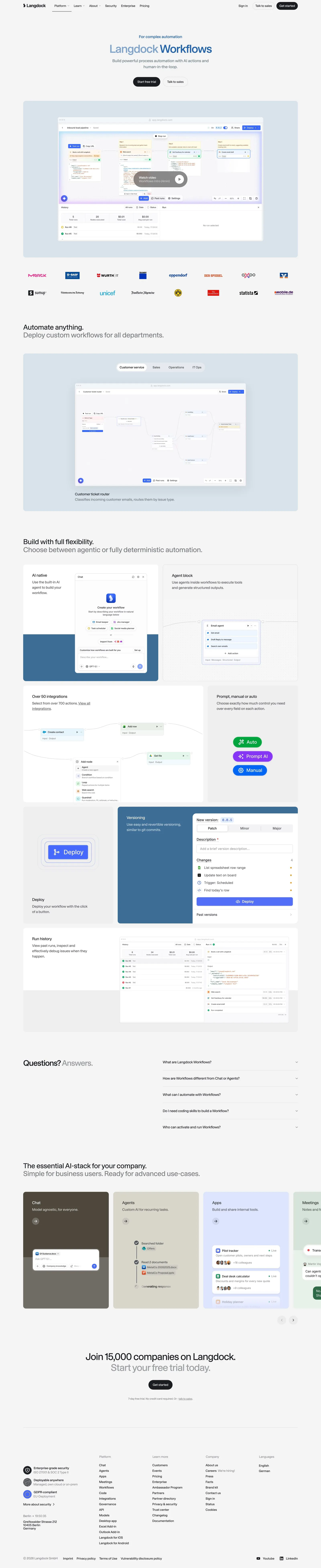
"Langdock Workflows", under the eyebrow "For complex automation", promises "powerful process automation with AI actions and human-in-the-loop". The hero screenshot shows the workflow canvas with a run history table below it and a "Watch video" button on top, on a pale blue panel.
Use cases as switchable workflows
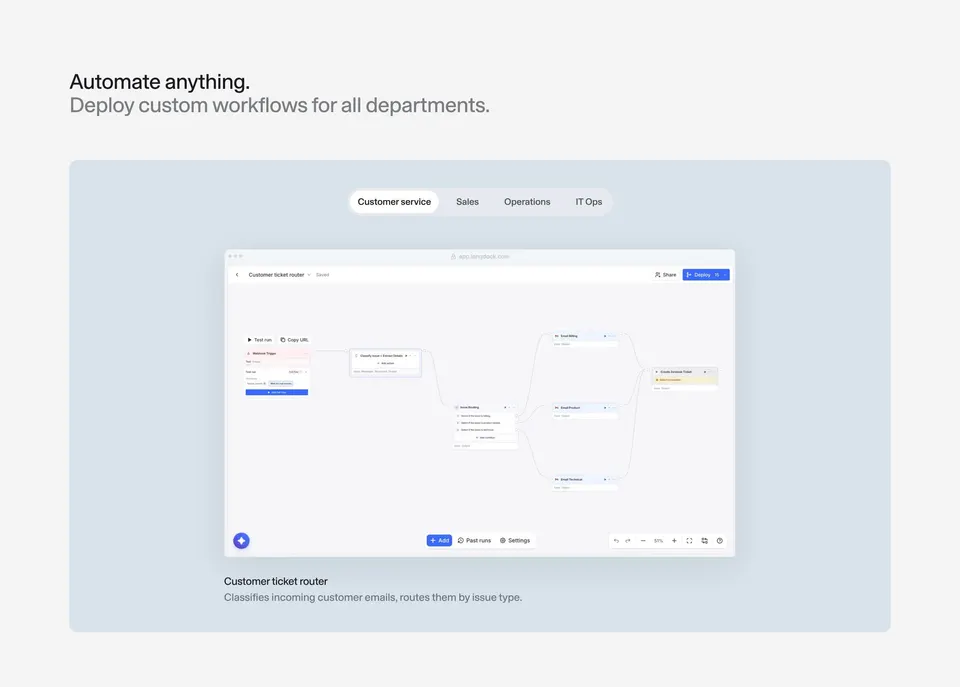
"Automate anything. Deploy custom workflows for all departments." frames a second canvas with tabs for Customer service, Sales, Operations and IT Ops; the example "Customer ticket router" shows a branching graph that routes emails by issue type.
Every builder feature in its own card
"Build with full flexibility. Choose between agentic or fully deterministic automation." lays out cards for "AI native", "Agent block", "Over 50 integrations", "Prompt, manual or auto" with colored trigger pills, "Deploy" next to a blue "Versioning" panel with Patch, Minor and Major options, and "Run history". A five-question FAQ and the product carousel follow.