SaaSFrame
Gradium Voice Localizer
 GradiumReal-time voice AI API for voice agents
About this screen
Keep the voice, change the accent
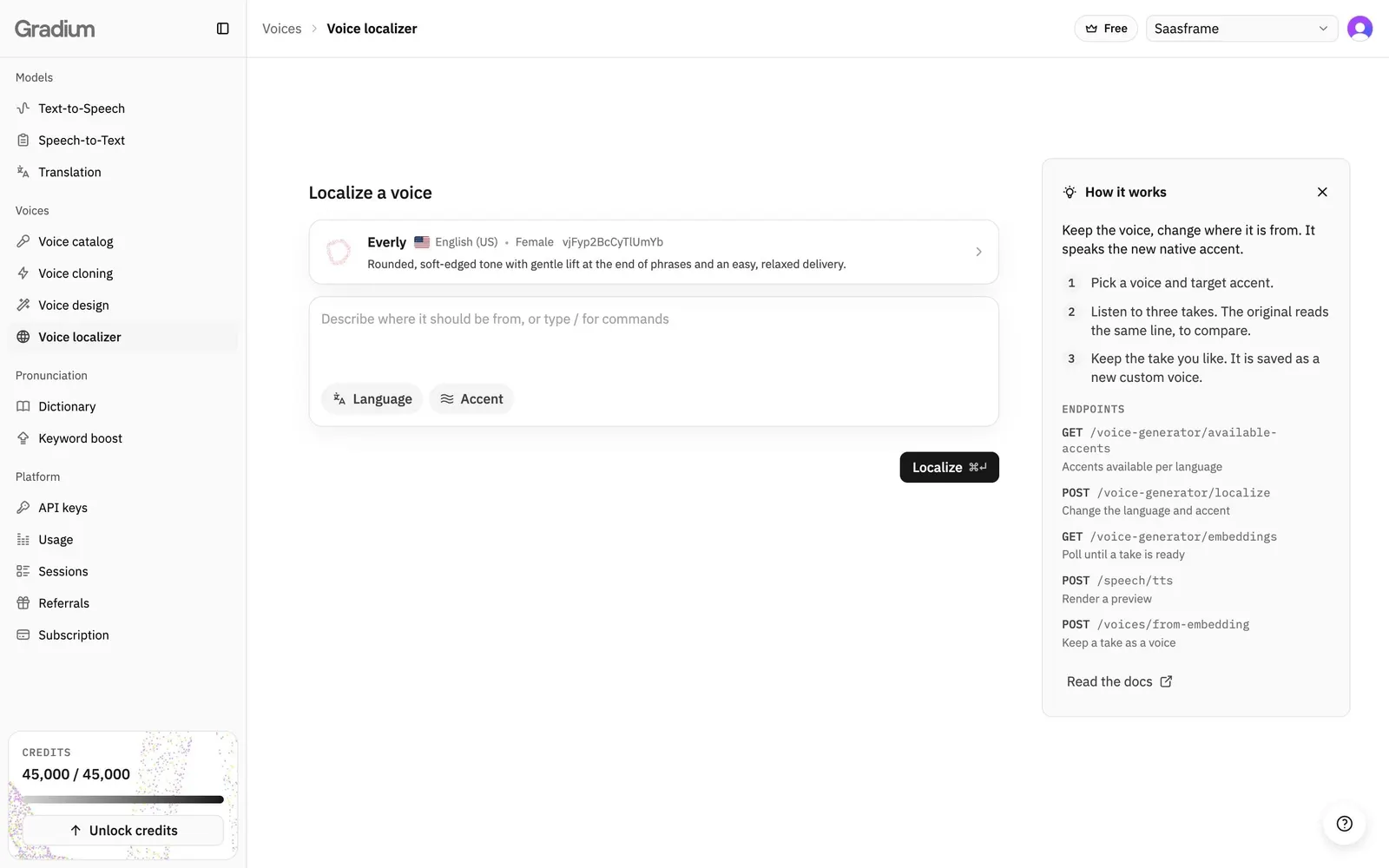
"Localize a voice" starts from a selected voice card (Everly, English (US), Female) with two selects, Language and Accent, and a "Localize ⌘↵" button.
How it works, on the page
A side card explains the feature in three steps: pick a voice and target accent, listen to three takes with the original reading the same line, then keep the take you like, saved as a new custom voice.
Endpoints for developers
The same card lists the API calls behind the screen, from GET /voice-generator/available-accents to POST /speech/tts, with a link to the docs.