SaaSFrame

About this screen
A three-step install for Claude Code
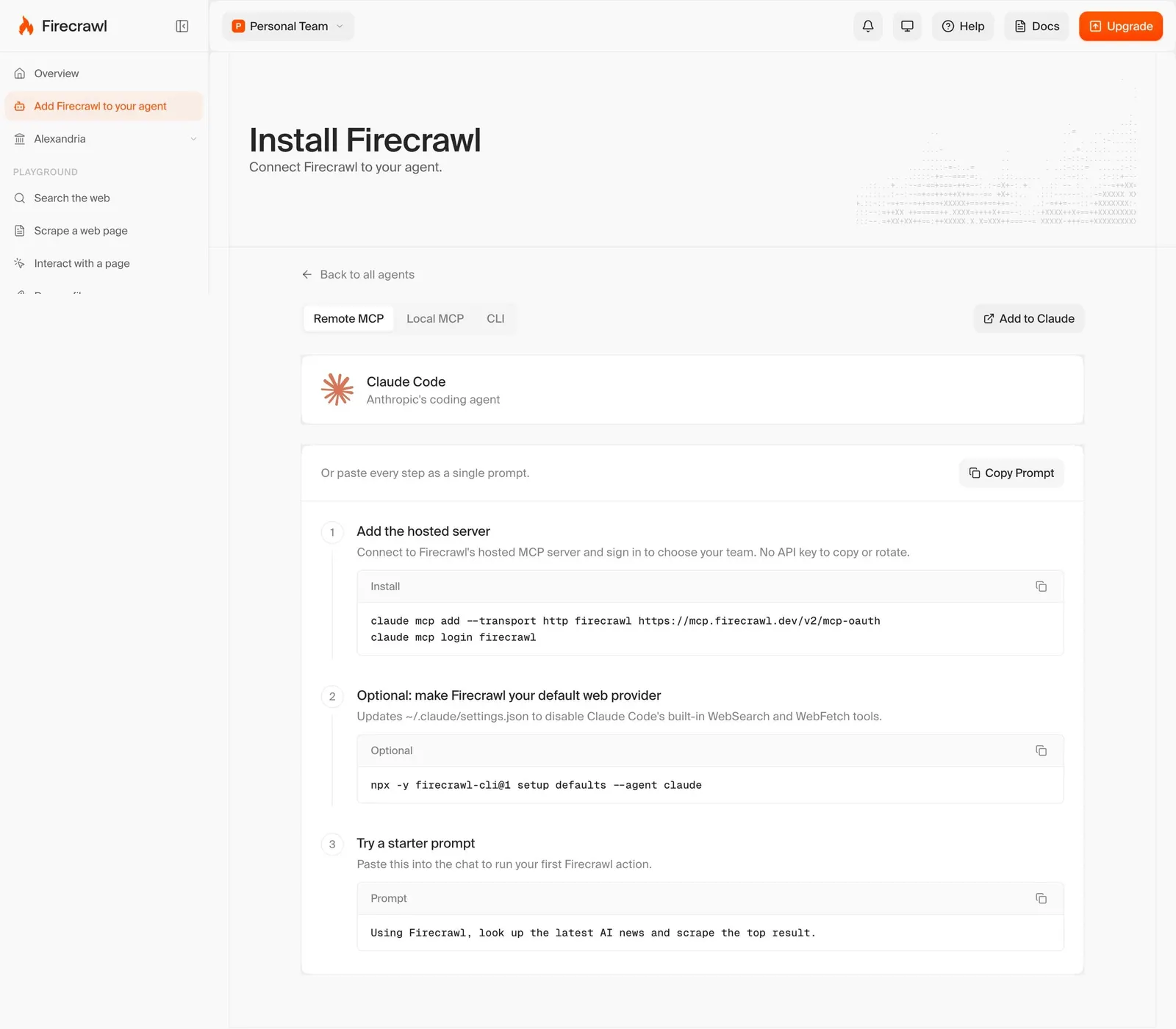
The agent-specific install page keeps the "Install Firecrawl" header and adds tabs for Remote MCP, Local MCP and CLI, with an "Add to Claude" button on the right. A first card names the client, "Claude Code - Anthropic's coding agent", and offers "Copy Prompt" to paste every step at once.
Numbered steps with code
Step 1, "Add the hosted server", shows the two claude mcp commands. Step 2 is marked Optional: "make Firecrawl your default web provider". Step 3, "Try a starter prompt", gives a prompt to paste into the chat.
No key to copy
The copy insists on the benefit of the hosted route: "No API key to copy or rotate", which keeps the whole flow to two commands.