SaaSFrame

About this screen
One page to connect any agent
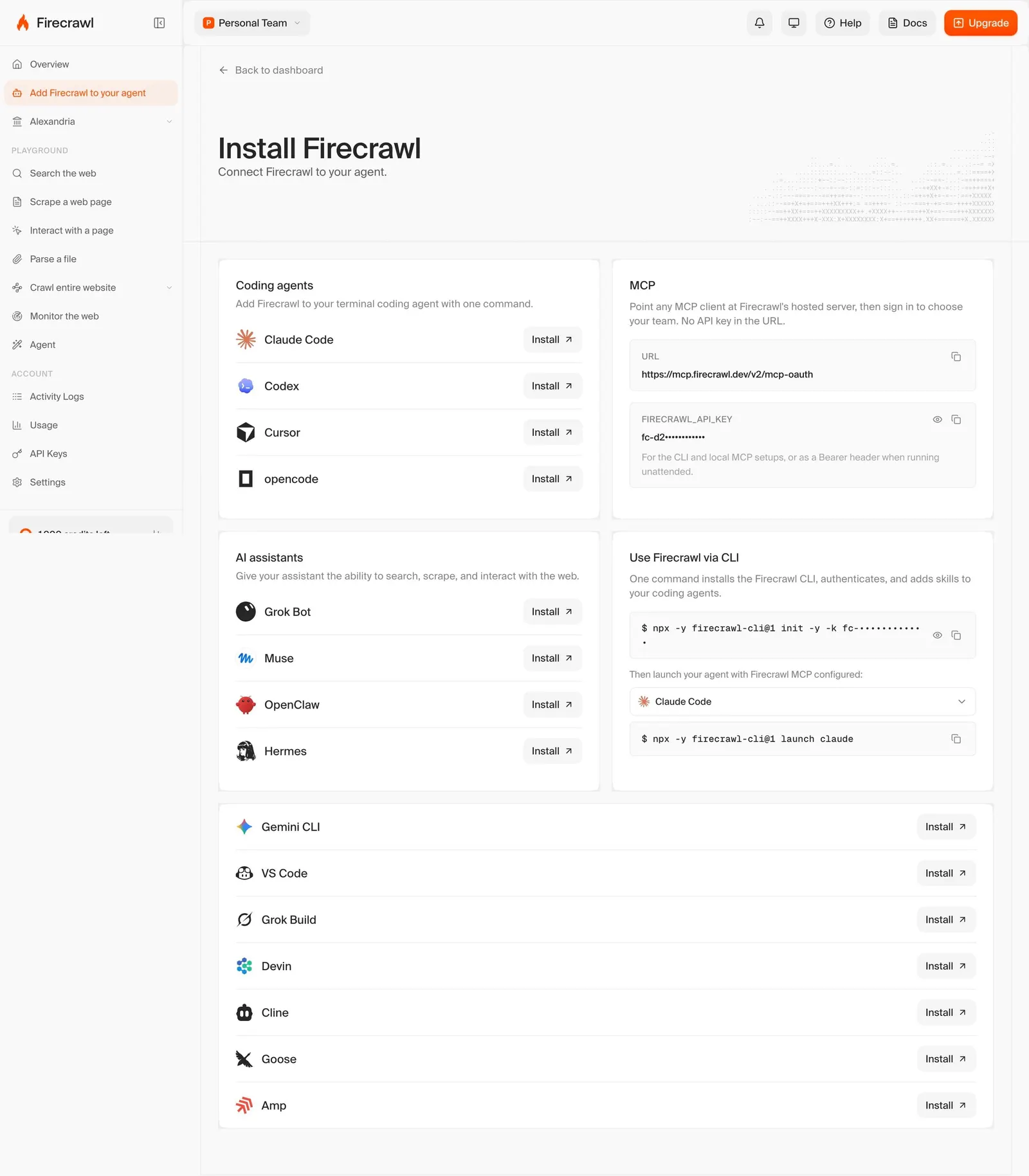
"Install Firecrawl" lists every supported client in grouped cards: coding agents (Claude Code, Codex, Cursor, opencode), AI assistants (Grok Bot, Muse, OpenClaw, Hermes) and a longer list with Gemini CLI, VS Code, Devin, Cline, Goose and Amp. Each row has the product logo and a small "Install" button.
MCP and CLI on the right
A second column explains the hosted MCP server with its URL and the masked FIRECRAWL_API_KEY, then "Use Firecrawl via CLI" with a single npx command and the launch command for Claude Code.
Copy-first design
Every URL, key and command sits in a monospace field with a copy icon, so the page reads as a checklist of things to paste rather than documentation.