SaaSFrame

About this screen
Document on the left, schema on the right
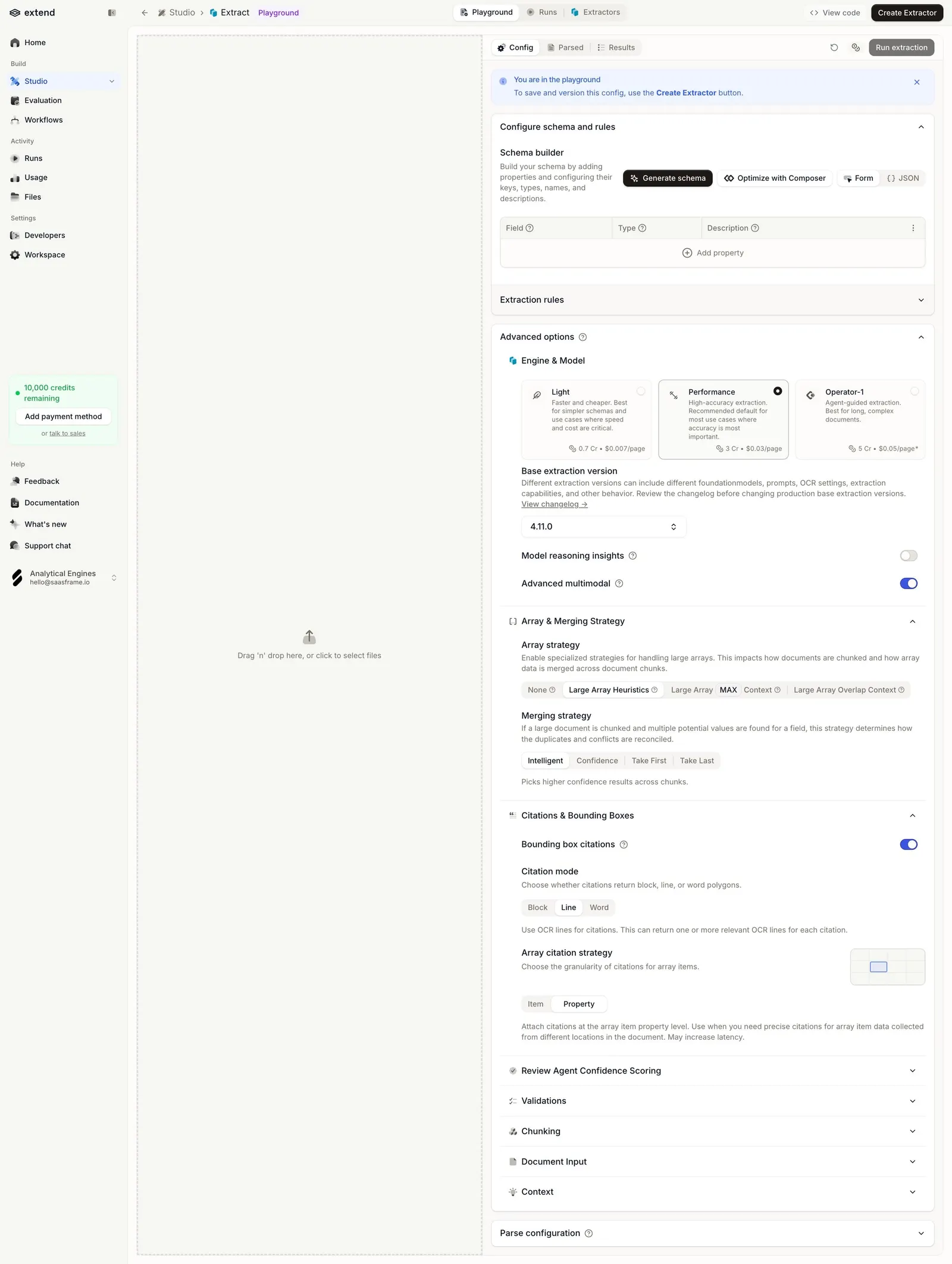
The Extract playground splits the screen: a large dashed area, "Drag 'n' drop here, or click to select files", and a configuration panel with Config, Parsed and Results tabs and a "Run extraction" button.
A schema builder as a table
"Schema builder - Build your schema by adding properties and configuring their keys, types, names, and descriptions" is a Field / Type / Description table with "Add property", a Form / JSON switch and two helpers: Generate schema and Optimize with Composer.
Every option in collapsible sections
Below come Extraction rules and Advanced options: Engine & Model (Light, Performance, Operator-1), array and merging strategy, citations, review agent, validations, chunking. A blue banner reminds: "To save and version this config, use the Create Extractor button."