About this screen
Layout
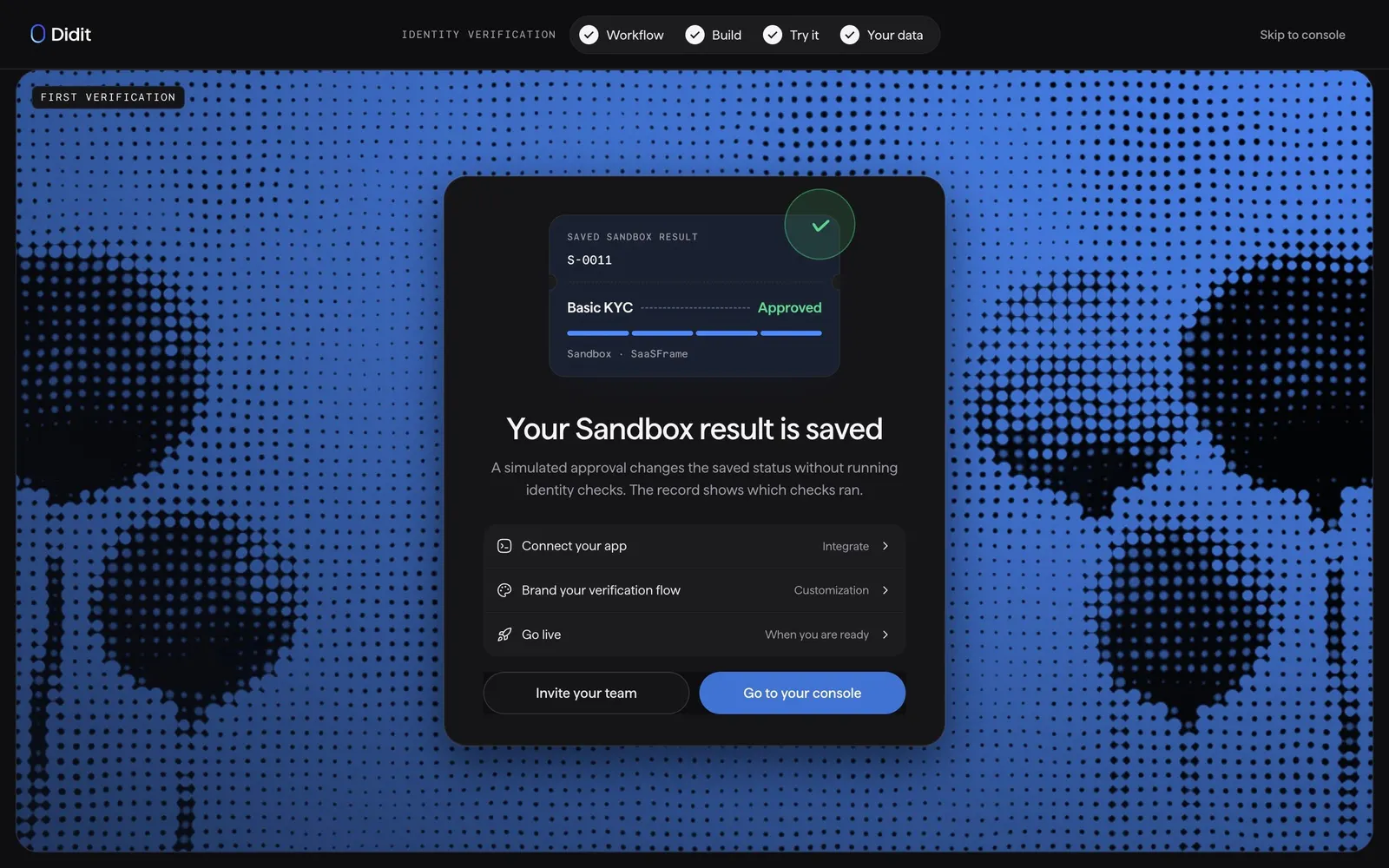
Centered success card over a large halftone balloon image.
Content
Your Sandbox result is saved: a mini record card showing Basic KYC Approved, three next steps, Connect your app, Brand your verification flow and Go live, with Invite your team and Go to your console.
Notable details
The success state shows the actual saved record with a check badge instead of a generic illustration. The record preview carries an identifier, the workflow name and an Approved status, tagged Sandbox. The explanation is precise about what a simulation does: it changes the saved status without running identity checks. The three next steps are labeled on the right with Integrate, Customization and When you are ready, pointing to the relevant console areas.