SaaSFrame
Part of Try the Voice APIs
Deepgram Text-to-Speech Playground
 DeepgramVoice AI APIs for speech, TTS and agents
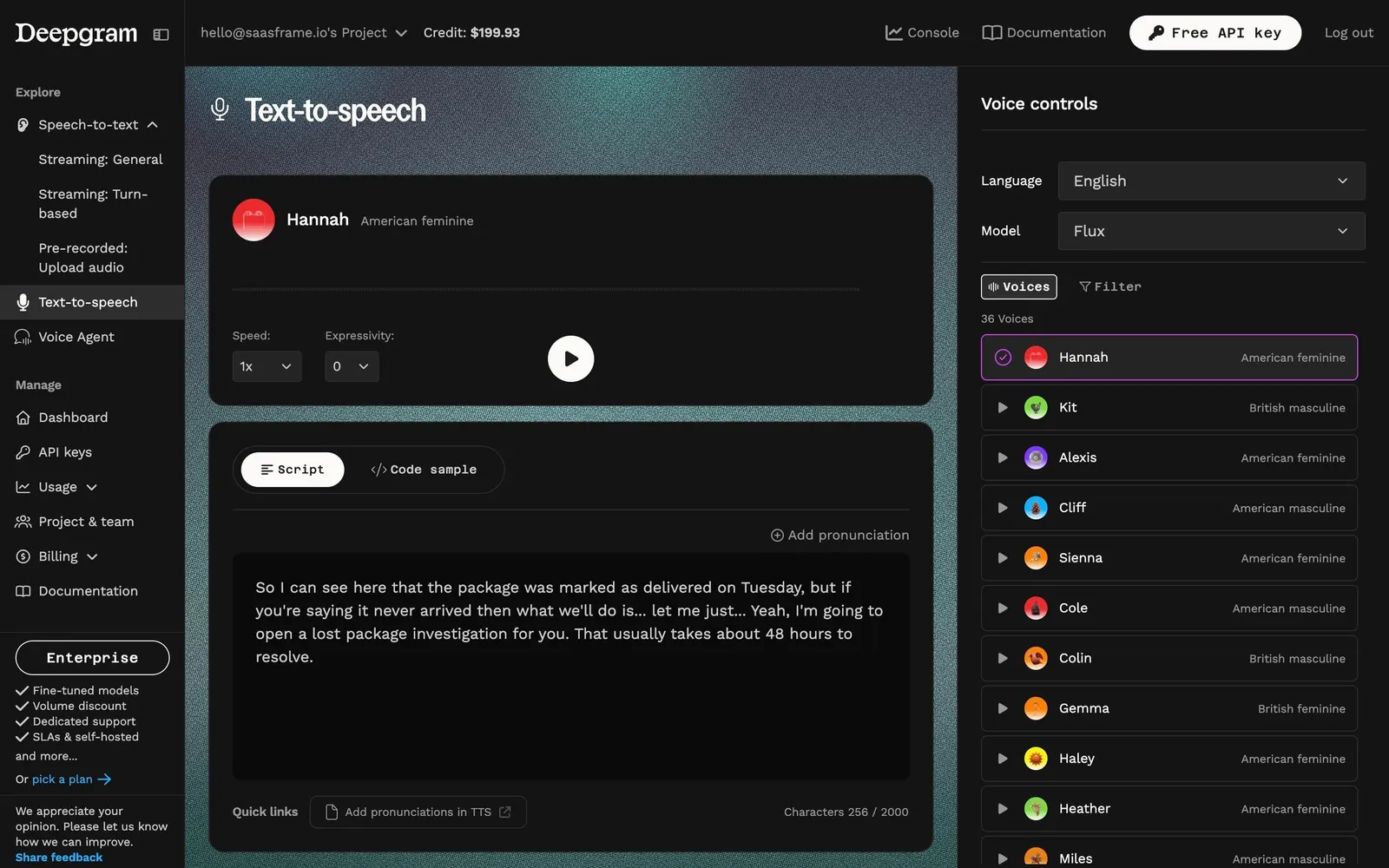
About this screen
A voice card on top of the script
Deepgram's text-to-speech playground shows the selected voice as a card: an avatar, "Hannah", "American feminine", speed and expressivity selects and a large white play button, over a teal grainy background.
Script and code sample
Below, "Script" and "Code sample" tabs switch between a customer-support script and the matching code. An "Add pronunciation" link sits above the text, and a footer shows quick links and "Characters 256 / 2000".
Voices as a picker list
The right panel, "Voice controls", sets language (English) and model (Flux), then lists 36 voices with a play icon, a colored avatar, a name and an accent and gender label; the selected voice gets a magenta border and a check.