 SaaSFrame
Product Demo
Show, don't just tell, with SaaS Product Demo patterns. This includes embedded interactive demos, 'sandbox' previews, and video walkthroughs that give users a taste of the real product.
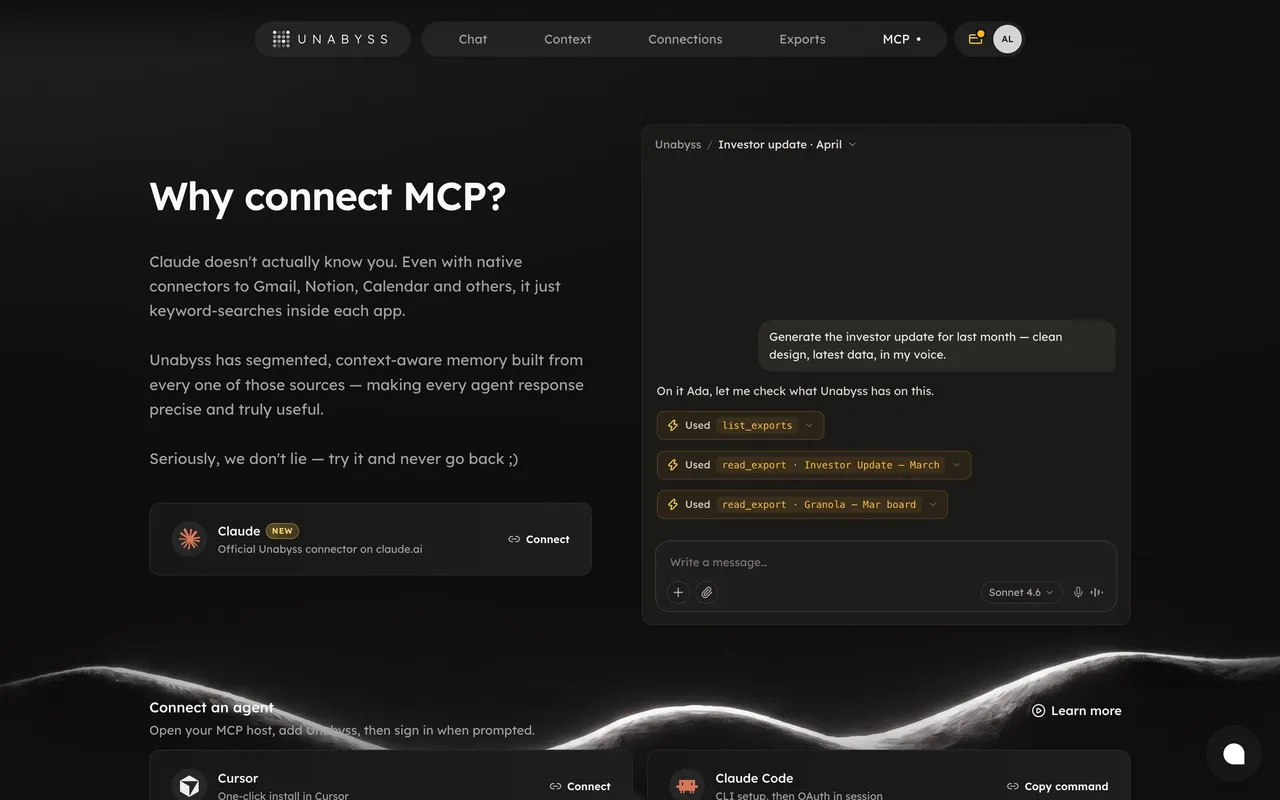

Product Demo: design guide
In the libraryas of November 2026
- Examples
- 1
- SaaS products
- 1
- Last added
- Nov 2026
Most common inIntegrations 1
Recently addedUnabyss
A product demo helps visitors understand what using a product could look like before they commit to it. It can take the form of a video, a guided interactive experience, an illustrated workflow, or a live walkthrough. The useful question is not which medium looks most impressive, but which one helps the audience evaluate a relevant task.
A demo should connect an input, a sequence of meaningful actions, and an outcome. A collection of attractive interface fragments may create interest without showing how the product actually supports work. Design the entry point and the demonstration around the uncertainty a visitor needs to resolve.
Choose a task that represents the product's value
Start with a concrete scenario. A design tool might show how an asset becomes an animated composition. A pricing tool might show how a rule changes a displayed offer. A collaboration product might show how a request moves from intake to resolution.
Keep the task focused enough that the visitor can follow it. A general tour of every feature can make the product seem extensive while leaving the core workflow unclear. Choose a beginning that the audience recognizes and an ending that explains the benefit.
State what the demo covers before someone opens it. The title, description, and preview should help visitors decide whether it answers their question. Do not label a general brand film as a workflow demo if it never demonstrates the product's actions.
Make the demo entry point unmistakable
The Artboard Studio capture uses a large image of a person working at a screen, with prominent demo wording and a play symbol. The computer display supplies product context while the action wording explains that a demonstration is available.
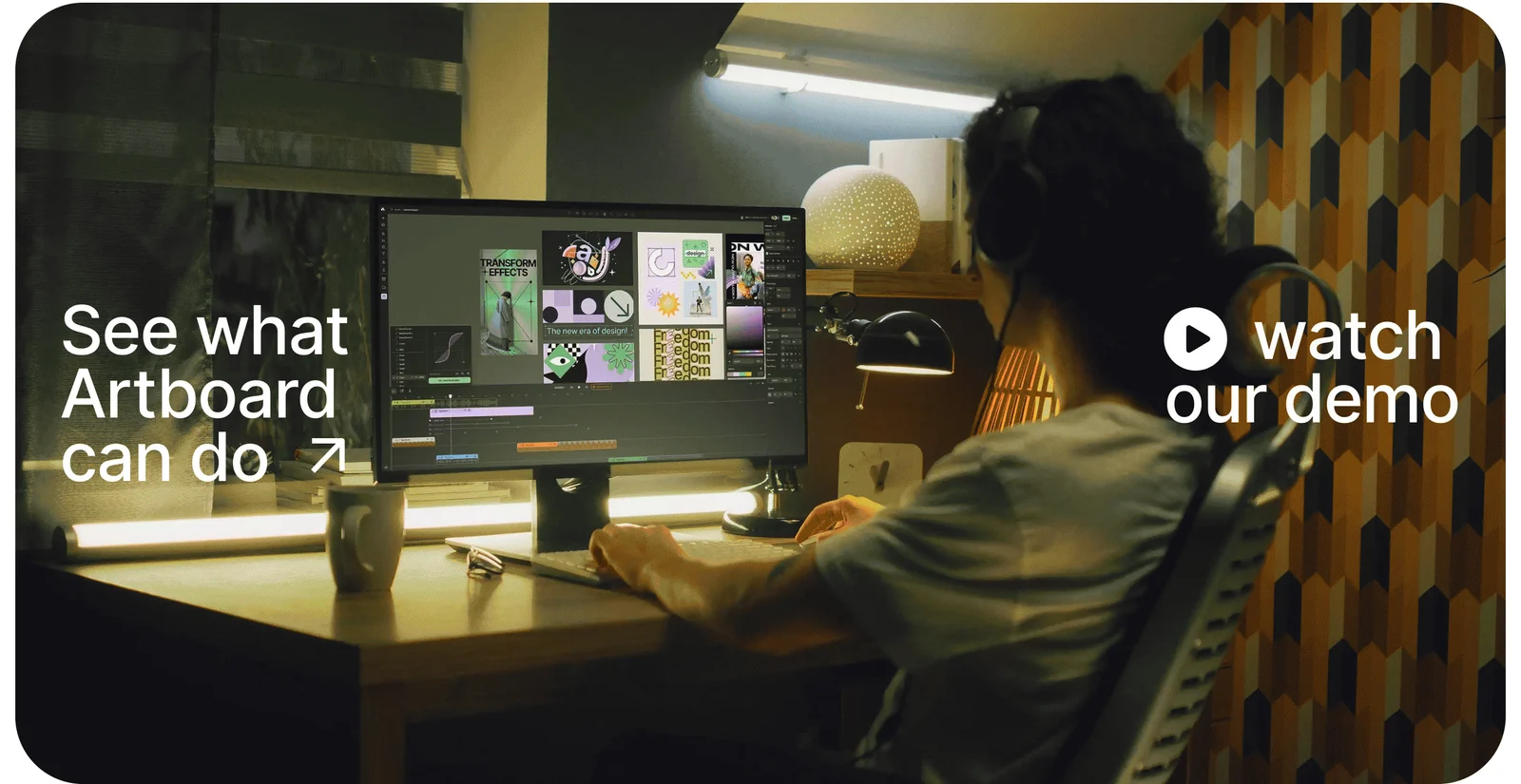
The composition connects the product to a recognizable working setting. It does not establish the video content, duration, playback behavior, or actual workflow demonstrated after activation. Those properties need direct inspection of the destination rather than inference from the poster image.
When adapting this approach, keep the action legible over the image and provide a clear accessible name. A cinematic poster can support interest, but the visitor should not need to guess which part opens the demo or whether the image is merely decorative.
Show how a product decision leads to an outcome
The ParityDeals capture presents a targeting rule beside a pricing card, linked visually by a dotted path. A row of capability labels appears above, and supporting bullets explain the captured section's proposition. The relationship between rule configuration and the resulting offer is visible in one composition.
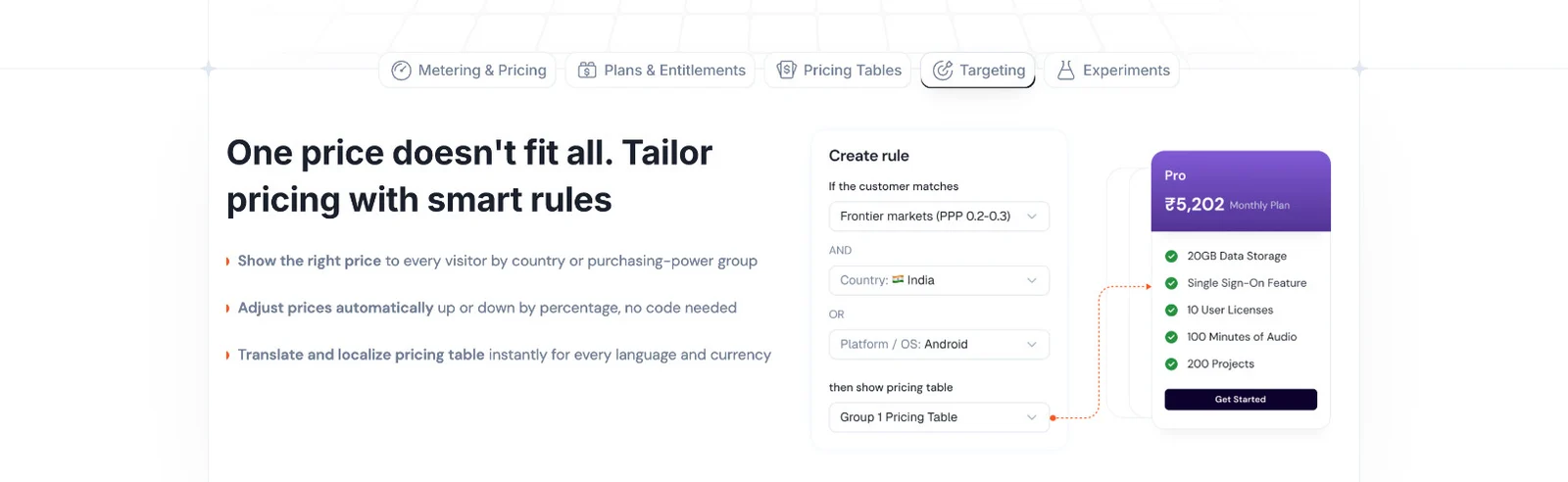
This is an illustrated demonstration of a mechanism rather than proof of a fully operable embedded demo. The useful lesson is causal structure: a visitor can see what is configured and what that configuration affects. The historical price and product claims in the image are not verified current information.
For your demo, make the consequence of each important action visible. A click sequence without an understandable outcome is hard to evaluate. If the scenario uses sample data or simplified conditions, identify that scope so the visitor can distinguish an illustration from a complete production workflow.
Select the medium according to the evaluation task
A video can communicate movement and a guided narrative with little interaction. It also controls the pace unless visitors can pause, seek, and revisit sections. An interactive demo allows exploration, but it can become confusing if actions differ from the real product without explanation.
A short illustrated workflow can explain a mechanism efficiently when the audience does not need to operate it yet. A live walkthrough can address specific questions, but it adds scheduling and commitment. These options can complement one another when their purposes are clearly labeled.
Do not force every visitor through the same format. Someone researching quickly may need a concise overview, while a serious evaluator may need a deeper task demonstration. Offer a coherent route from the short introduction to the appropriate detail rather than presenting several indistinguishable demo buttons.
Keep the scenario credible and understandable
Use realistic sample data that supports the story without requiring lengthy explanation. Names, records, and status labels should remain consistent throughout the demo. If the interface jumps between unrelated datasets, visitors may have difficulty understanding what changed.
Show meaningful work rather than every mechanical step. It can be reasonable to omit a repetitive setup action, but make substantial prerequisites clear. A demonstration that appears to produce an outcome instantly while hiding essential configuration can create expectations the product cannot meet.
Distinguish a concept prototype, staged walkthrough, and current product behavior. Each can be useful in the right context, but the label should match the evidence. Do not present an unreleased capability as generally available simply because the demo looks polished.
Design the experience after activation
Decide whether the demo opens inline, in a dialog, on another page, or in an external environment. Preserve the visitor's context and make the return route clear. A fullscreen experience should have an understandable way to close it without losing the original page position.
For video, provide practical playback controls and avoid unexpected audio. For an interactive sequence, explain the scope of exploration and what happens when someone takes an unsupported path. The experience should not appear broken merely because the visitor clicked a different control than the scripted one.
If a gate requests contact details, explain why and what the visitor will receive. Consider whether a useful preview can appear first. A button promising a demo should not unexpectedly lead to a sales form with no indication of that step.
Support progress, recovery, and repeat viewing
Longer demonstrations benefit from clear sections or a sense of progress. Visitors may want to skip to a relevant task or return to a specific point. A sequence that resets on every minor navigation can make evaluation unnecessarily repetitive.
For interactive demos, offer a reset that restores the sample scenario without ambiguity. Explain whether actions affect only demonstration data. Avoid using controls that look capable of making real purchases, sending messages, or changing an account unless the experience makes their consequences clear.
When loading or playback fails, preserve the surrounding explanation and provide an appropriate retry or alternative. A transcript, static workflow, or separate destination can keep the page useful. Do not leave a blank player as the only account of the product's value.
Make the demonstration accessible in more than one way
Video demonstrations need meaningful text support when spoken or visual content carries the explanation. Captions, transcripts, and clear descriptions can help visitors follow the scenario at their own pace. Important information should not exist only in tiny interface text inside the video.
Interactive experiences need operable controls, a coherent focus order, and visible focus. A guided overlay should not trap someone away from the close or reset action. Explain the next step in text rather than relying solely on a moving highlight or arrow.
Keep motion preferences and small-screen readability in mind. A desktop capture with dense controls may be impossible to inspect in a small embedded player. Consider a mobile-friendly narrative or a clear route to a larger view rather than shrinking every interface detail.
Connect the ending to a sensible evaluation step
The next action should follow from what the visitor has learned. A successful overview may lead to a trial, a deeper workflow example, documentation, or a live discussion. Use labels that reflect those destinations instead of ending every demonstration with a generic commitment prompt.
Summarize the demonstrated outcome and identify what remains to evaluate. A demo can show a useful scenario without proving that it covers every configuration or integration requirement. Help visitors locate the information needed for their own context.
Avoid interrupting the demonstration with repeated conversion prompts. The experience should deliver the explanation it promised. A relevant action at a natural stopping point is more coherent than a persistent overlay that obscures the workflow.
Test comprehension rather than playback alone
Ask visitors to explain the scenario, the important action, and the resulting outcome. A video completion rate does not establish that the workflow was understood. An interactive click sequence may reflect following highlighted targets rather than meaningful evaluation.
Verify the entry point, loading, playback or interaction, close behavior, reset, narrow layouts, and fallback content. Review the demo when the product changes so its interface and claims do not quietly become outdated.
Explore the SaaSFrame product-demo collection to compare prominent video entry points with illustrated mechanisms. Study how each reference frames the task, then test the actual demonstration separately from its preview.
Questions to resolve before creating a product demo
Should the demo be interactive? Use interaction when it helps visitors evaluate a task through exploration. A concise video or illustrated mechanism can be more useful when the goal is a guided explanation.
How long should it be? Long enough to show a coherent task and outcome, with no unnecessary tour of unrelated features. Provide deeper routes when the audience needs more detail.
Can sample data make a demo credible? Yes, when the scenario is realistic and its scope is clear. Sample data should support understanding without implying that staged results are guaranteed production outcomes.