SaaSFrame

About this screen
Members as a plain table
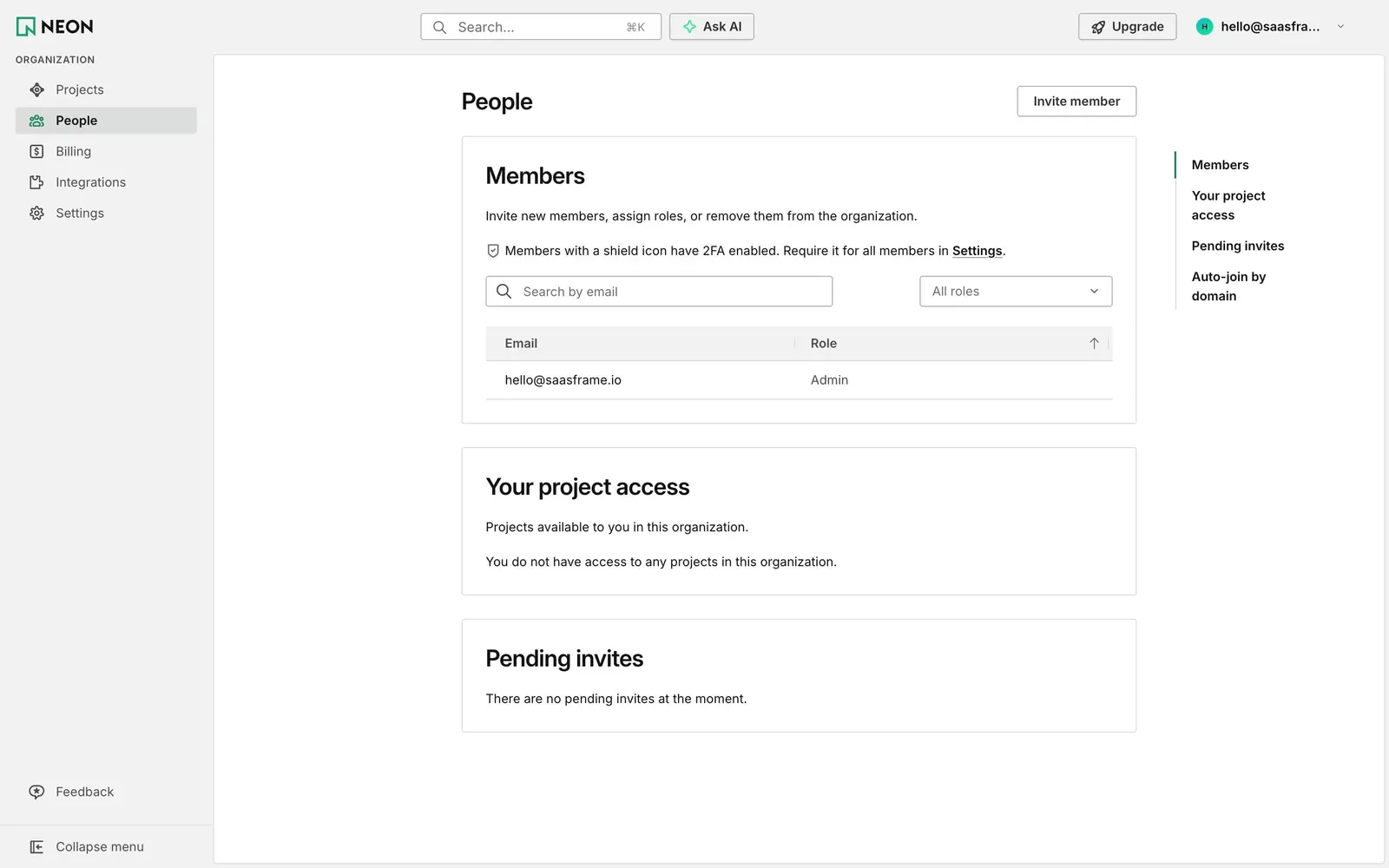
Neon's People page lists organization members in a bordered card titled "Members": a sentence on inviting and assigning roles, a shield note that members with 2FA show an icon (with a link to require it in Settings), "Search by email", an "All roles" filter and an Email / Role table with one Admin row.
Access and invites spelled out
Two more cards follow, "Your project access" and "Pending invites", each ending with a single plain sentence when empty, such as "There are no pending invites at the moment." There are no illustrations or placeholder graphics.
One action, one index
The only primary action is an outlined "Invite member" button beside the title. A sticky list on the right jumps to Members, Your project access, Pending invites and Auto-join by domain, with a green bar marking the current section.