SaaSFrame
Deepgram Project & Team
 DeepgramVoice AI APIs for speech, TTS and agents
About this screen
Project and team on one page
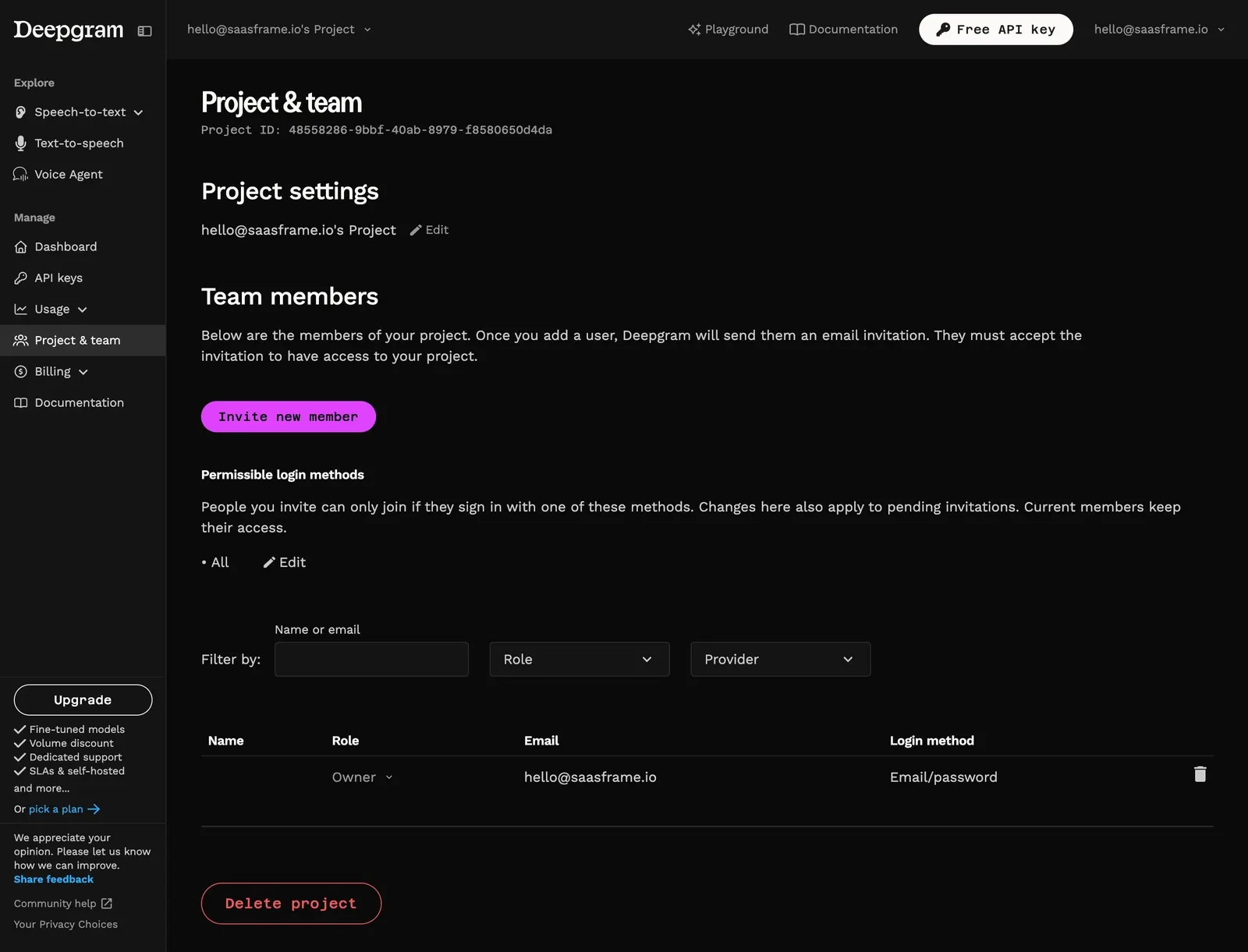
Deepgram's "Project & team" page starts with "Project settings" (the project name with an inline "Edit" pencil) and moves straight to "Team members", where a sentence explains that invited users get an email and must accept it.
Control over how people sign in
Under a magenta "Invite new member" button, "Permissible login methods" explains that invitees can only join with the allowed methods, currently "All", with an "Edit" link.
A filterable members table
Filters for name or email, role and provider sit above a table with Name, Role, Email and Login method columns; the single owner row has a role dropdown and a trash icon. An outlined red "Delete project" pill closes the page.